Phoenix Embrace: Rise in Color - Flux.1 schnell
提示
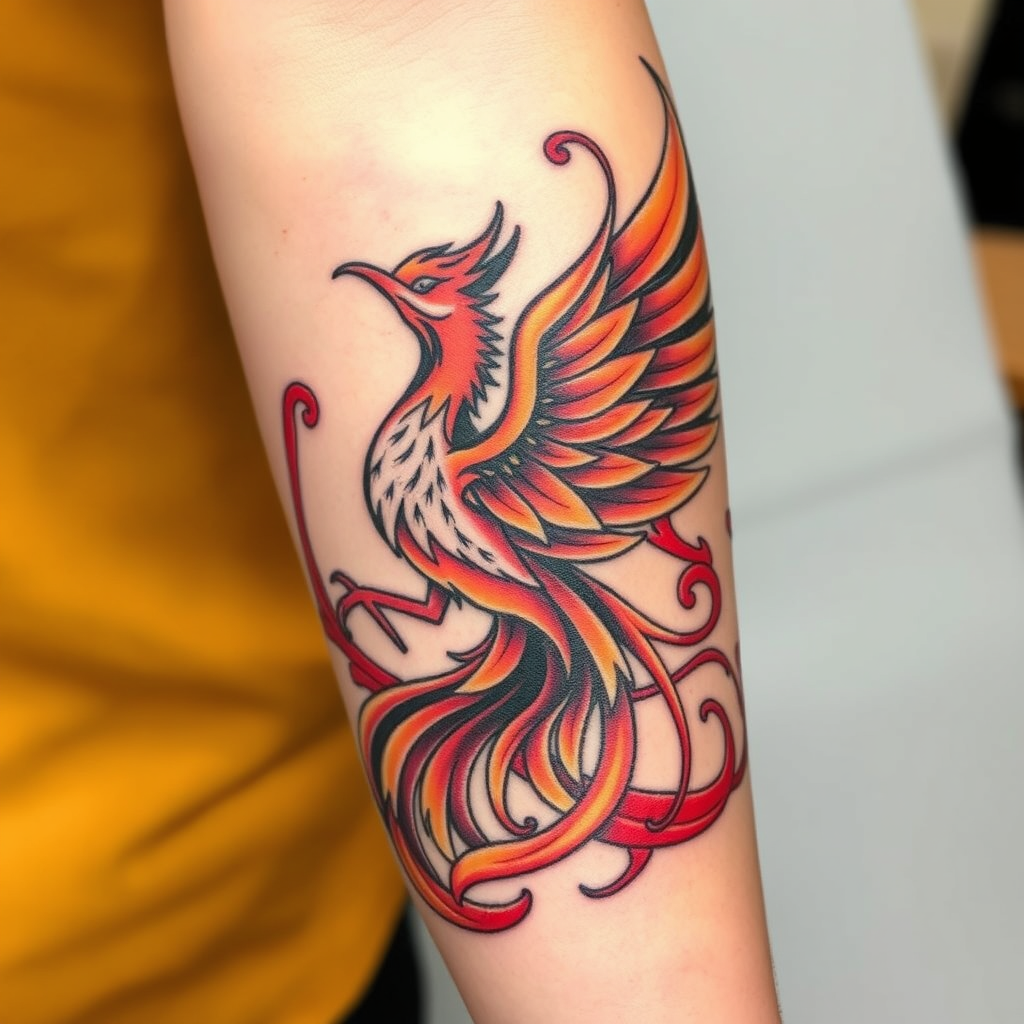
Create a tattoo design for the side of the forearm featuring a stylized phoenix rising, embodying rebirth and resilience. The phoenix should be depicted with flowing, intricate feather details that blend seamlessly into swirling flames, symbolizing transformation. Opt for a traditional artistic style with bold outlines, yet incorporate realistic shading to add depth and dimension. The tattoo should span approximately 8 to 10 inches in length, wrapping slightly around the forearm for an immersive effect. Use a vibrant color palette of fiery reds, oranges, and golds, contrasted with deep blacks for the feather outlines. Include subtle patterns within the feathers, reminiscent of ancient Eastern motifs, to enhance cultural significance. The overall mood should evoke empowerment and strength, with a dynamic energy that draws the eye and inspires awe.
Flux AI 圖像提示的詳細分析
分析使用 Flux AI 圖像生成器生成圖像所使用的詳細提示。
探索 Flux AI 圖像生成器的提示
如何通過 Flux.1 schnell
遵循以下四個簡單步驟來創建您想要的圖片。
步驟 1:輸入您的文字 (可自由調整提示以獲得更好的結果)
步驟 2:選擇圖片的縱橫比
步驟 3:選擇您的 Flux 模型:
步驟 4:點擊生成按鈕並等待幾秒鐘獲取您的圖片
與提示相關的 Flux AI 工具 Flux.1 schnell
發現來自 Flux AI 的高級工具,提升您的創意工作流程。