Pawsitively Charming Café Tales - Flux.1.1 pro
提示
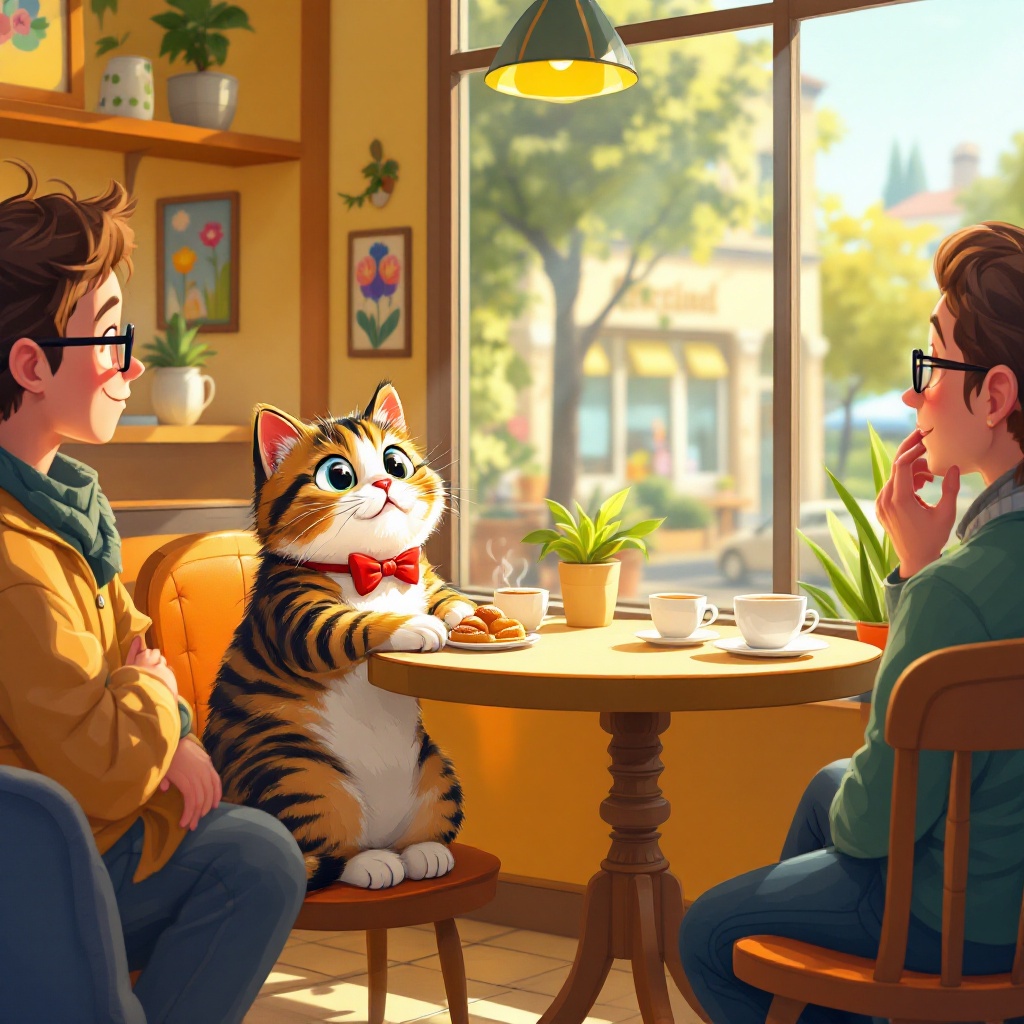
Create a whimsical scene in a cozy café where a charming tabby cat sits confidently at a small table, engaging with a group of amused patrons. The cat, wearing a tiny bowtie, leans forward with a playful expression, its paws resting on the table as it captivates the audience with an enchanting gaze. In contrast, a shy human, sitting alone at a nearby table, looks on with a mix of admiration and envy. The café is filled with warm, inviting colors—soft yellows and rich browns—with sunlight streaming through large windows, casting playful shadows. Include details like coffee cups, a small plate of pastries, and colorful artwork on the walls. Use a cartoonish, illustrative style with exaggerated features and expressions to enhance the humor and warmth of the scene, capturing the lightheartedness of the moment.
Flux AI 圖像提示的詳細分析
分析使用 Flux AI 圖像生成器生成圖像所使用的詳細提示。
探索 Flux AI 圖像生成器的提示
如何通過 Flux.1.1 pro
遵循以下四個簡單步驟來創建您想要的圖片。
步驟 1:輸入您的文字 (可自由調整提示以獲得更好的結果)
步驟 2:選擇圖片的縱橫比
步驟 3:選擇您的 Flux 模型:
步驟 4:點擊生成按鈕並等待幾秒鐘獲取您的圖片
與提示相關的 Flux AI 工具 Flux.1.1 pro
發現來自 Flux AI 的高級工具,提升您的創意工作流程。