Lace & Blooms: Elegant Hand Tattoo - Flux.1 dev
提示
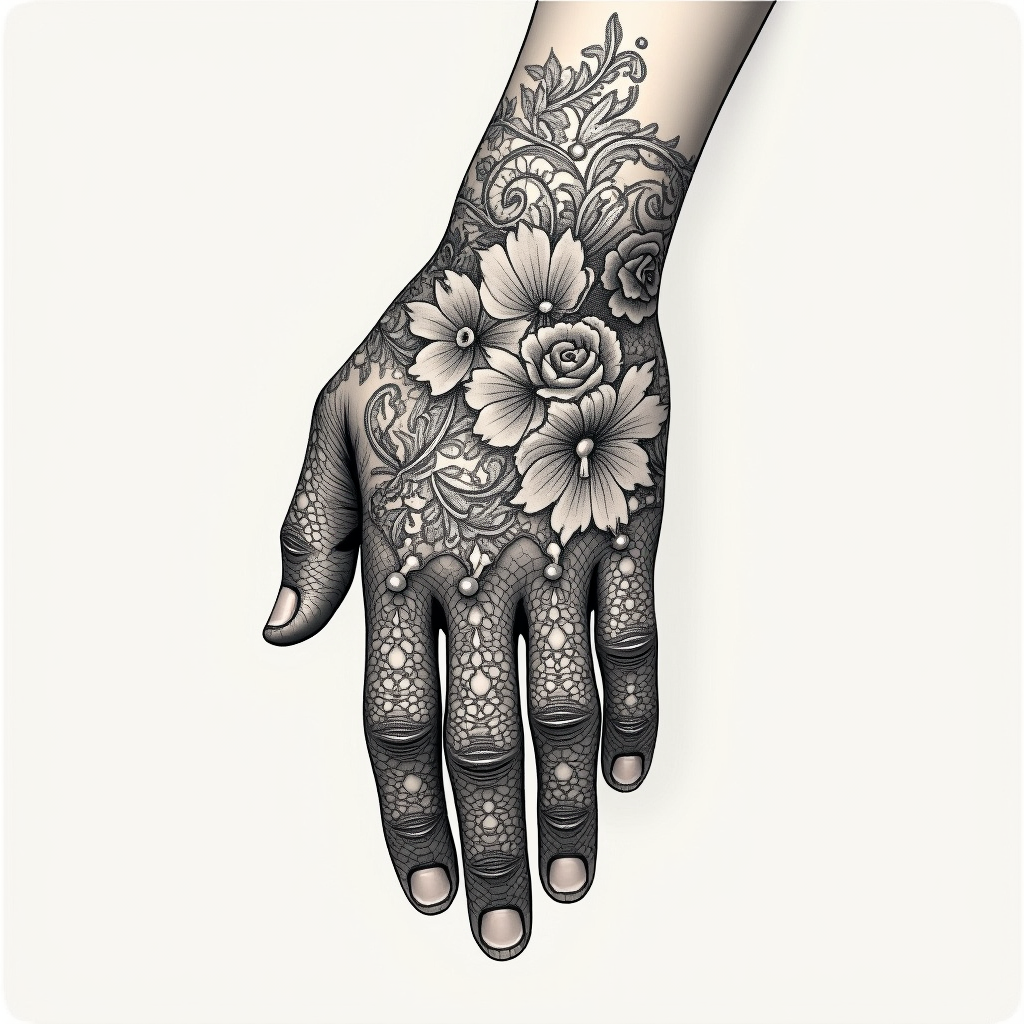
Create a tattoo design for the hand featuring an intricate lace pattern that wraps elegantly around the fingers and extends to the wrist. Incorporate delicate floral motifs, such as roses and lilies, intertwined with swirling vines and filigree elements to enhance the lace effect. The artistic style should be a blend of realistic and traditional, showcasing fine details and shading that mimic the texture of real lace. The tattoo should be medium-sized, covering the top of the hand and part of the wrist, with a monochromatic color palette in black and deep gray to emphasize the intricacy. Include subtle dot work and line shading for depth, creating a sense of movement. The design should evoke a romantic and vintage aesthetic, symbolizing elegance and femininity, while also reflecting the wearer's appreciation for intricate craftsmanship.
Flux AI 圖像提示的詳細分析
分析使用 Flux AI 圖像生成器生成圖像所使用的詳細提示。
探索 Flux AI 圖像生成器的提示
如何通過 Flux.1 dev
遵循以下四個簡單步驟來創建您想要的圖片。
步驟 1:輸入您的文字 (可自由調整提示以獲得更好的結果)
步驟 2:選擇圖片的縱橫比
步驟 3:選擇您的 Flux 模型:
步驟 4:點擊生成按鈕並等待幾秒鐘獲取您的圖片
與提示相關的 Flux AI 工具 Flux.1 dev
發現來自 Flux AI 的高級工具,提升您的創意工作流程。