Glass Door Surprise: Oops! - Flux.1 dev
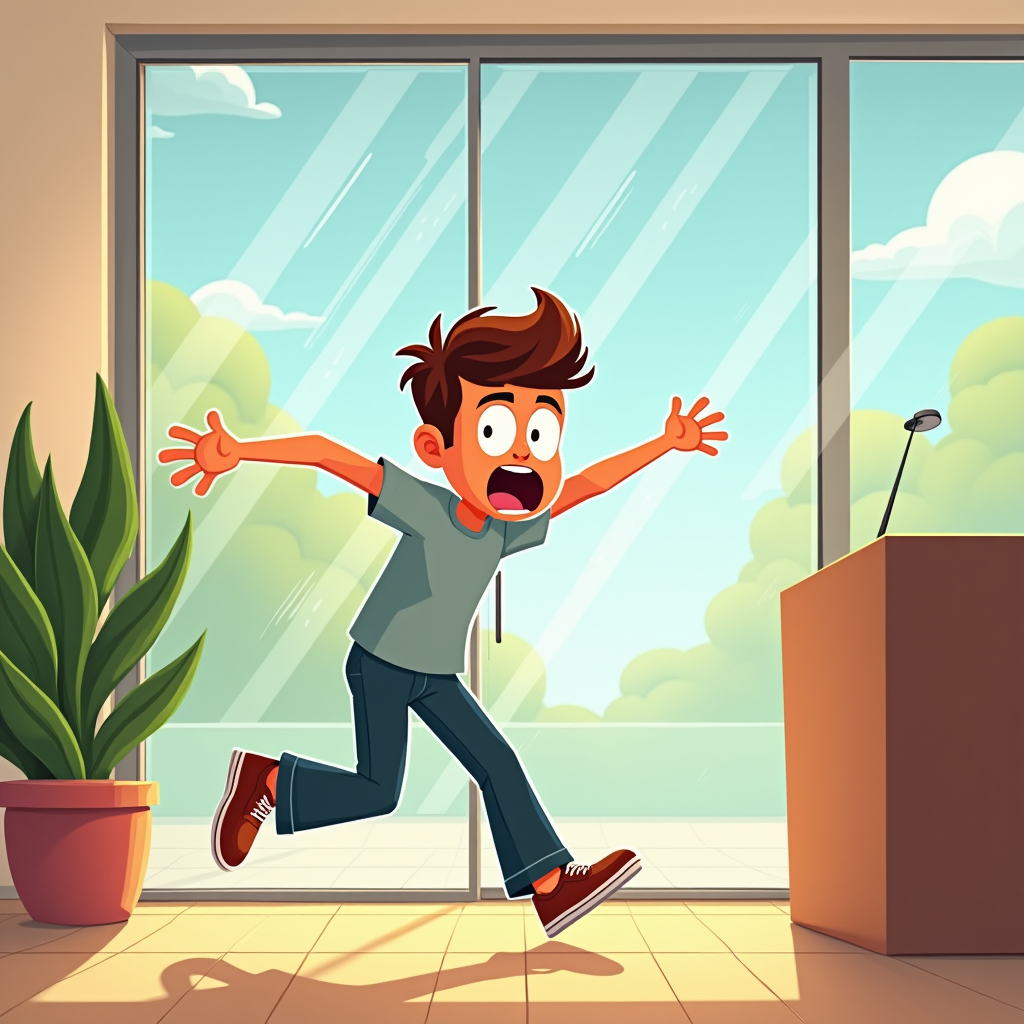
提示
Create a humorous scene depicting a person in mid-collision with a clear glass door. The character, a young adult wearing casual clothes, has a surprised expression, eyes wide and mouth agape, as they stumble forward. The glass door reflects a bright, sunny day outside, with trees and blue sky visible, contrasting with the indoor setting, which is warmly lit with soft, golden tones. In the background, a potted plant and a contemporary reception desk add depth. The composition should focus on the character's exaggerated facial expression and body posture, capturing the moment of shock. Use a cartoonish, exaggerated art style with bold outlines and vibrant colors to enhance the comedic effect. Add subtle motion lines around the character to emphasize movement and surprise, creating a lighthearted, playful atmosphere.
Flux AI 图像提示的详细分析
分析用于通过 Flux AI 图像生成器生成图像的详细提示。
探索Flux AI图像生成器的提示词
如何通过 Flux.1 dev
按照以下四个简单步骤创建您想要的图像。
步骤 1:输入您的文字 (可以优化您的提示以获得更好的结果)
步骤 2:选择图片宽高比
步骤 3:选择您的 Flux 模型:
步骤 4:点击生成按钮,等待几秒钟获取您的图像
与提示相关的 Flux AI 工具 Flux.1 dev
发现来自 Flux AI 的高级工具,提升您的创意工作流程。