Dad Jokes in Meme Style - Flux.1.1 pro
提示
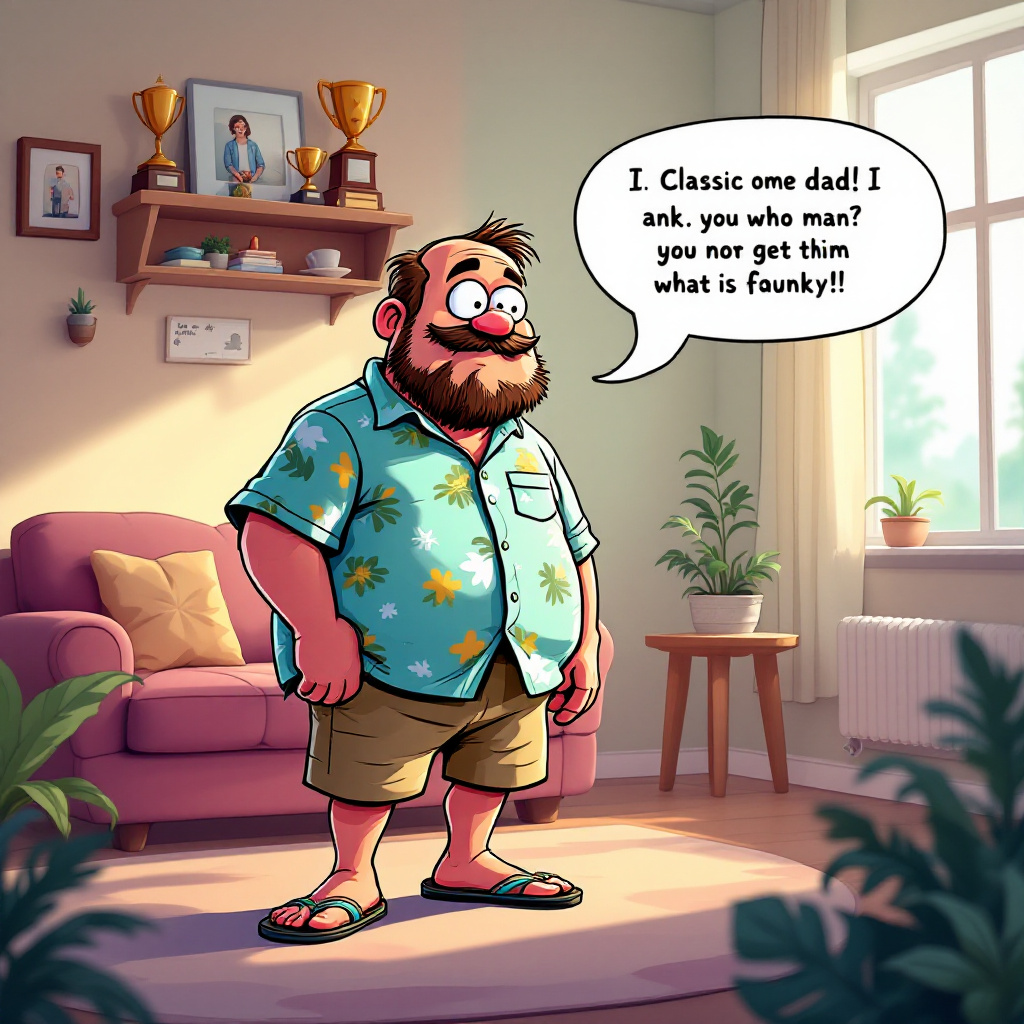
A whimsical scene depicting a cartoonish meme character, reminiscent of a popular internet meme (like the "Distracted Boyfriend" or "Pepe the Frog"), now transformed into a dad figure. He wears a classic dad outfit: khaki shorts, a Hawaiian shirt, and flip-flops. The setting is a cozy living room filled with family photos and a shelf of dad-themed trophies. Soft, warm lighting filters through a window, casting gentle shadows. In the foreground, a speech bubble emerges from the dad character, humorously delivering a classic dad joke. The color palette is vibrant yet warm, with soft pastels dominating the background. The style is a blend of cartoon and digital illustration, emphasizing exaggerated facial expressions and playful details. Incorporate subtle textures to give depth, and use a light-hearted, comedic tone throughout the composition.
Flux AI 图像提示的详细分析
分析用于通过 Flux AI 图像生成器生成图像的详细提示。
探索Flux AI图像生成器的提示词
如何通过 Flux.1.1 pro
按照以下四个简单步骤创建您想要的图像。
步骤 1:输入您的文字 (可以优化您的提示以获得更好的结果)
步骤 2:选择图片宽高比
步骤 3:选择您的 Flux 模型:
步骤 4:点击生成按钮,等待几秒钟获取您的图像
与提示相关的 Flux AI 工具 Flux.1.1 pro
发现来自 Flux AI 的高级工具,提升您的创意工作流程。