Dad Jokes in Meme Style - Flux.1.1 pro
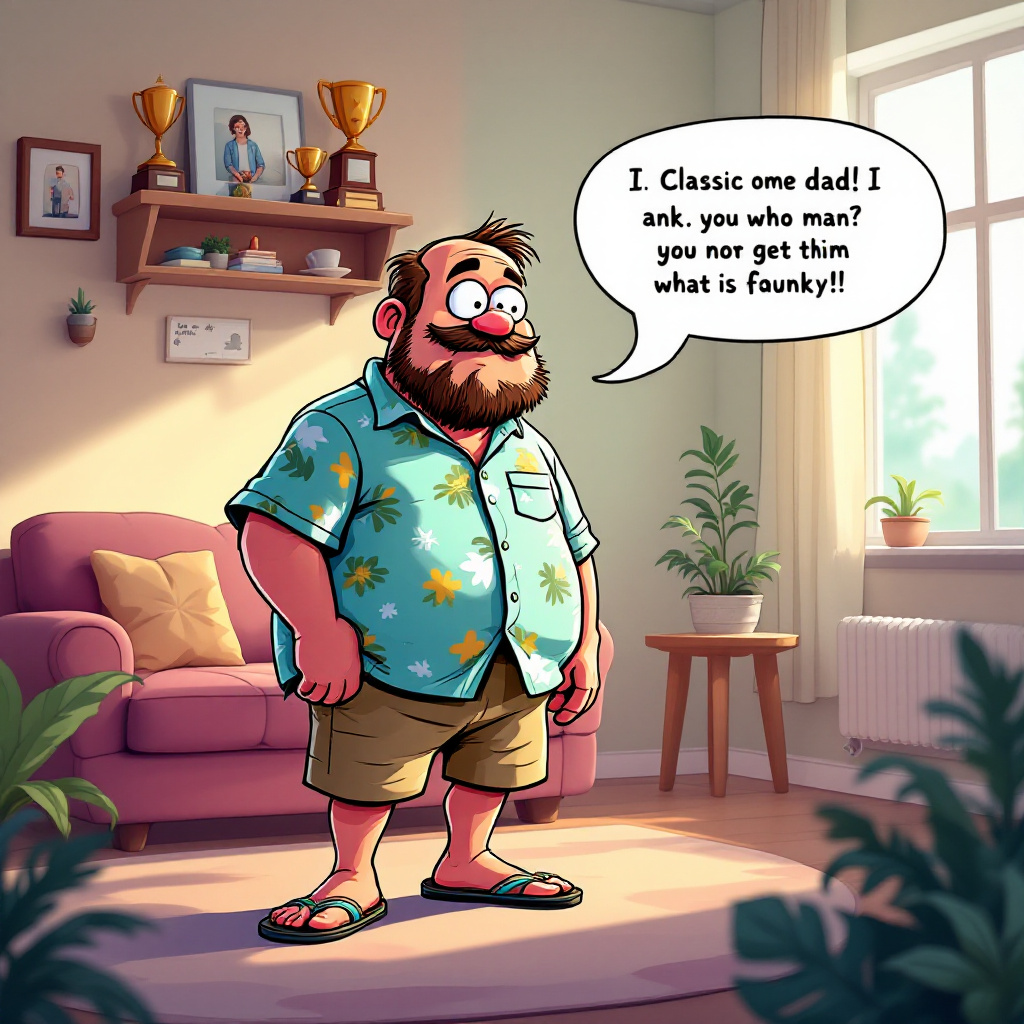
prompt
A whimsical scene depicting a cartoonish meme character, reminiscent of a popular internet meme (like the "Distracted Boyfriend" or "Pepe the Frog"), now transformed into a dad figure. He wears a classic dad outfit: khaki shorts, a Hawaiian shirt, and flip-flops. The setting is a cozy living room filled with family photos and a shelf of dad-themed trophies. Soft, warm lighting filters through a window, casting gentle shadows. In the foreground, a speech bubble emerges from the dad character, humorously delivering a classic dad joke. The color palette is vibrant yet warm, with soft pastels dominating the background. The style is a blend of cartoon and digital illustration, emphasizing exaggerated facial expressions and playful details. Incorporate subtle textures to give depth, and use a light-hearted, comedic tone throughout the composition.
Detailed Analysis of the Flux AI Image Prompt
Analyze the detailed prompt used to generate the image with Flux AI Image Generator.
Explore Flux Prompts for the Flux AI Image Generator
How to generate image by Flux.1.1 pro
Follow these four simple steps to create your desired image.
Step 1: Enter Your Text (Feel free to refine your prompt for better results)
Step 2: Choose Image Aspect Ratio
Step 3: Select Your Flux Model:
Step 4: Click the Generate Button and Wait a Few Seconds for Your Image
Related Flux AI tools for prompts about Flux.1.1 pro
Discover advanced tools from Flux AI to boost your creative workflow.