Dad Jokes in Meme Style - Flux.1.1 pro
Eingabe
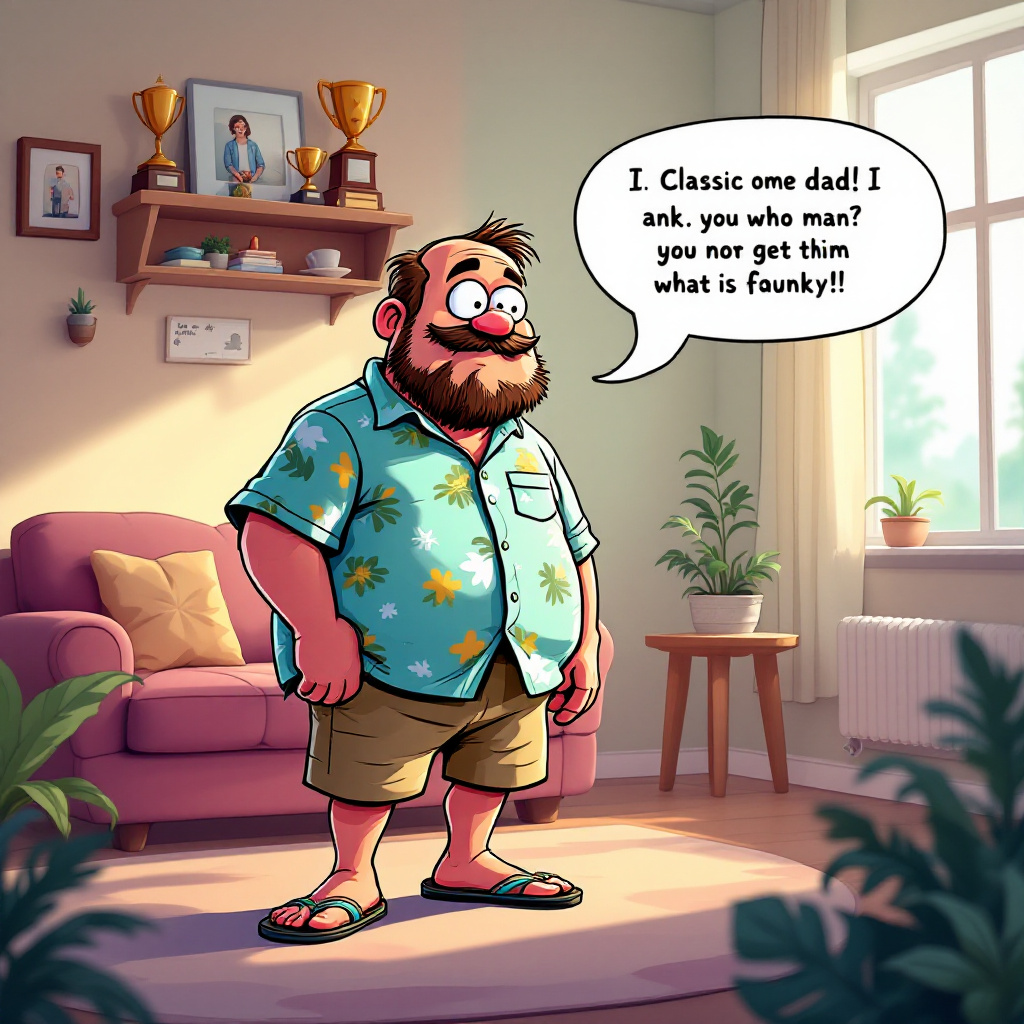
A whimsical scene depicting a cartoonish meme character, reminiscent of a popular internet meme (like the "Distracted Boyfriend" or "Pepe the Frog"), now transformed into a dad figure. He wears a classic dad outfit: khaki shorts, a Hawaiian shirt, and flip-flops. The setting is a cozy living room filled with family photos and a shelf of dad-themed trophies. Soft, warm lighting filters through a window, casting gentle shadows. In the foreground, a speech bubble emerges from the dad character, humorously delivering a classic dad joke. The color palette is vibrant yet warm, with soft pastels dominating the background. The style is a blend of cartoon and digital illustration, emphasizing exaggerated facial expressions and playful details. Incorporate subtle textures to give depth, and use a light-hearted, comedic tone throughout the composition.
Detaillierte Analyse des Flux KI Image Prompt
Analysiere den detaillierten Prompt, der zur Erstellung des Bildes mit dem Flux KI Image Generator verwendet wurde.
Flux-Prompts für den KI-Bildgenerator erkunden
Wie man ein Bild generiert von Flux.1.1 pro
Folge diesen vier einfachen Schritten, um das gewünschte Bild zu erstellen.
Schritt 1: Gib deinen Text ein (Fühle dich frei, deinen Prompt für bessere Ergebnisse zu verfeinern)
Schritt 2: Wähle das Bildseitenverhältnis
Schritt 3: Wähle dein Flux-Modell:
Schritt 4: Klicke auf die Generieren-Schaltfläche und warte ein paar Sekunden auf dein Bild
Verwandte Flux KI Tools für Prompts über Flux.1.1 pro
Entdecke fortschrittliche Tools von Flux KI, um deinen kreativen Workflow zu verbessern.