Back Piece-Samurai & Dragon - Flux.1 dev
提示
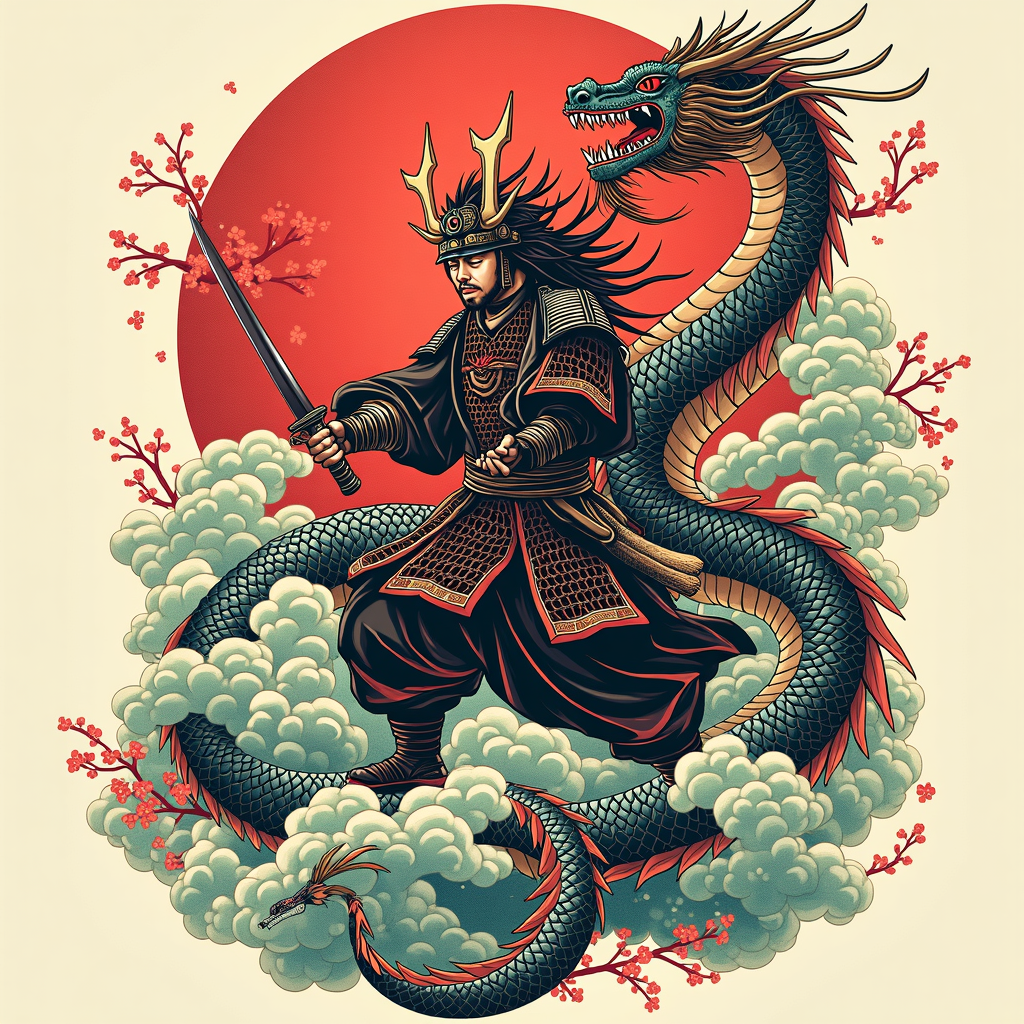
**Prompt:** Create a striking back piece tattoo featuring a fierce samurai in dynamic combat with a majestic dragon, rendered in a bold Japanese traditional style (irezumi). The samurai, clad in detailed armor with flowing robes, wields a katana mid-strike, while the dragon coils around him, its serpentine body adorned with intricate scales and swirling clouds. The composition spans the entire back, from shoulders to lower spine, with the dragon’s tail wrapping around the hips. Use a vibrant color palette of deep reds, rich blues, and emerald greens, accented with black ink for contrast and shading. Incorporate waves, cherry blossoms, and wind bars for movement and symbolism. The mood is epic and heroic, blending cultural reverence with fierce energy. Focus on clean lines, balanced symmetry, and meticulous detail to honor the art form.
Flux AI 图像提示的详细分析
分析用于通过 Flux AI 图像生成器生成图像的详细提示。
探索Flux AI图像生成器的提示词
如何通过 Flux.1 dev
按照以下四个简单步骤创建您想要的图像。
步骤 1:输入您的文字 (可以优化您的提示以获得更好的结果)
步骤 2:选择图片宽高比
步骤 3:选择您的 Flux 模型:
步骤 4:点击生成按钮,等待几秒钟获取您的图像
与提示相关的 Flux AI 工具 Flux.1 dev
发现来自 Flux AI 的高级工具,提升您的创意工作流程。