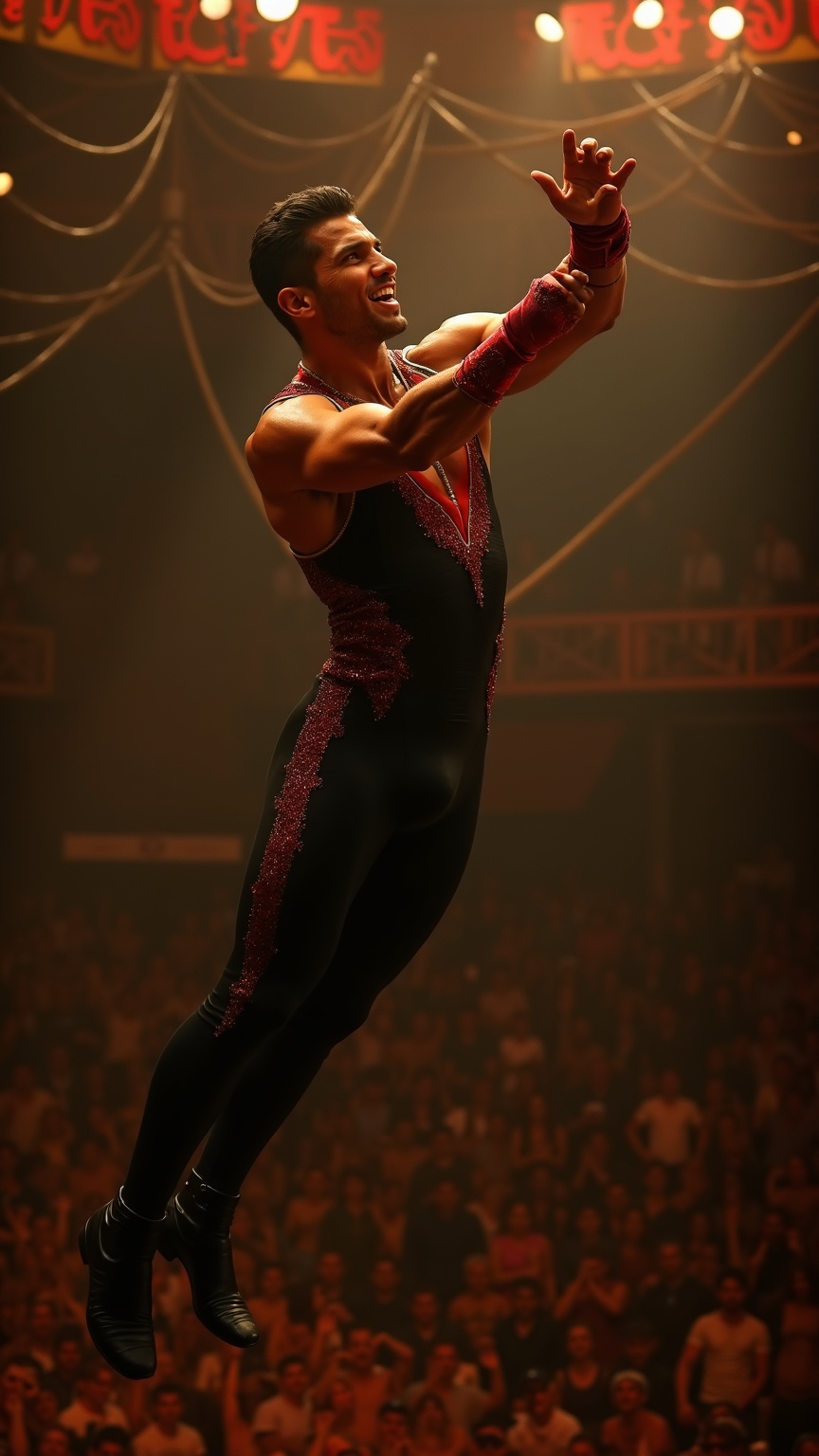
Trapeze artist catching partner mid-air under circus big top - Flux.1 dev
提示
**Prompt:** A muscular trapeze artist with sharp, chiseled features, short dark hair slicked back, and olive skin glistening under the spotlight. His toned arms and broad shoulders flex as he reaches out mid-air, fingers extended to catch his partner. He wears a sleek, form-fitting black and red sequined leotard with gold trim, matching wristbands, and snug black ankle boots. His expression is intense, focused, lips slightly parted in exertion, eyes locked on his partner. The backdrop is a grand circus big top, bathed in warm golden light, with a blur of cheering spectators below and swirling ropes and rigging overhead. The moment captures dynamic motion—his body arched, legs slightly bent, suspended in mid-flight against the vibrant circus atmosphere.
Flux AI 图像提示的详细分析
分析用于通过 Flux AI 图像生成器生成图像的详细提示。
探索Flux AI图像生成器的提示词
如何通过 Flux.1 dev
按照以下四个简单步骤创建您想要的图像。
步骤 1:输入您的文字 (可以优化您的提示以获得更好的结果)
步骤 2:选择图片宽高比
步骤 3:选择您的 Flux 模型:
步骤 4:点击生成按钮,等待几秒钟获取您的图像
与提示相关的 Flux AI 工具 Flux.1 dev
发现来自 Flux AI 的高级工具,提升您的创意工作流程。