Whimsical Butterfly Elegance - Flux.1 schnell
Eingabe
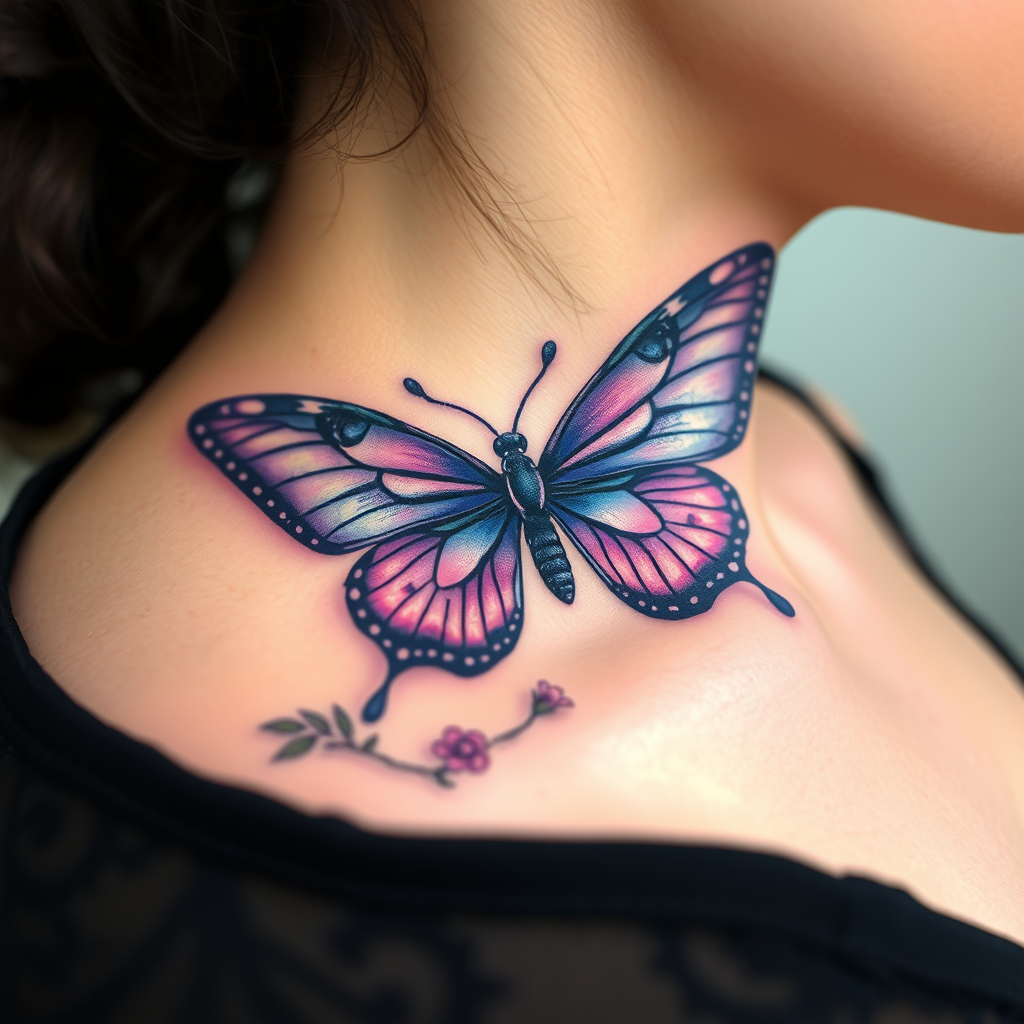
Design a realistic tattoo of a butterfly on the side of the neck, capturing the delicate intricacies of its wings. The butterfly should feature vibrant shades of blue and purple, with detailed patterns resembling lace and filigree, accentuated by subtle hints of iridescent white. The wings should appear slightly open, showcasing a blend of realistic shading and fine line work to create depth and texture. The size should be medium, approximately 4 to 6 inches in width, allowing for detailed visibility without overwhelming the neck. Incorporate elements of nature, such as small flowers or leaves, subtly intertwined with the butterfly’s body, symbolizing transformation and freedom. The overall aesthetic should evoke a sense of elegance and grace, with a touch of whimsy, creating a striking yet harmonious visual that complements the curvature of the neck.
Detaillierte Analyse des Flux KI Image Prompt
Analysiere den detaillierten Prompt, der zur Erstellung des Bildes mit dem Flux KI Image Generator verwendet wurde.
Flux-Prompts für den KI-Bildgenerator erkunden
Wie man ein Bild generiert von Flux.1 schnell
Folge diesen vier einfachen Schritten, um das gewünschte Bild zu erstellen.
Schritt 1: Gib deinen Text ein (Fühle dich frei, deinen Prompt für bessere Ergebnisse zu verfeinern)
Schritt 2: Wähle das Bildseitenverhältnis
Schritt 3: Wähle dein Flux-Modell:
Schritt 4: Klicke auf die Generieren-Schaltfläche und warte ein paar Sekunden auf dein Bild
Verwandte Flux KI Tools für Prompts über Flux.1 schnell
Entdecke fortschrittliche Tools von Flux KI, um deinen kreativen Workflow zu verbessern.