Whimsical Butterfly Elegance - Flux.1 schnell
提示
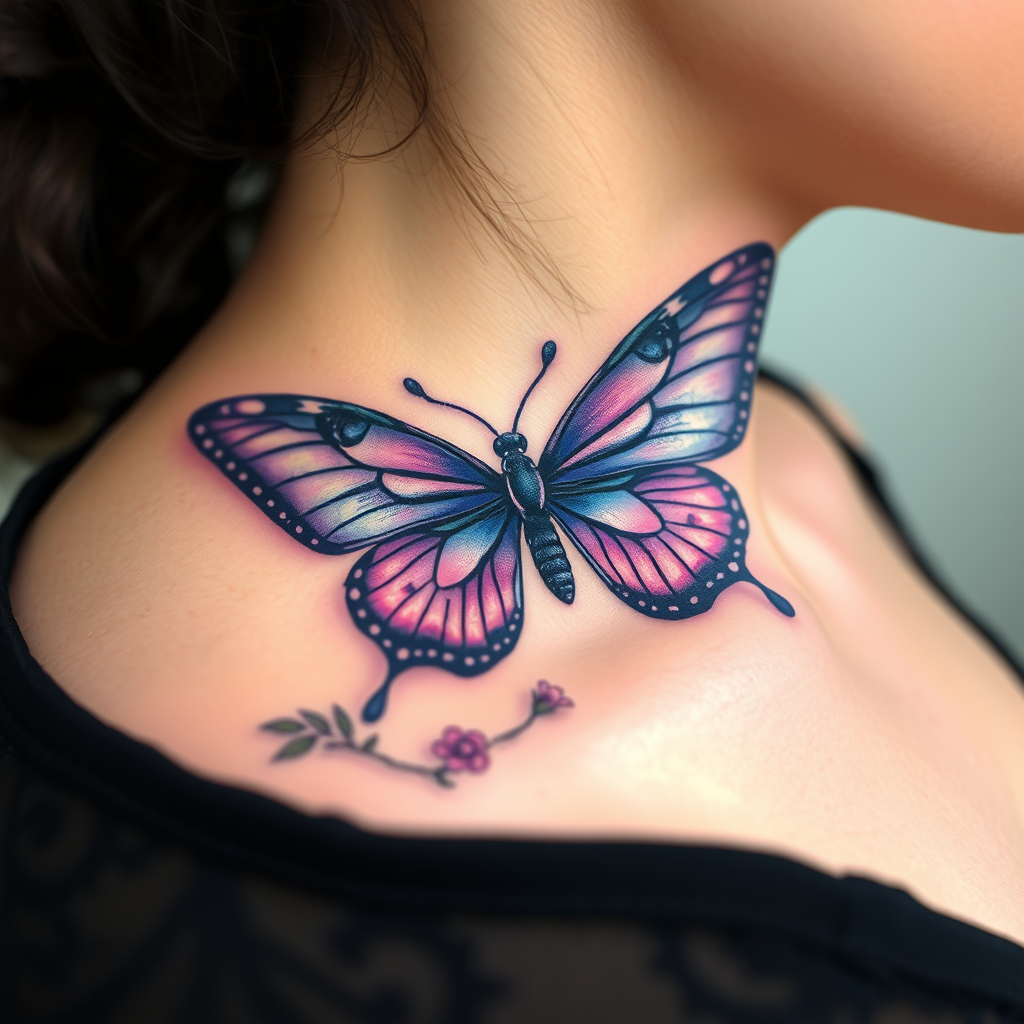
Design a realistic tattoo of a butterfly on the side of the neck, capturing the delicate intricacies of its wings. The butterfly should feature vibrant shades of blue and purple, with detailed patterns resembling lace and filigree, accentuated by subtle hints of iridescent white. The wings should appear slightly open, showcasing a blend of realistic shading and fine line work to create depth and texture. The size should be medium, approximately 4 to 6 inches in width, allowing for detailed visibility without overwhelming the neck. Incorporate elements of nature, such as small flowers or leaves, subtly intertwined with the butterfly’s body, symbolizing transformation and freedom. The overall aesthetic should evoke a sense of elegance and grace, with a touch of whimsy, creating a striking yet harmonious visual that complements the curvature of the neck.
Flux AI 圖像提示的詳細分析
分析使用 Flux AI 圖像生成器生成圖像所使用的詳細提示。
探索 Flux AI 圖像生成器的提示
如何通過 Flux.1 schnell
遵循以下四個簡單步驟來創建您想要的圖片。
步驟 1:輸入您的文字 (可自由調整提示以獲得更好的結果)
步驟 2:選擇圖片的縱橫比
步驟 3:選擇您的 Flux 模型:
步驟 4:點擊生成按鈕並等待幾秒鐘獲取您的圖片
與提示相關的 Flux AI 工具 Flux.1 schnell
發現來自 Flux AI 的高級工具,提升您的創意工作流程。