Elegance in Nature's Flow - Flux.1 dev
Eingabe
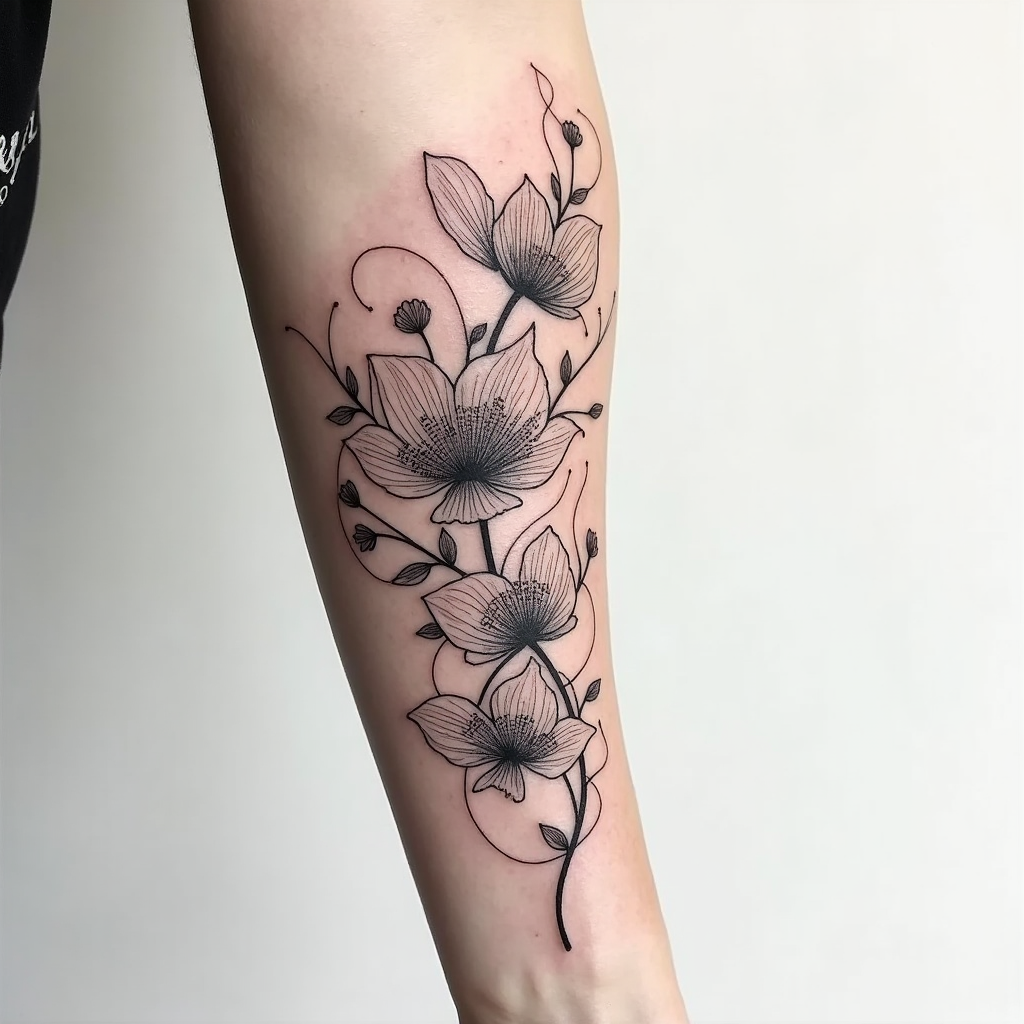
Create a tattoo design for the side of the arm featuring an abstract floral pattern characterized by flowing, graceful lines that intertwine with delicate petals. Incorporate elements like swirling vines, oversized blooms, and subtle leaf motifs to enhance the organic feel. The artistic style should be a blend of modern minimalist and intricate line work, emphasizing elegance without overwhelming detail. The tattoo should extend from the elbow to the wrist, with a size that allows for both bold visibility and intricate nuances. Opt for a monochromatic color palette in deep black and soft gray shades, highlighting shadows and textures to add depth. Include intricate patterns within the petals, resembling lace or filigree, to create a sense of sophistication. The design should evoke a serene and harmonious mood, symbolizing growth and transformation, while drawing inspiration from nature's beauty and fluidity.
Detaillierte Analyse des Flux KI Image Prompt
Analysiere den detaillierten Prompt, der zur Erstellung des Bildes mit dem Flux KI Image Generator verwendet wurde.
Flux-Prompts für den KI-Bildgenerator erkunden
Wie man ein Bild generiert von Flux.1 dev
Folge diesen vier einfachen Schritten, um das gewünschte Bild zu erstellen.
Schritt 1: Gib deinen Text ein (Fühle dich frei, deinen Prompt für bessere Ergebnisse zu verfeinern)
Schritt 2: Wähle das Bildseitenverhältnis
Schritt 3: Wähle dein Flux-Modell:
Schritt 4: Klicke auf die Generieren-Schaltfläche und warte ein paar Sekunden auf dein Bild
Verwandte Flux KI Tools für Prompts über Flux.1 dev
Entdecke fortschrittliche Tools von Flux KI, um deinen kreativen Workflow zu verbessern.