Elegance in Nature's Flow - Flux.1 dev
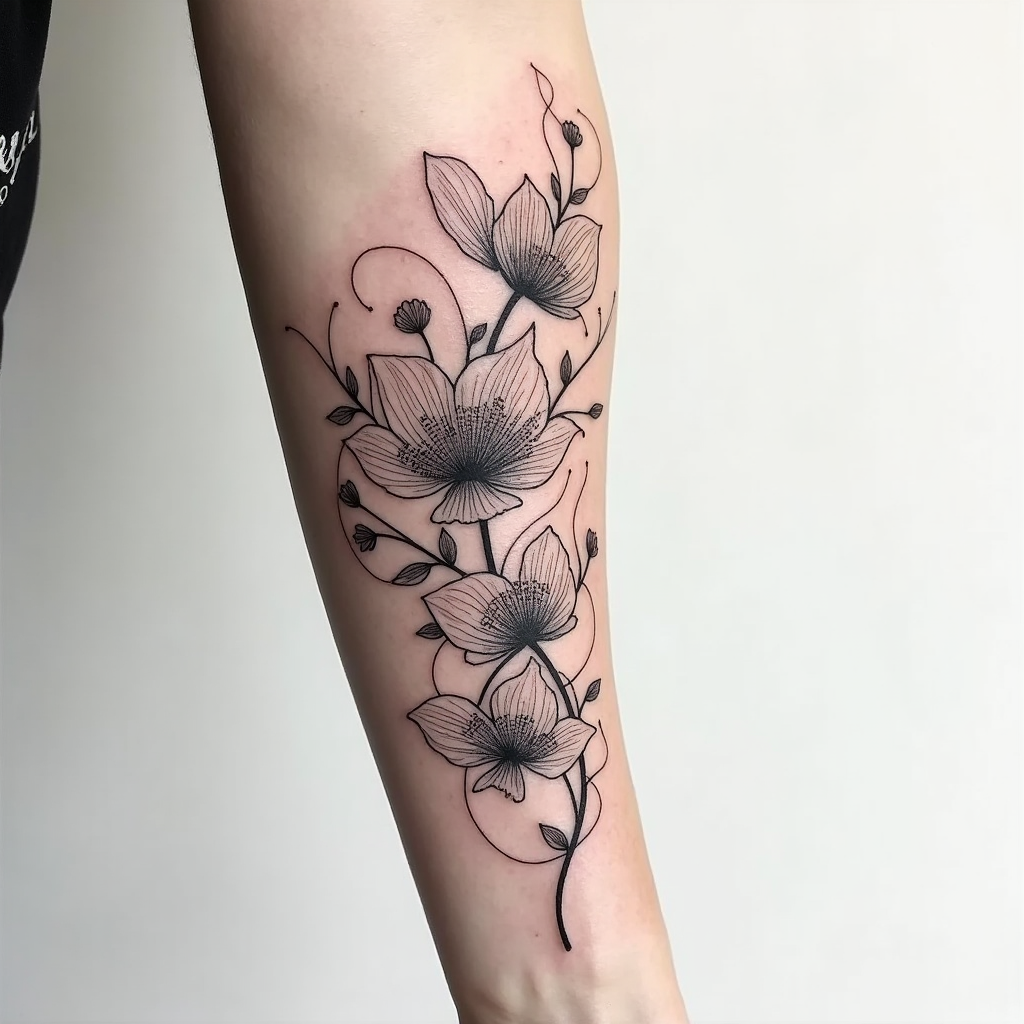
prompt
Create a tattoo design for the side of the arm featuring an abstract floral pattern characterized by flowing, graceful lines that intertwine with delicate petals. Incorporate elements like swirling vines, oversized blooms, and subtle leaf motifs to enhance the organic feel. The artistic style should be a blend of modern minimalist and intricate line work, emphasizing elegance without overwhelming detail. The tattoo should extend from the elbow to the wrist, with a size that allows for both bold visibility and intricate nuances. Opt for a monochromatic color palette in deep black and soft gray shades, highlighting shadows and textures to add depth. Include intricate patterns within the petals, resembling lace or filigree, to create a sense of sophistication. The design should evoke a serene and harmonious mood, symbolizing growth and transformation, while drawing inspiration from nature's beauty and fluidity.
Analisi Dettagliata del Prompt Immagine Flux AI
Analizza il prompt dettagliato utilizzato per generare l'immagine con il Generatore Immagini Flux AI.
Esplora i Prompt Flux per il Generatore Immagini Flux AI
Come generare immagini con Flux.1 dev
Segui questi quattro semplici passaggi per creare l'immagine desiderata.
Passaggio 1: Inserisci il Tuo Testo (Sentiti libero di perfezionare il prompt per risultati migliori)
Passaggio 2: Scegli le Proporzioni dell'Immagine
Passaggio 3: Seleziona il Tuo Modello Flux:
Passaggio 4: Clicca il Pulsante Genera e Attendi Alcuni Secondi per la Tua Immagine
Strumenti Flux AI correlati per prompt su Flux.1 dev
Scopri strumenti avanzati di Flux AI per potenziare il tuo flusso di lavoro creativo.