Elegance in Nature's Flow - Flux.1 dev
프롬프트
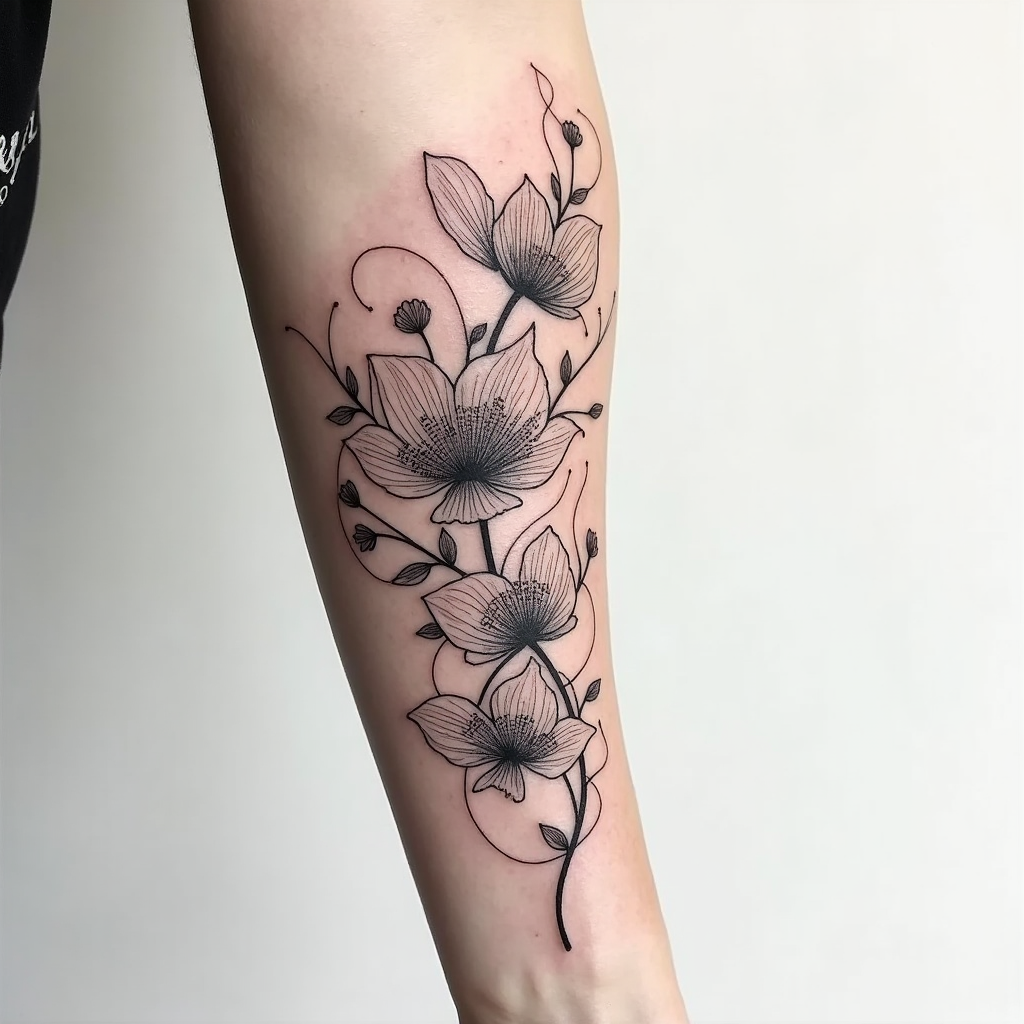
Create a tattoo design for the side of the arm featuring an abstract floral pattern characterized by flowing, graceful lines that intertwine with delicate petals. Incorporate elements like swirling vines, oversized blooms, and subtle leaf motifs to enhance the organic feel. The artistic style should be a blend of modern minimalist and intricate line work, emphasizing elegance without overwhelming detail. The tattoo should extend from the elbow to the wrist, with a size that allows for both bold visibility and intricate nuances. Opt for a monochromatic color palette in deep black and soft gray shades, highlighting shadows and textures to add depth. Include intricate patterns within the petals, resembling lace or filigree, to create a sense of sophistication. The design should evoke a serene and harmonious mood, symbolizing growth and transformation, while drawing inspiration from nature's beauty and fluidity.
Flux AI 이미지 프롬프트에 대한 상세 분석
Flux AI Image Generator를 사용하여 이미지를 생성하는 데 사용된 상세한 프롬프트를 분석합니다.
Flux AI 이미지 생성기 프롬프트 탐색
을 통해 이미지를 생성하는 방법 Flux.1 dev
원하는 이미지를 만들기 위해 다음 네 가지 간단한 단계를 따르세요.
단계 1: 텍스트 입력 (더 나은 결과를 위해 프롬프트를 자유롭게 수정하세요)
단계 2: 이미지 종횡비 선택
단계 3: Flux 모델 선택:
단계 4: 생성 버튼을 클릭하고 몇 초간 기다려 이미지를 받으세요
프롬프트와 관련된 Flux AI 도구 Flux.1 dev
Flux AI의 고급 도구를 발견하여 창의적인 작업 흐름을 향상시키세요.