Kenshin Himura - Flux.1 dev
Eingabe
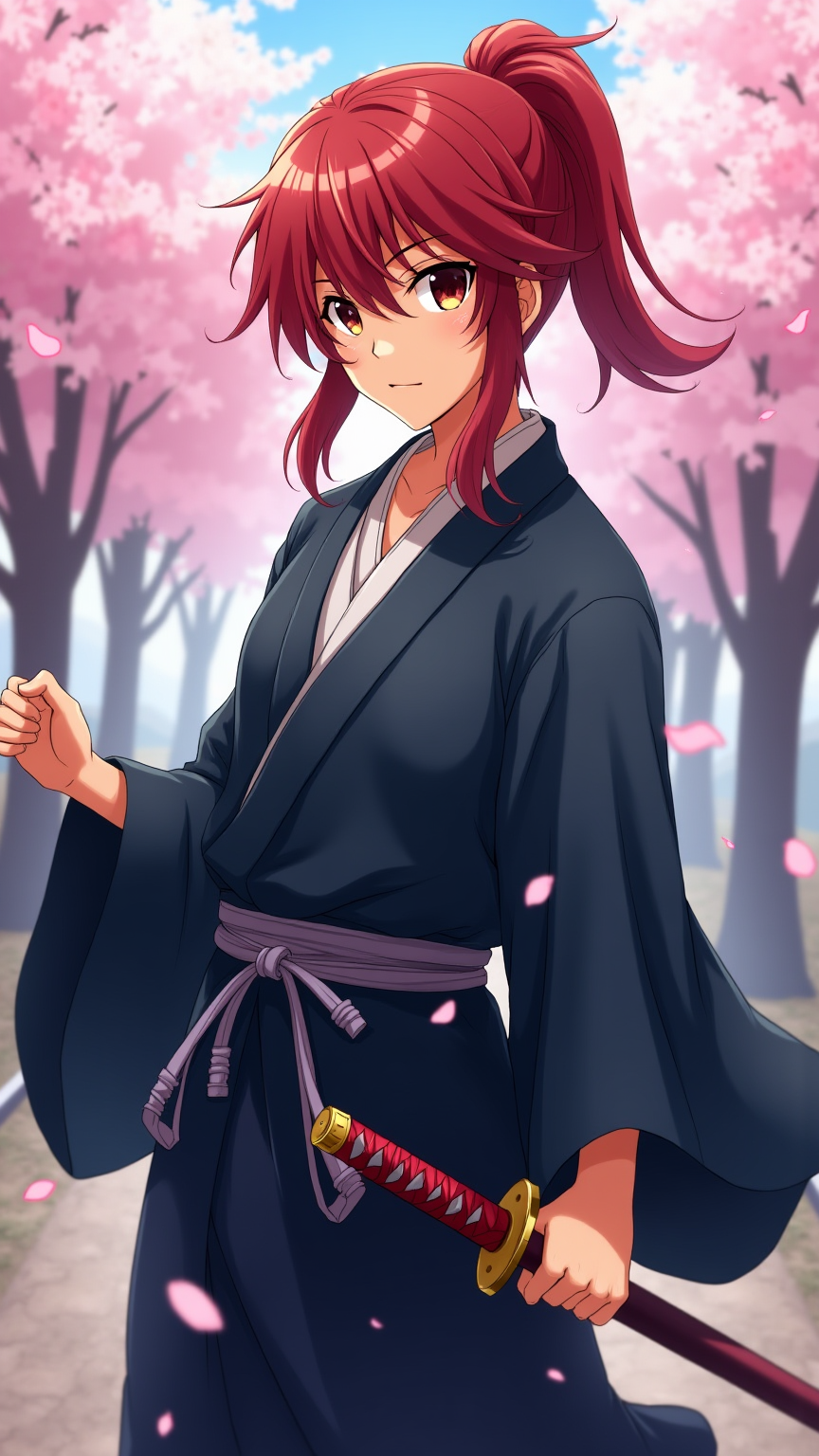
Generate an image of Kenshin Himura in a vibrant anime style, showcasing his iconic red hair tied in a loose ponytail, with a few strands framing his face. He wears a traditional, flowing dark blue kimono with a white undergarment, cinched at the waist by a simple obi. His signature sakabatō (reverse-blade sword) is sheathed at his side, with the hilt slightly visible. Capture his determined yet gentle expression, with bright amber eyes that reflect a deep sense of compassion and resolve. Pose him in a dynamic stance, one hand resting on the hilt of his sword, ready but calm. Set the scene against a serene backdrop of cherry blossom trees in full bloom, petals gently falling around him, symbolizing peace and renewal. Use a colorful, cel-shaded anime art style with soft shading, emphasizing the character's youthful features and the delicate details of his attire. Include subtle hints of wind to convey motion and life in the setting.
Detaillierte Analyse des Flux KI Image Prompt
Analysiere den detaillierten Prompt, der zur Erstellung des Bildes mit dem Flux KI Image Generator verwendet wurde.
Flux-Prompts für den KI-Bildgenerator erkunden
Wie man ein Bild generiert von Flux.1 dev
Folge diesen vier einfachen Schritten, um das gewünschte Bild zu erstellen.
Schritt 1: Gib deinen Text ein (Fühle dich frei, deinen Prompt für bessere Ergebnisse zu verfeinern)
Schritt 2: Wähle das Bildseitenverhältnis
Schritt 3: Wähle dein Flux-Modell:
Schritt 4: Klicke auf die Generieren-Schaltfläche und warte ein paar Sekunden auf dein Bild
Verwandte Flux KI Tools für Prompts über Flux.1 dev
Entdecke fortschrittliche Tools von Flux KI, um deinen kreativen Workflow zu verbessern.