Kenshin Himura - Flux.1 dev
prompt
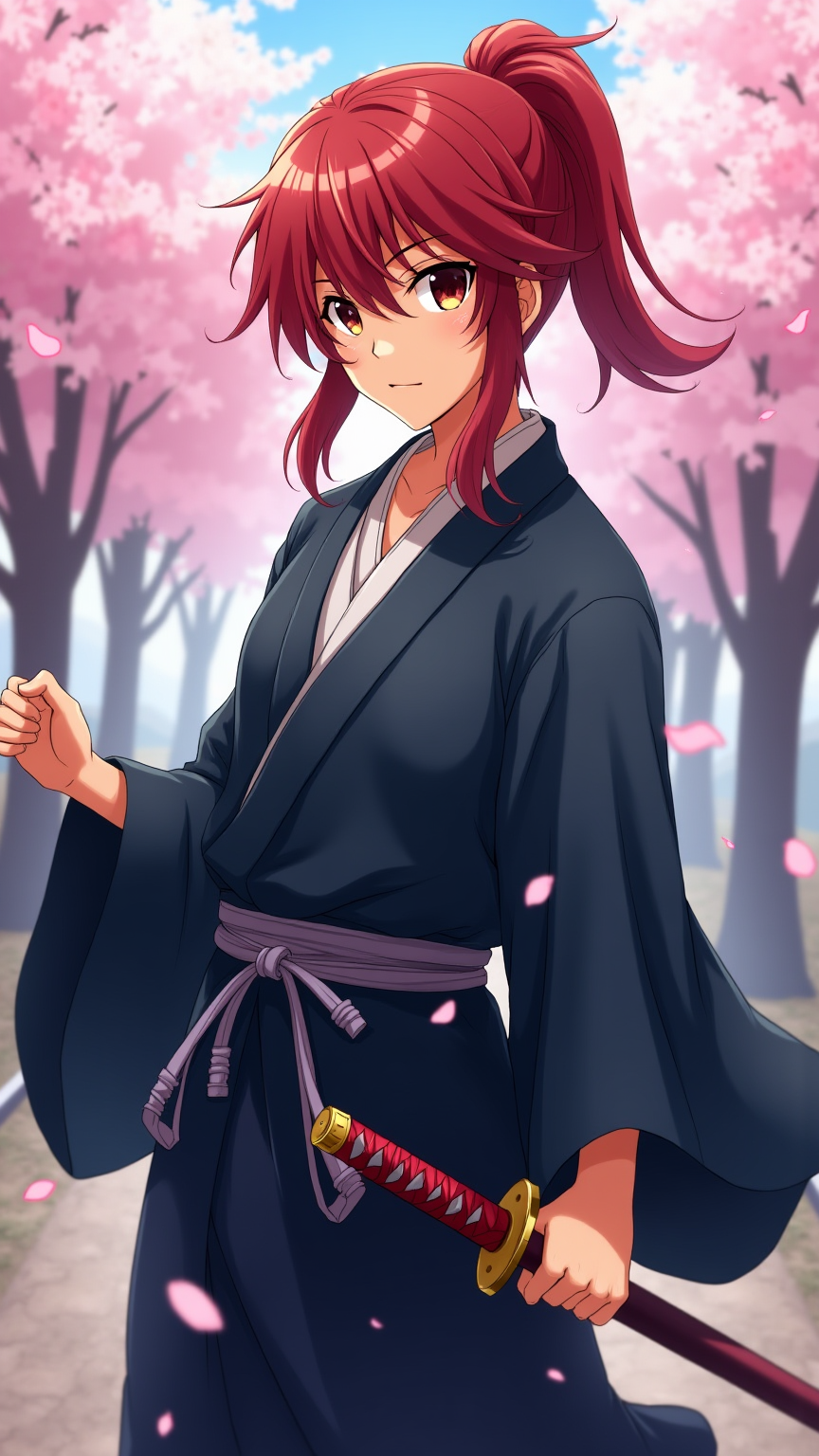
Generate an image of Kenshin Himura in a vibrant anime style, showcasing his iconic red hair tied in a loose ponytail, with a few strands framing his face. He wears a traditional, flowing dark blue kimono with a white undergarment, cinched at the waist by a simple obi. His signature sakabatō (reverse-blade sword) is sheathed at his side, with the hilt slightly visible. Capture his determined yet gentle expression, with bright amber eyes that reflect a deep sense of compassion and resolve. Pose him in a dynamic stance, one hand resting on the hilt of his sword, ready but calm. Set the scene against a serene backdrop of cherry blossom trees in full bloom, petals gently falling around him, symbolizing peace and renewal. Use a colorful, cel-shaded anime art style with soft shading, emphasizing the character's youthful features and the delicate details of his attire. Include subtle hints of wind to convey motion and life in the setting.
Analisi Dettagliata del Prompt Immagine Flux AI
Analizza il prompt dettagliato utilizzato per generare l'immagine con il Generatore Immagini Flux AI.
Esplora i Prompt Flux per il Generatore Immagini Flux AI
Come generare immagini con Flux.1 dev
Segui questi quattro semplici passaggi per creare l'immagine desiderata.
Passaggio 1: Inserisci il Tuo Testo (Sentiti libero di perfezionare il prompt per risultati migliori)
Passaggio 2: Scegli le Proporzioni dell'Immagine
Passaggio 3: Seleziona il Tuo Modello Flux:
Passaggio 4: Clicca il Pulsante Genera e Attendi Alcuni Secondi per la Tua Immagine
Strumenti Flux AI correlati per prompt su Flux.1 dev
Scopri strumenti avanzati di Flux AI per potenziare il tuo flusso di lavoro creativo.