Kenshin Himura - Flux.1 dev
prompt
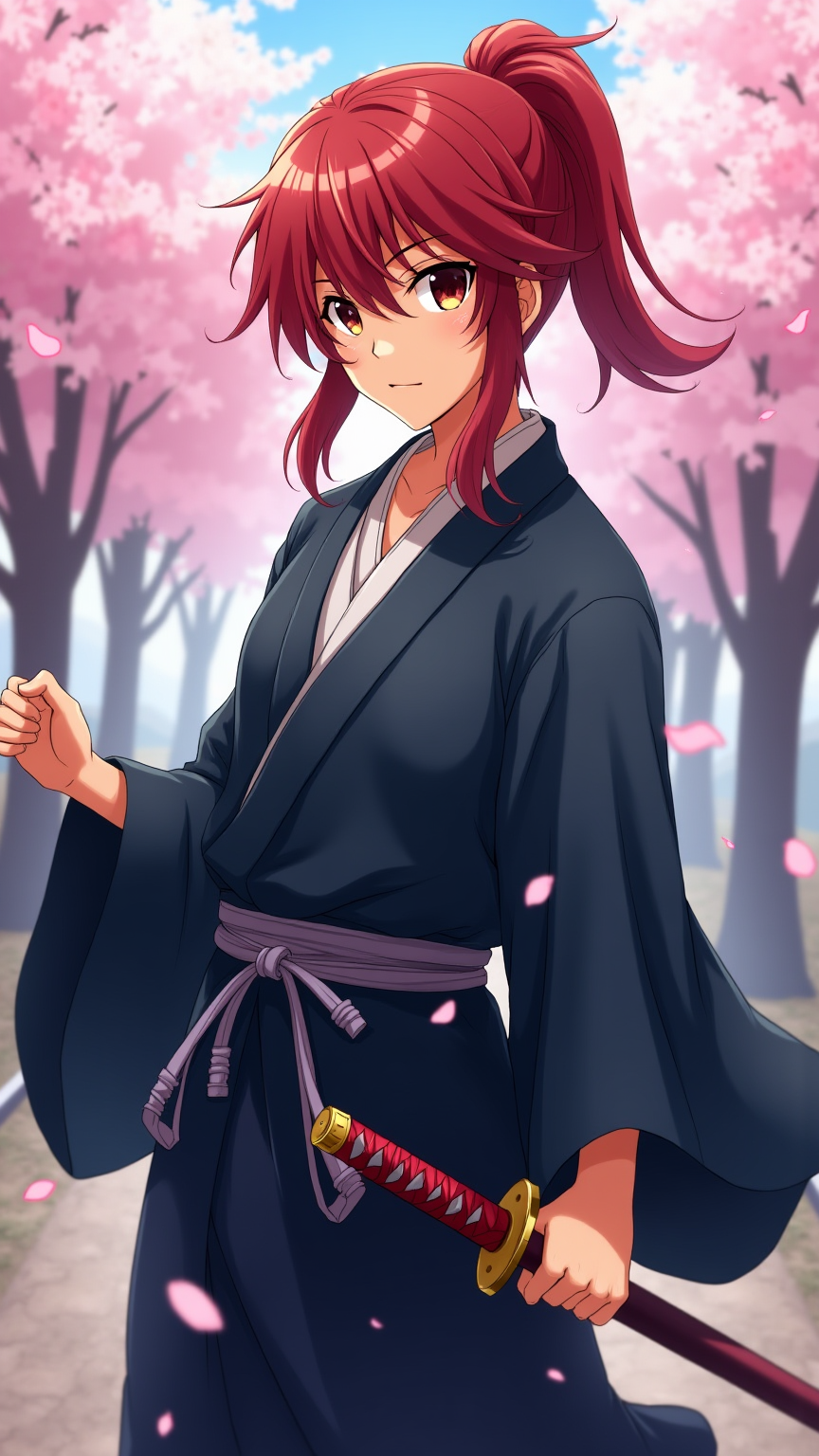
Generate an image of Kenshin Himura in a vibrant anime style, showcasing his iconic red hair tied in a loose ponytail, with a few strands framing his face. He wears a traditional, flowing dark blue kimono with a white undergarment, cinched at the waist by a simple obi. His signature sakabatō (reverse-blade sword) is sheathed at his side, with the hilt slightly visible. Capture his determined yet gentle expression, with bright amber eyes that reflect a deep sense of compassion and resolve. Pose him in a dynamic stance, one hand resting on the hilt of his sword, ready but calm. Set the scene against a serene backdrop of cherry blossom trees in full bloom, petals gently falling around him, symbolizing peace and renewal. Use a colorful, cel-shaded anime art style with soft shading, emphasizing the character's youthful features and the delicate details of his attire. Include subtle hints of wind to convey motion and life in the setting.
Analisis Terperinci Prompt Gambar Flux AI
Analisis prompt terperinci yang digunakan untuk menghasilkan gambar dengan Generator Gambar Flux AI.
Jelajahi Prompt Flux untuk Generator Gambar AI Flux
Cara menghasilkan gambar dengan Flux.1 dev
Ikuti empat langkah sederhana ini untuk membuat gambar yang Anda inginkan.
Langkah 1: Masukkan Teks Anda (Silakan sempurnakan prompt untuk hasil yang lebih baik)
Langkah 2: Pilih Rasio Aspek Gambar
Langkah 3: Pilih Model Flux Anda:
Langkah 4: Klik Tombol Buat dan Tunggu Beberapa Detik untuk Gambar Anda
Alat Flux AI terkait untuk prompt tentang Flux.1 dev
Temukan alat-alat canggih dari Flux AI untuk meningkatkan alur kerja kreatif Anda.