Majestic Wolf in Misty Woods - Flux.1 dev
Eingabe
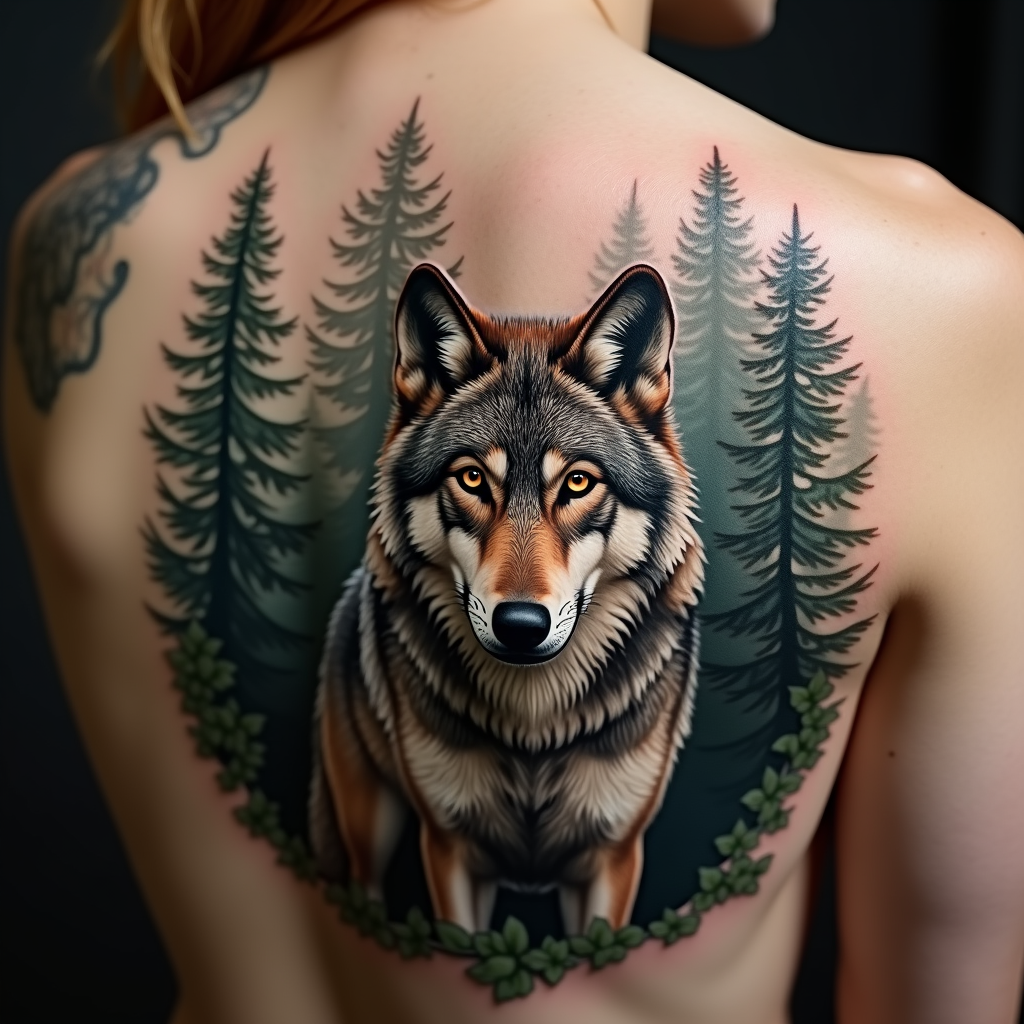
Create a tattoo design for the side of the upper back featuring a realistic wolf as the central element, poised majestically among a dense, misty forest backdrop. The wolf should have piercing amber eyes and intricate fur detailing, capturing the essence of its wild spirit. Surround the wolf with tall pine trees, their silhouettes blending into the mist, creating a sense of depth and mystery. The artistic style should be hyper-realistic, emphasizing textures in both the wolf's fur and the bark of the trees. The tattoo should be medium to large in scale, allowing for fine details to be appreciated. Use a muted color palette with earthy tones of gray, brown, and green, or opt for a striking black and white design to enhance the contrast. Incorporate subtle tribal patterns within the wolf's fur to symbolize strength and loyalty. The overall mood should evoke a sense of wilderness and freedom, capturing the untamed beauty of nature.
Detaillierte Analyse des Flux KI Image Prompt
Analysiere den detaillierten Prompt, der zur Erstellung des Bildes mit dem Flux KI Image Generator verwendet wurde.
Flux-Prompts für den KI-Bildgenerator erkunden
Wie man ein Bild generiert von Flux.1 dev
Folge diesen vier einfachen Schritten, um das gewünschte Bild zu erstellen.
Schritt 1: Gib deinen Text ein (Fühle dich frei, deinen Prompt für bessere Ergebnisse zu verfeinern)
Schritt 2: Wähle das Bildseitenverhältnis
Schritt 3: Wähle dein Flux-Modell:
Schritt 4: Klicke auf die Generieren-Schaltfläche und warte ein paar Sekunden auf dein Bild
Verwandte Flux KI Tools für Prompts über Flux.1 dev
Entdecke fortschrittliche Tools von Flux KI, um deinen kreativen Workflow zu verbessern.