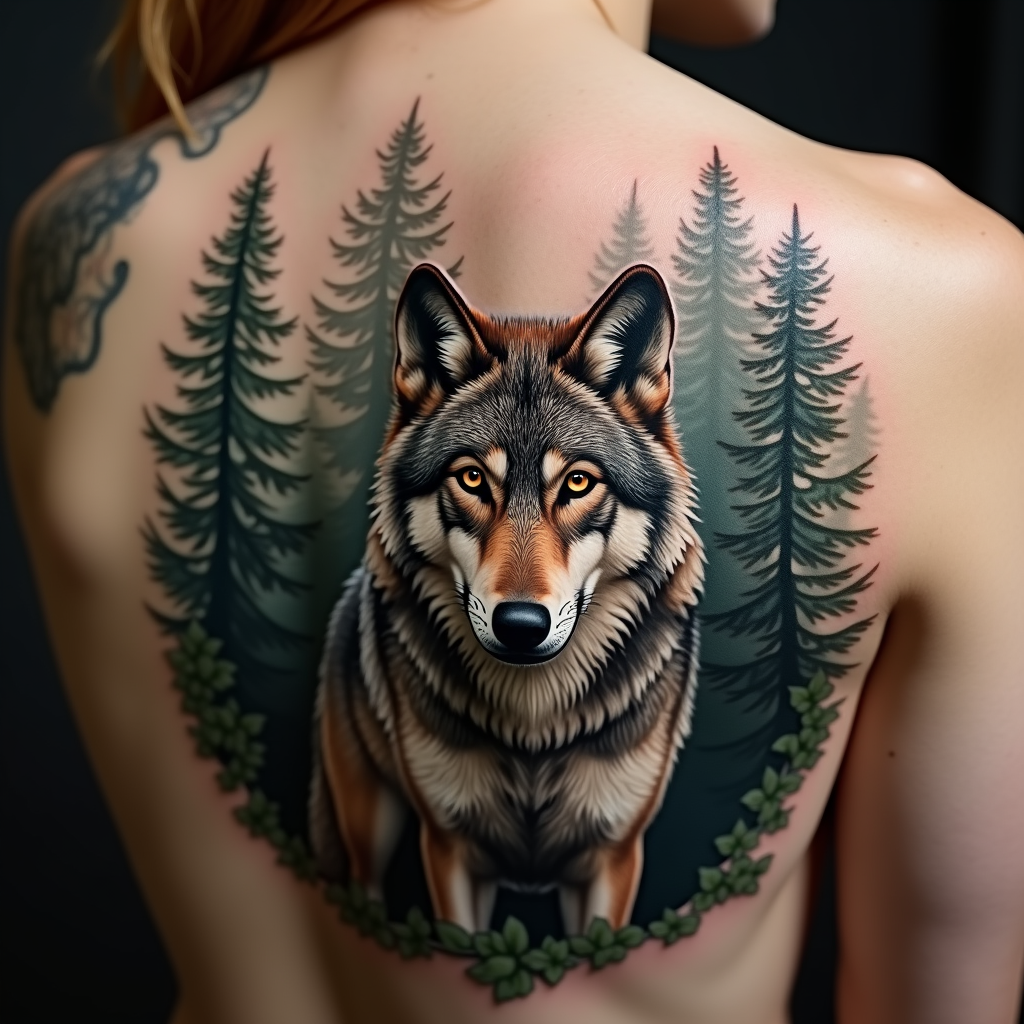
Majestic Wolf in Misty Woods - Flux.1 dev
prompt
Create a tattoo design for the side of the upper back featuring a realistic wolf as the central element, poised majestically among a dense, misty forest backdrop. The wolf should have piercing amber eyes and intricate fur detailing, capturing the essence of its wild spirit. Surround the wolf with tall pine trees, their silhouettes blending into the mist, creating a sense of depth and mystery. The artistic style should be hyper-realistic, emphasizing textures in both the wolf's fur and the bark of the trees. The tattoo should be medium to large in scale, allowing for fine details to be appreciated. Use a muted color palette with earthy tones of gray, brown, and green, or opt for a striking black and white design to enhance the contrast. Incorporate subtle tribal patterns within the wolf's fur to symbolize strength and loyalty. The overall mood should evoke a sense of wilderness and freedom, capturing the untamed beauty of nature.
Analisi Dettagliata del Prompt Immagine Flux AI
Analizza il prompt dettagliato utilizzato per generare l'immagine con il Generatore Immagini Flux AI.
Esplora i Prompt Flux per il Generatore Immagini Flux AI
Come generare immagini con Flux.1 dev
Segui questi quattro semplici passaggi per creare l'immagine desiderata.
Passaggio 1: Inserisci il Tuo Testo (Sentiti libero di perfezionare il prompt per risultati migliori)
Passaggio 2: Scegli le Proporzioni dell'Immagine
Passaggio 3: Seleziona il Tuo Modello Flux:
Passaggio 4: Clicca il Pulsante Genera e Attendi Alcuni Secondi per la Tua Immagine
Strumenti Flux AI correlati per prompt su Flux.1 dev
Scopri strumenti avanzati di Flux AI per potenziare il tuo flusso di lavoro creativo.