Majestic Wolf in Misty Woods - Flux.1 dev
Invite
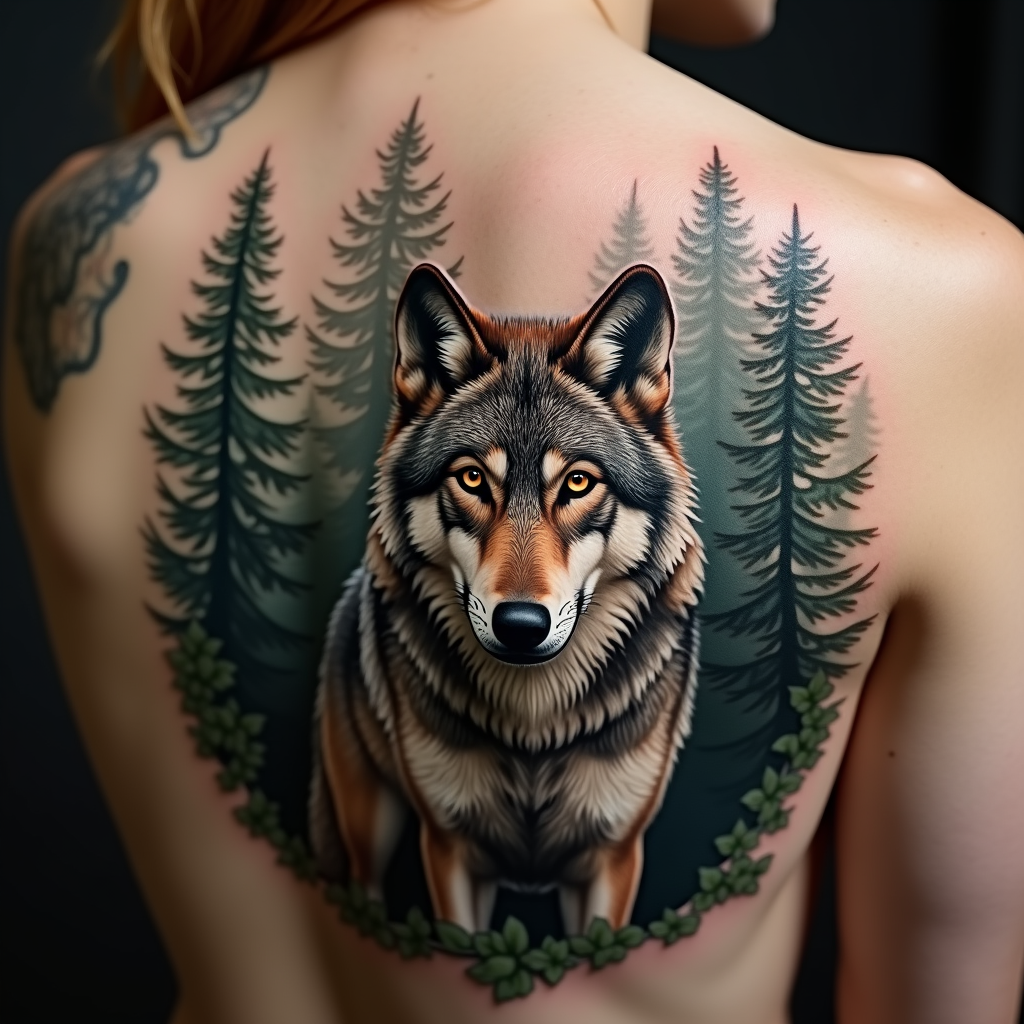
Create a tattoo design for the side of the upper back featuring a realistic wolf as the central element, poised majestically among a dense, misty forest backdrop. The wolf should have piercing amber eyes and intricate fur detailing, capturing the essence of its wild spirit. Surround the wolf with tall pine trees, their silhouettes blending into the mist, creating a sense of depth and mystery. The artistic style should be hyper-realistic, emphasizing textures in both the wolf's fur and the bark of the trees. The tattoo should be medium to large in scale, allowing for fine details to be appreciated. Use a muted color palette with earthy tones of gray, brown, and green, or opt for a striking black and white design to enhance the contrast. Incorporate subtle tribal patterns within the wolf's fur to symbolize strength and loyalty. The overall mood should evoke a sense of wilderness and freedom, capturing the untamed beauty of nature.
Analyse Détaillée du Prompt d'Image Flux IA
Analysez le prompt détaillé utilisé pour générer l'image avec Flux IA Image Generator.
Explorez les invites Flux IA
Comment générer une image par Flux.1 dev
Suivez ces quatre étapes simples pour créer l'image désirée.
Étape 1 : Entrez votre texte (N'hésitez pas à affiner votre prompt pour de meilleurs résultats)
Étape 2 : Choisissez le ratio d'aspect de l'image
Étape 3 : Sélectionnez votre modèle Flux :
Étape 4 : Cliquez sur le bouton Générer et attendez quelques secondes pour votre image
Outils Flux IA liés aux prompts sur Flux.1 dev
Découvrez des outils avancés de Flux IA pour booster votre flux de travail créatif.