Sydney Opera House - Flux.1 dev
Eingabe
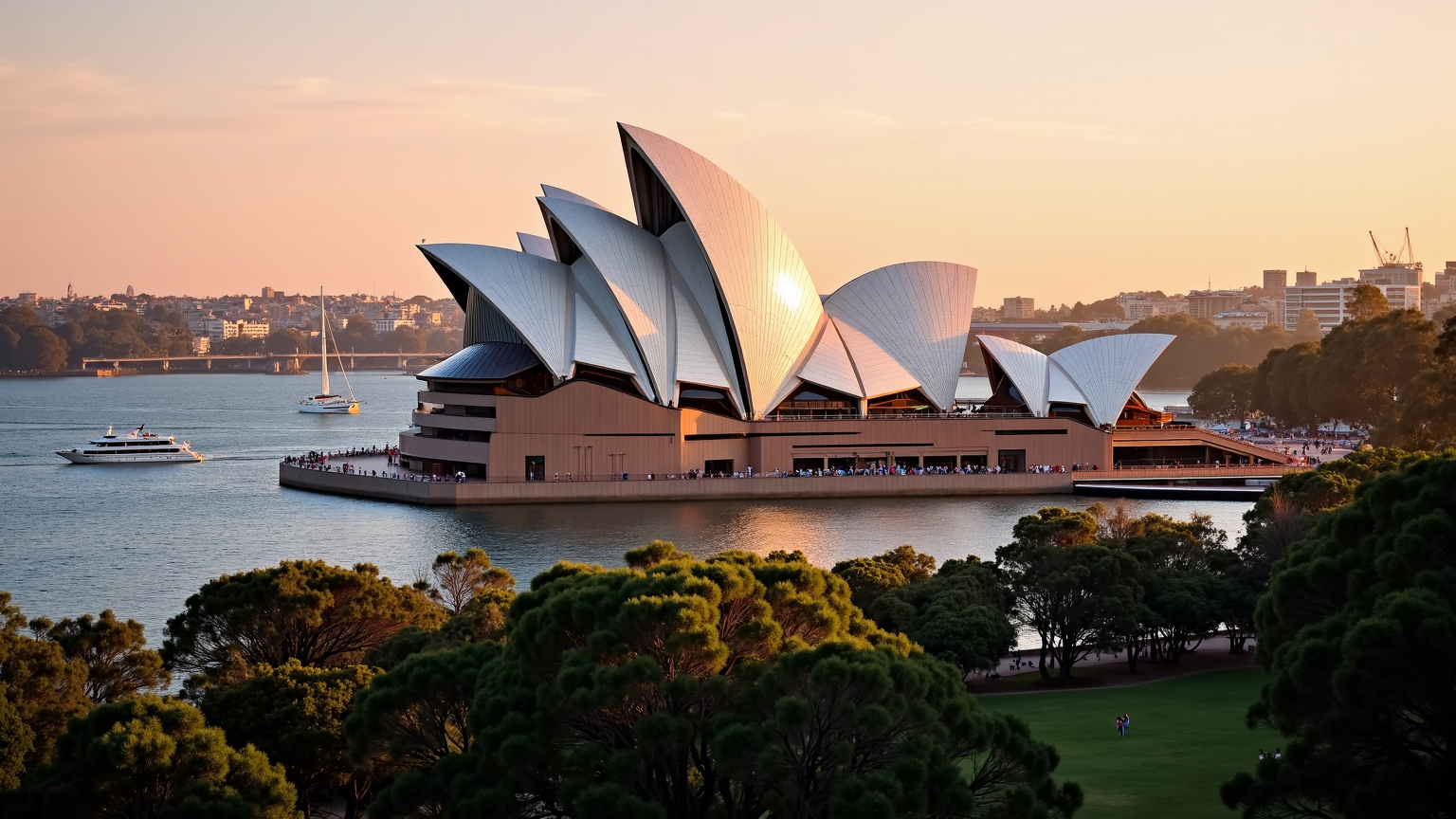
**Prompt:** "The iconic Sydney Opera House at golden hour, its gleaming white sail-like shells bathed in warm, radiant sunlight, contrasting against the deep blue of Sydney Harbour. The intricate geometric tiles shimmer with a pearlescent sheen, while the modernist curves and soaring rooflines create dynamic shadows. The surrounding water reflects the building’s elegant form, with sailboats and ferries gliding past. Lush green parkland frames the foreground, dotted with people enjoying the view. The sky transitions from soft pink to amber, enhancing the futuristic yet timeless beauty of this UNESCO World Heritage landmark. Capture the scene with a wide-angle, high-detail photographic style, emphasizing its grandeur and harmony with the harbor." (999 characters)
Detaillierte Analyse des Flux KI Image Prompt
Analysiere den detaillierten Prompt, der zur Erstellung des Bildes mit dem Flux KI Image Generator verwendet wurde.
Flux-Prompts für den KI-Bildgenerator erkunden
Wie man ein Bild generiert von Flux.1 dev
Folge diesen vier einfachen Schritten, um das gewünschte Bild zu erstellen.
Schritt 1: Gib deinen Text ein (Fühle dich frei, deinen Prompt für bessere Ergebnisse zu verfeinern)
Schritt 2: Wähle das Bildseitenverhältnis
Schritt 3: Wähle dein Flux-Modell:
Schritt 4: Klicke auf die Generieren-Schaltfläche und warte ein paar Sekunden auf dein Bild
Verwandte Flux KI Tools für Prompts über Flux.1 dev
Entdecke fortschrittliche Tools von Flux KI, um deinen kreativen Workflow zu verbessern.