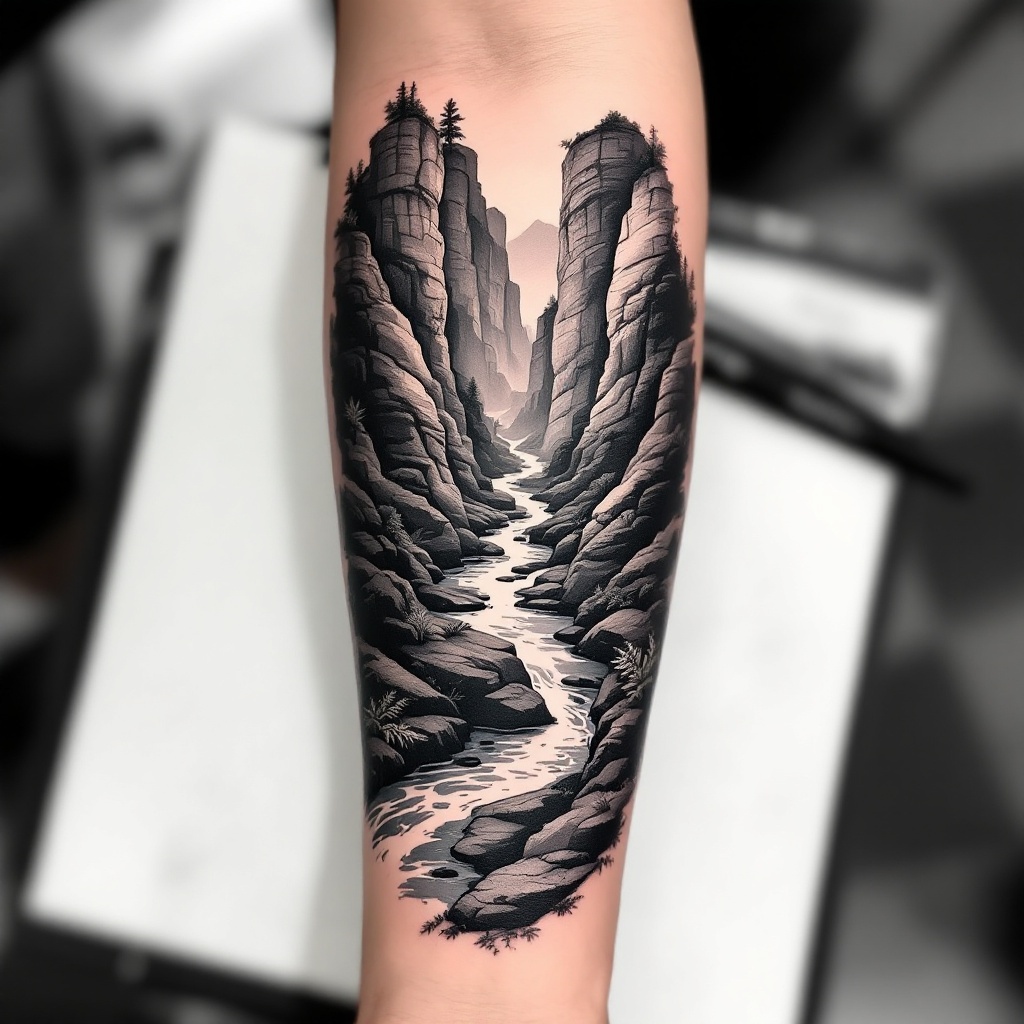
Forearm-Micro Canyon River - Flux.1.1 pro
Eingabe
**Prompt:** "Design a **forearm tattoo** depicting a **micro canyon river** in a **hyper-realistic black and gray** style. The scene should feature **layered rock formations** with intricate **geological textures**, a **serpentine river** winding through the canyon, and subtle **mist effects** for depth. Include **delicate linework** for water ripples and **stippling shadows** to enhance dimension. The tattoo should wrap around the **outer forearm**, sized to fit the natural contours (6-8 inches long). Opt for a **monochromatic palette** with soft gradients, evoking a **moody, serene** aesthetic. Add **minimalist flora** (e.g., sparse ferns or moss) for organic contrast. Symbolically, represent **resilience and flow** through the river’s path." (998 chars)
Detaillierte Analyse des Flux KI Image Prompt
Analysiere den detaillierten Prompt, der zur Erstellung des Bildes mit dem Flux KI Image Generator verwendet wurde.
Flux-Prompts für den KI-Bildgenerator erkunden
Wie man ein Bild generiert von Flux.1.1 pro
Folge diesen vier einfachen Schritten, um das gewünschte Bild zu erstellen.
Schritt 1: Gib deinen Text ein (Fühle dich frei, deinen Prompt für bessere Ergebnisse zu verfeinern)
Schritt 2: Wähle das Bildseitenverhältnis
Schritt 3: Wähle dein Flux-Modell:
Schritt 4: Klicke auf die Generieren-Schaltfläche und warte ein paar Sekunden auf dein Bild
Verwandte Flux KI Tools für Prompts über Flux.1.1 pro
Entdecke fortschrittliche Tools von Flux KI, um deinen kreativen Workflow zu verbessern.