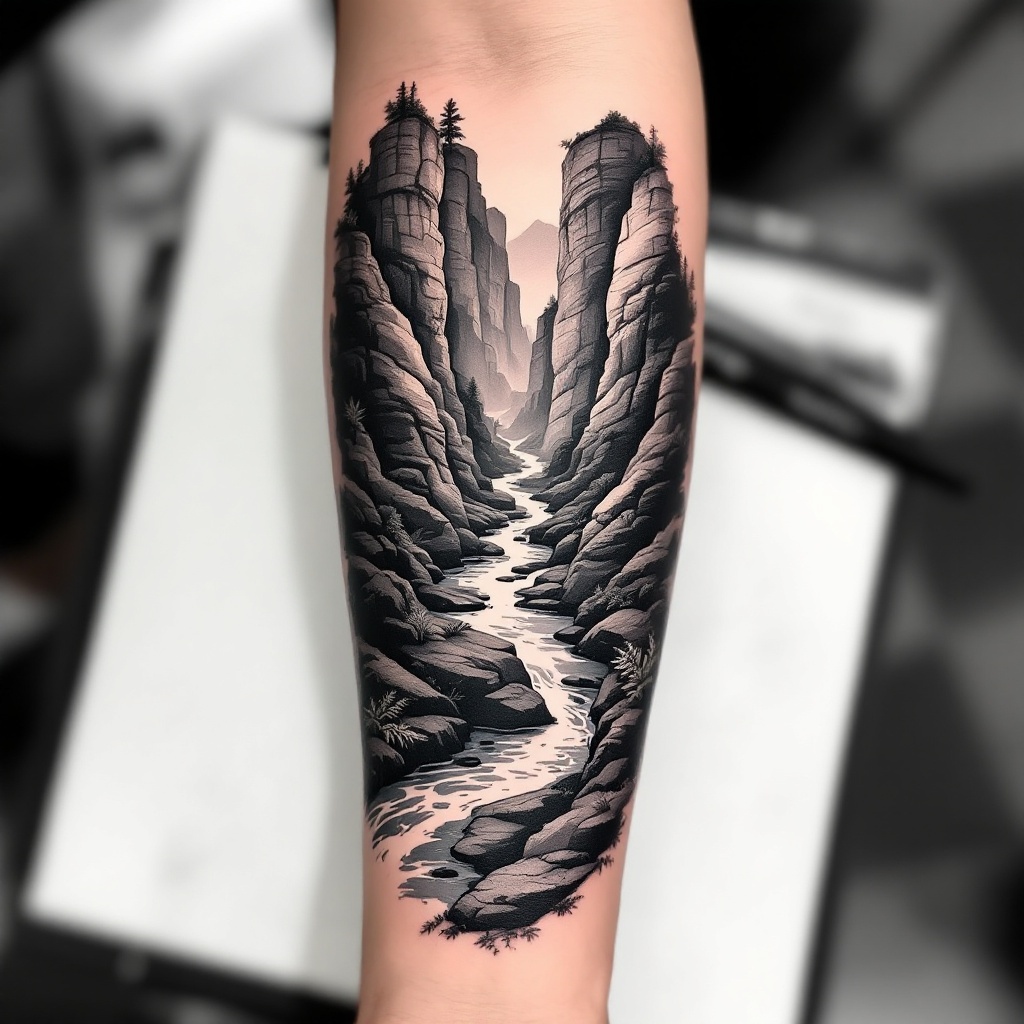
Forearm-Micro Canyon River - Flux.1.1 pro
プロンプト
**Prompt:** "Design a **forearm tattoo** depicting a **micro canyon river** in a **hyper-realistic black and gray** style. The scene should feature **layered rock formations** with intricate **geological textures**, a **serpentine river** winding through the canyon, and subtle **mist effects** for depth. Include **delicate linework** for water ripples and **stippling shadows** to enhance dimension. The tattoo should wrap around the **outer forearm**, sized to fit the natural contours (6-8 inches long). Opt for a **monochromatic palette** with soft gradients, evoking a **moody, serene** aesthetic. Add **minimalist flora** (e.g., sparse ferns or moss) for organic contrast. Symbolically, represent **resilience and flow** through the river’s path." (998 chars)
Flux AI Image Promptの詳細分析
Flux AI Image Generatorを使用して画像を生成するために使用された詳細なプロンプトを分析します。
Flux AI画像生成のプロンプトを探索
で画像を生成する方法 Flux.1.1 pro
以下の4つの簡単なステップに従って、希望する画像を作成してください。
ステップ 1: テキストを入力 (より良い結果のためにプロンプトを調整してください)
ステップ 2: 画像のアスペクト比を選択
ステップ 3: Fluxモデルを選択:
ステップ 4: 生成ボタンをクリックして数秒待ち、画像を取得
プロンプトに関連するFlux AIツール Flux.1.1 pro
Flux AIの高度なツールを発見して、クリエイティブな作業フローを強化しましょう。