Collarbone-Flowing Script - Flux.1 schnell
Eingabe
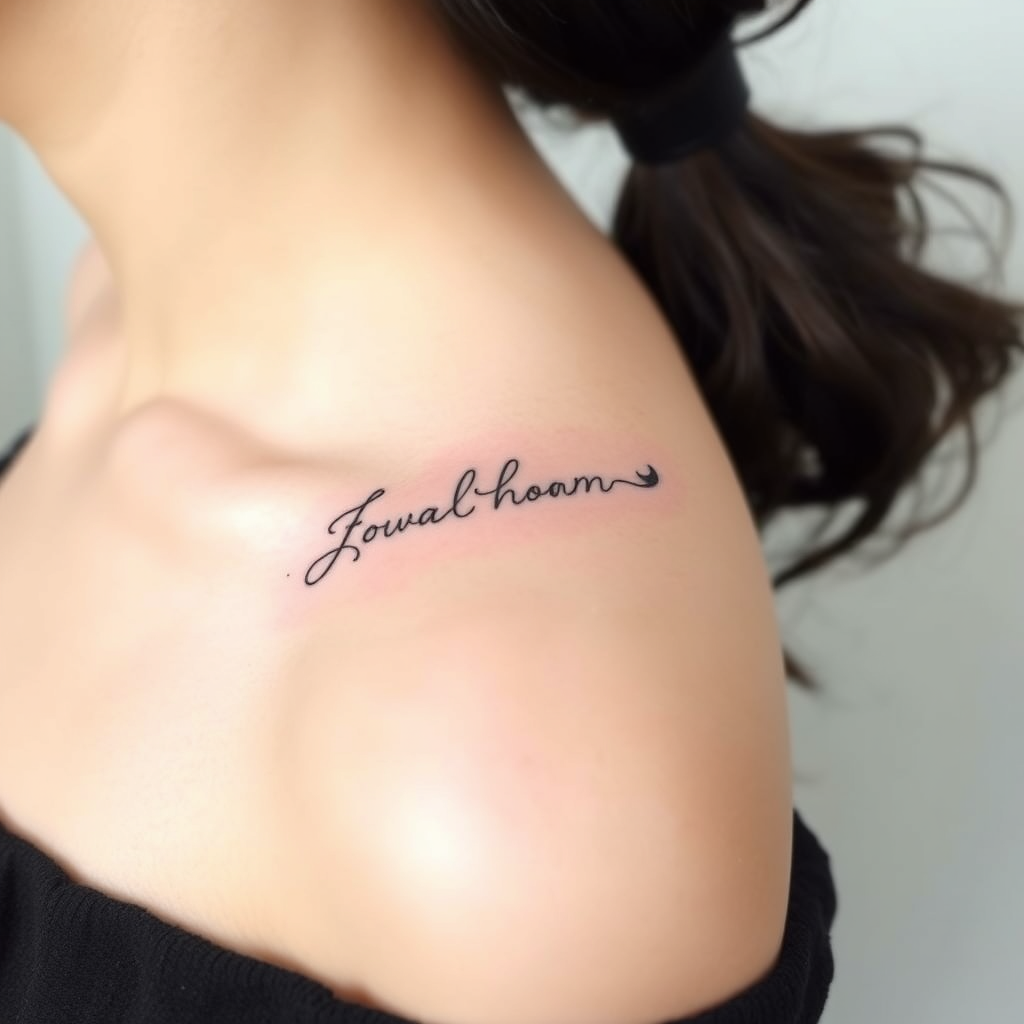
**Prompt:** "Elegant, flowing script tattoo gracefully curving along the collarbone, featuring delicate cursive lettering with subtle flourishes and fine linework. Minimalist yet intricate, the design should follow the natural contour of the bone for a seamless, organic look. Black ink with slight shading for depth, emphasizing clean, precise lines. The script can incorporate tiny, hidden details like micro-dots or faint vine-like tendrils for texture. Aesthetic is soft, feminine, and timeless—evoking sophistication and personal meaning. Size should be medium, spanning the length of the collarbone without overpowering. Optional: a single, tiny symbolic element (e.g., a crescent moon or star) integrated subtly into the design.
Detaillierte Analyse des Flux KI Image Prompt
Analysiere den detaillierten Prompt, der zur Erstellung des Bildes mit dem Flux KI Image Generator verwendet wurde.
Flux-Prompts für den KI-Bildgenerator erkunden
Wie man ein Bild generiert von Flux.1 schnell
Folge diesen vier einfachen Schritten, um das gewünschte Bild zu erstellen.
Schritt 1: Gib deinen Text ein (Fühle dich frei, deinen Prompt für bessere Ergebnisse zu verfeinern)
Schritt 2: Wähle das Bildseitenverhältnis
Schritt 3: Wähle dein Flux-Modell:
Schritt 4: Klicke auf die Generieren-Schaltfläche und warte ein paar Sekunden auf dein Bild
Verwandte Flux KI Tools für Prompts über Flux.1 schnell
Entdecke fortschrittliche Tools von Flux KI, um deinen kreativen Workflow zu verbessern.