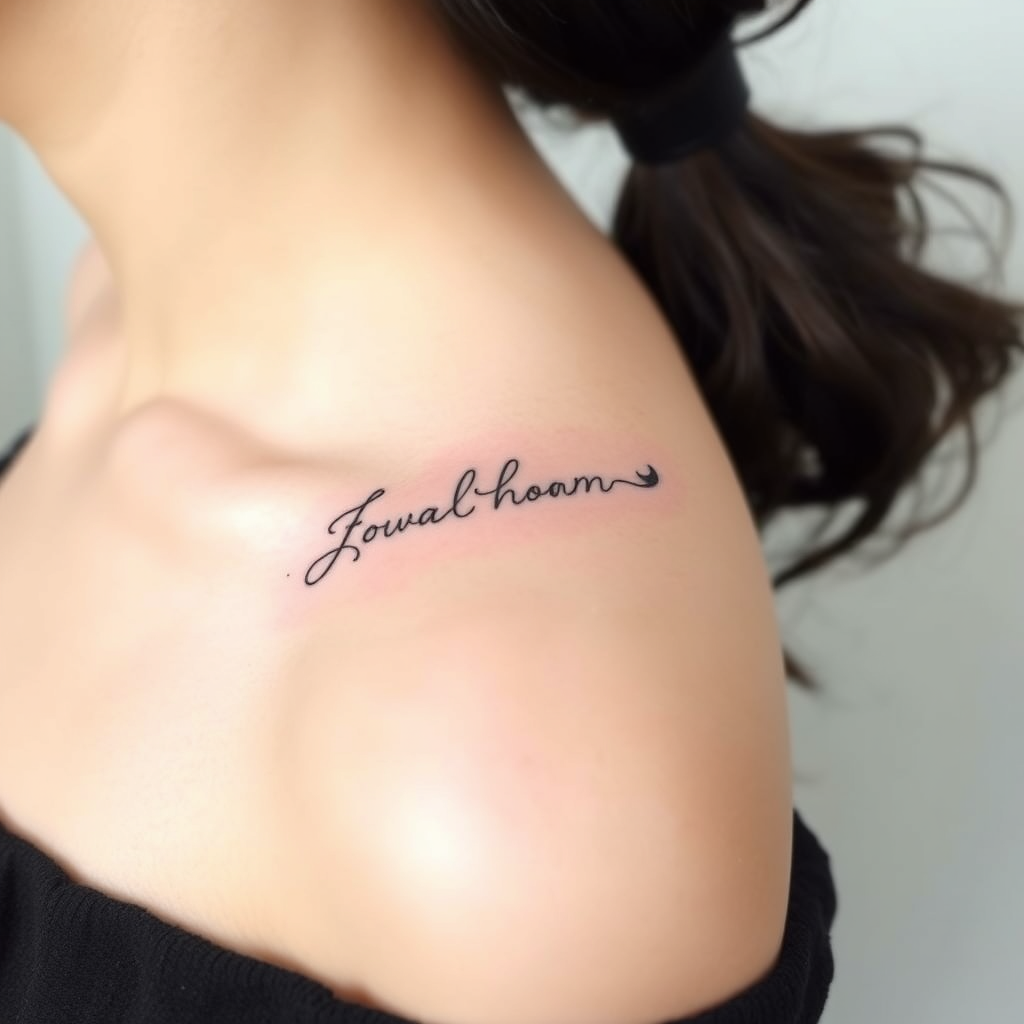
Collarbone-Flowing Script - Flux.1 schnell
prompt
**Prompt:** "Elegant, flowing script tattoo gracefully curving along the collarbone, featuring delicate cursive lettering with subtle flourishes and fine linework. Minimalist yet intricate, the design should follow the natural contour of the bone for a seamless, organic look. Black ink with slight shading for depth, emphasizing clean, precise lines. The script can incorporate tiny, hidden details like micro-dots or faint vine-like tendrils for texture. Aesthetic is soft, feminine, and timeless—evoking sophistication and personal meaning. Size should be medium, spanning the length of the collarbone without overpowering. Optional: a single, tiny symbolic element (e.g., a crescent moon or star) integrated subtly into the design.
Analisis Terperinci Prompt Gambar Flux AI
Analisis prompt terperinci yang digunakan untuk menghasilkan gambar dengan Generator Gambar Flux AI.
Jelajahi Prompt Flux untuk Generator Gambar AI Flux
Cara menghasilkan gambar dengan Flux.1 schnell
Ikuti empat langkah sederhana ini untuk membuat gambar yang Anda inginkan.
Langkah 1: Masukkan Teks Anda (Silakan sempurnakan prompt untuk hasil yang lebih baik)
Langkah 2: Pilih Rasio Aspek Gambar
Langkah 3: Pilih Model Flux Anda:
Langkah 4: Klik Tombol Buat dan Tunggu Beberapa Detik untuk Gambar Anda
Alat Flux AI terkait untuk prompt tentang Flux.1 schnell
Temukan alat-alat canggih dari Flux AI untuk meningkatkan alur kerja kreatif Anda.