Enchanted Forest Tattoo Wrap - Flux.1 dev
Indicador
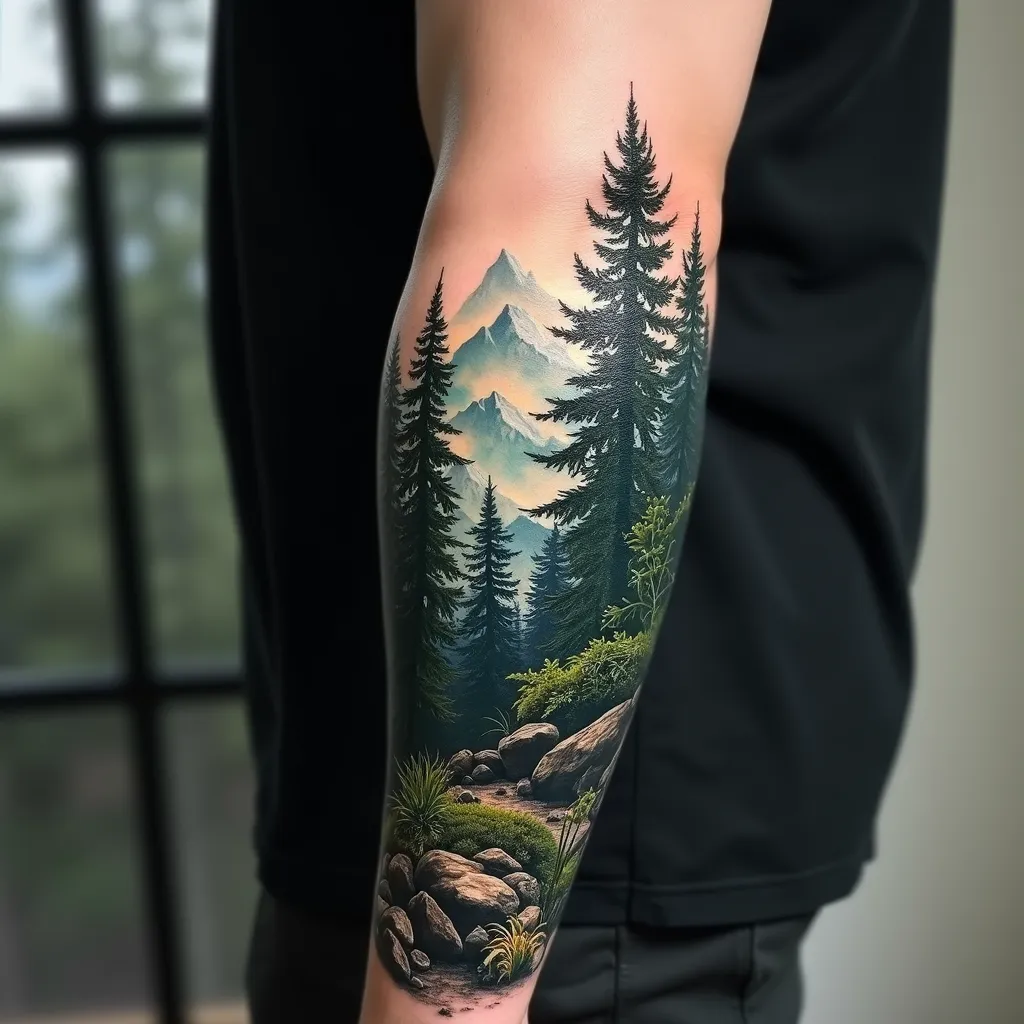
Create a hyper-realistic tattoo design for the forearm, featuring a lush forest landscape with towering pine trees in the foreground and misty mountains in the background. The design should wrap around the forearm, starting from the wrist and extending up to the elbow, with a width covering about 2/3 of the forearm's circumference. Use a rich color palette of deep greens, earthy browns, and cool blues for the mountains, with hints of white mist. Incorporate intricate details such as individual pine needles, rough tree bark textures, and small woodland creatures hidden among the foliage. The forest floor should have a carpet of fallen pine needles and moss-covered rocks. Add a subtle morning light effect, with sun rays filtering through the trees, creating dappled shadows. The overall mood should be serene and mysterious, evoking a sense of nature's quiet majesty. Blend the edges of the design seamlessly into the skin using a soft gradient effect. Include tiny water droplets on some pine needles for added realism and depth.
Análisis Detallado del Prompt de Imagen de Flux IA
Analiza el prompt detallado utilizado para generar la imagen con Flux IA Image Generator.
Explorar Mensajes para Flux IA
Cómo generar una imagen por Flux.1 dev
Sigue estos cuatro sencillos pasos para crear la imagen que deseas.
Paso 1: Ingresa tu texto (No dudes en refinar tu prompt para mejores resultados)
Paso 2: Elige la relación de aspecto de la imagen
Paso 3: Selecciona tu modelo Flux:
Paso 4: Haz clic en el botón Generar y espera unos segundos para tu imagen
Herramientas Flux IA relacionadas para prompts sobre Flux.1 dev
Descubre herramientas avanzadas de Flux IA para potenciar tu flujo de trabajo creativo.