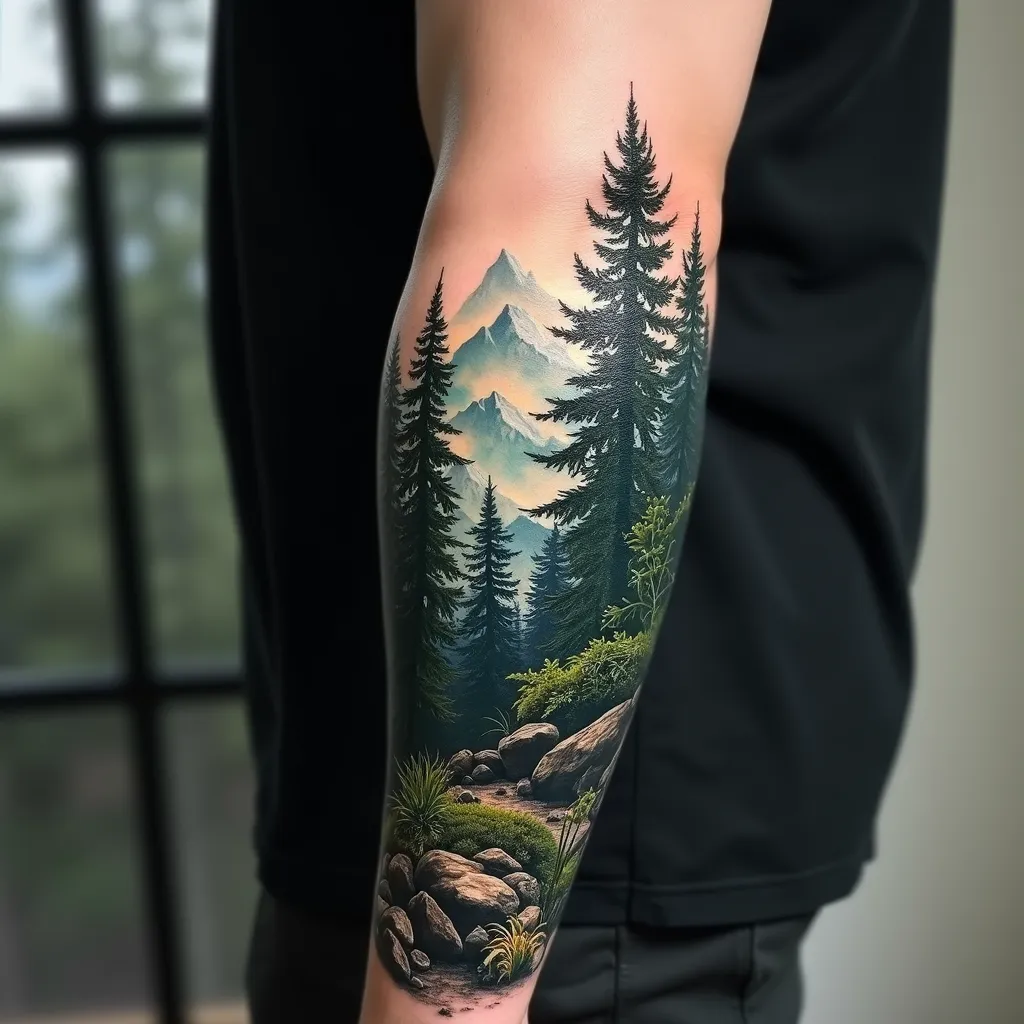
Enchanted Forest Tattoo Wrap - Flux.1 dev
프롬프트
Create a hyper-realistic tattoo design for the forearm, featuring a lush forest landscape with towering pine trees in the foreground and misty mountains in the background. The design should wrap around the forearm, starting from the wrist and extending up to the elbow, with a width covering about 2/3 of the forearm's circumference. Use a rich color palette of deep greens, earthy browns, and cool blues for the mountains, with hints of white mist. Incorporate intricate details such as individual pine needles, rough tree bark textures, and small woodland creatures hidden among the foliage. The forest floor should have a carpet of fallen pine needles and moss-covered rocks. Add a subtle morning light effect, with sun rays filtering through the trees, creating dappled shadows. The overall mood should be serene and mysterious, evoking a sense of nature's quiet majesty. Blend the edges of the design seamlessly into the skin using a soft gradient effect. Include tiny water droplets on some pine needles for added realism and depth.
Flux AI 이미지 프롬프트에 대한 상세 분석
Flux AI Image Generator를 사용하여 이미지를 생성하는 데 사용된 상세한 프롬프트를 분석합니다.
Flux AI 이미지 생성기 프롬프트 탐색
을 통해 이미지를 생성하는 방법 Flux.1 dev
원하는 이미지를 만들기 위해 다음 네 가지 간단한 단계를 따르세요.
단계 1: 텍스트 입력 (더 나은 결과를 위해 프롬프트를 자유롭게 수정하세요)
단계 2: 이미지 종횡비 선택
단계 3: Flux 모델 선택:
단계 4: 생성 버튼을 클릭하고 몇 초간 기다려 이미지를 받으세요
프롬프트와 관련된 Flux AI 도구 Flux.1 dev
Flux AI의 고급 도구를 발견하여 창의적인 작업 흐름을 향상시키세요.