Enchanted Forest Tattoo Wrap - Flux.1 dev
Invite
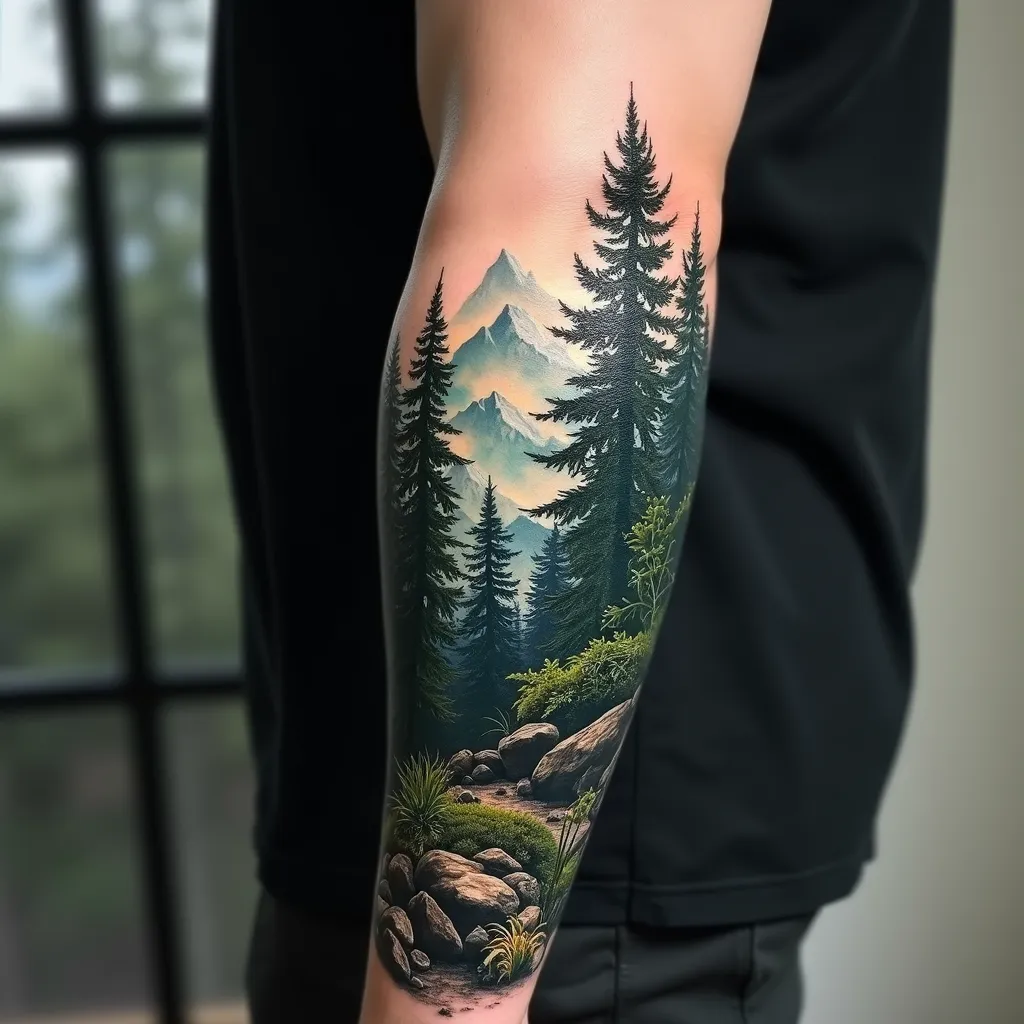
Create a hyper-realistic tattoo design for the forearm, featuring a lush forest landscape with towering pine trees in the foreground and misty mountains in the background. The design should wrap around the forearm, starting from the wrist and extending up to the elbow, with a width covering about 2/3 of the forearm's circumference. Use a rich color palette of deep greens, earthy browns, and cool blues for the mountains, with hints of white mist. Incorporate intricate details such as individual pine needles, rough tree bark textures, and small woodland creatures hidden among the foliage. The forest floor should have a carpet of fallen pine needles and moss-covered rocks. Add a subtle morning light effect, with sun rays filtering through the trees, creating dappled shadows. The overall mood should be serene and mysterious, evoking a sense of nature's quiet majesty. Blend the edges of the design seamlessly into the skin using a soft gradient effect. Include tiny water droplets on some pine needles for added realism and depth.
Analyse Détaillée du Prompt d'Image Flux IA
Analysez le prompt détaillé utilisé pour générer l'image avec Flux IA Image Generator.
Explorez les invites Flux IA
Comment générer une image par Flux.1 dev
Suivez ces quatre étapes simples pour créer l'image désirée.
Étape 1 : Entrez votre texte (N'hésitez pas à affiner votre prompt pour de meilleurs résultats)
Étape 2 : Choisissez le ratio d'aspect de l'image
Étape 3 : Sélectionnez votre modèle Flux :
Étape 4 : Cliquez sur le bouton Générer et attendez quelques secondes pour votre image
Outils Flux IA liés aux prompts sur Flux.1 dev
Découvrez des outils avancés de Flux IA pour booster votre flux de travail créatif.