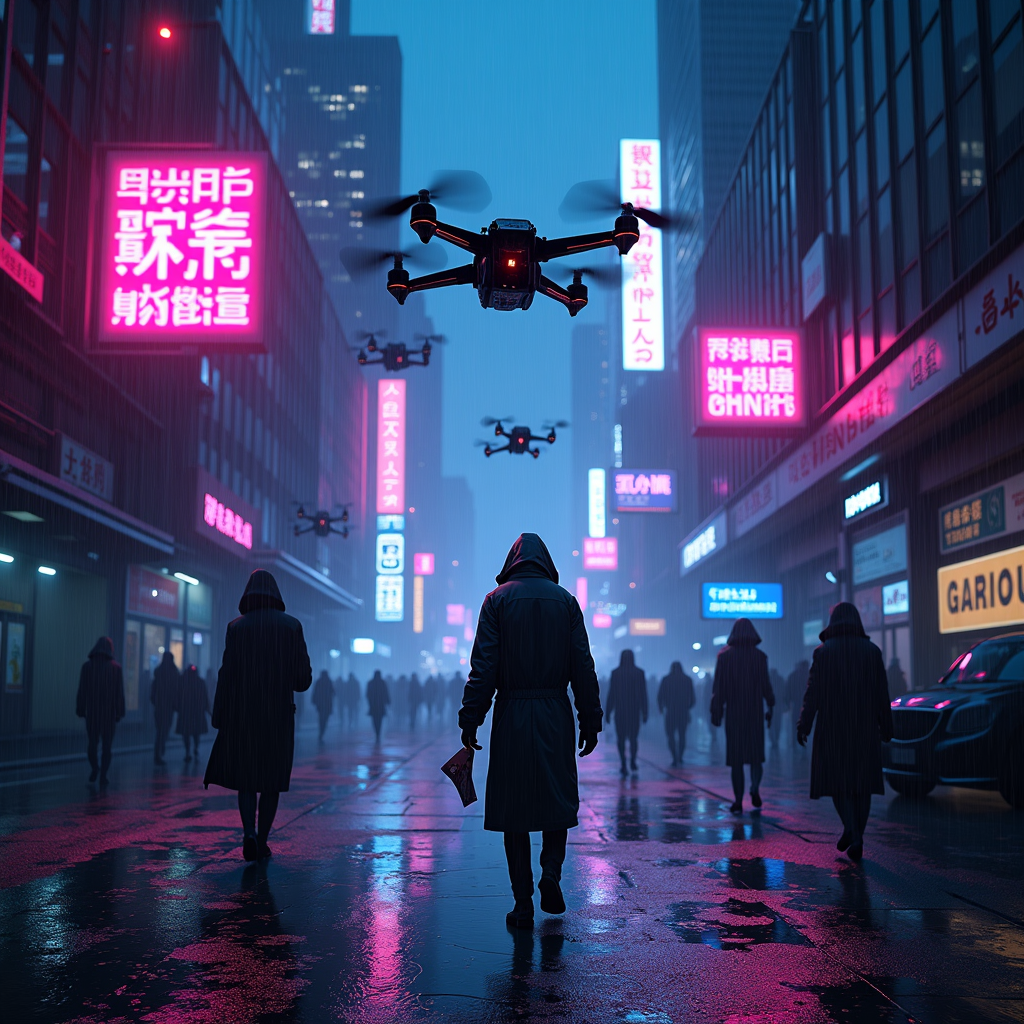
Drone-dropped leaflets advertise black-market antibiotics - Flux.1 dev
Indicador
The scene unfolds in a rain-soaked cyberpunk metropolis, where neon signs flicker against the oppressive gloom of towering skyscrapers, their reflections shimmering in the oily puddles below. A swarm of sleek, matte-black drones hovers ominously, their rotors humming as they release a flurry of leaflets—vibrant, high-contrast flyers advertising black-market antibiotics in bold, glitching holographic text. The papers flutter down like digital snow, some caught in the gusts of wind, others plastered against wet pavement or grasped by shadowy figures in tattered coats. The air is thick with the scent of ozone and damp concrete, punctuated by the distant hum of traffic and the occasional burst of static from a broken billboard. A lone figure, face obscured by a cracked respirator, reaches for a leaflet, their gloved fingers brushing against the pulsing, neon-pink slogan: "Cure Any Ill—No Questions Asked." The scene is bathed in the sickly glow of violet and cyan streetlights, casting long, distorted shadows that stretch across the grimy alleyways, where the promise of salvation is just another commodity in the black market’s neon-lit underworld.
Análisis Detallado del Prompt de Imagen de Flux IA
Analiza el prompt detallado utilizado para generar la imagen con Flux IA Image Generator.
Explorar Mensajes para Flux IA
Cómo generar una imagen por Flux.1 dev
Sigue estos cuatro sencillos pasos para crear la imagen que deseas.
Paso 1: Ingresa tu texto (No dudes en refinar tu prompt para mejores resultados)
Paso 2: Elige la relación de aspecto de la imagen
Paso 3: Selecciona tu modelo Flux:
Paso 4: Haz clic en el botón Generar y espera unos segundos para tu imagen
Herramientas Flux IA relacionadas para prompts sobre Flux.1 dev
Descubre herramientas avanzadas de Flux IA para potenciar tu flujo de trabajo creativo.