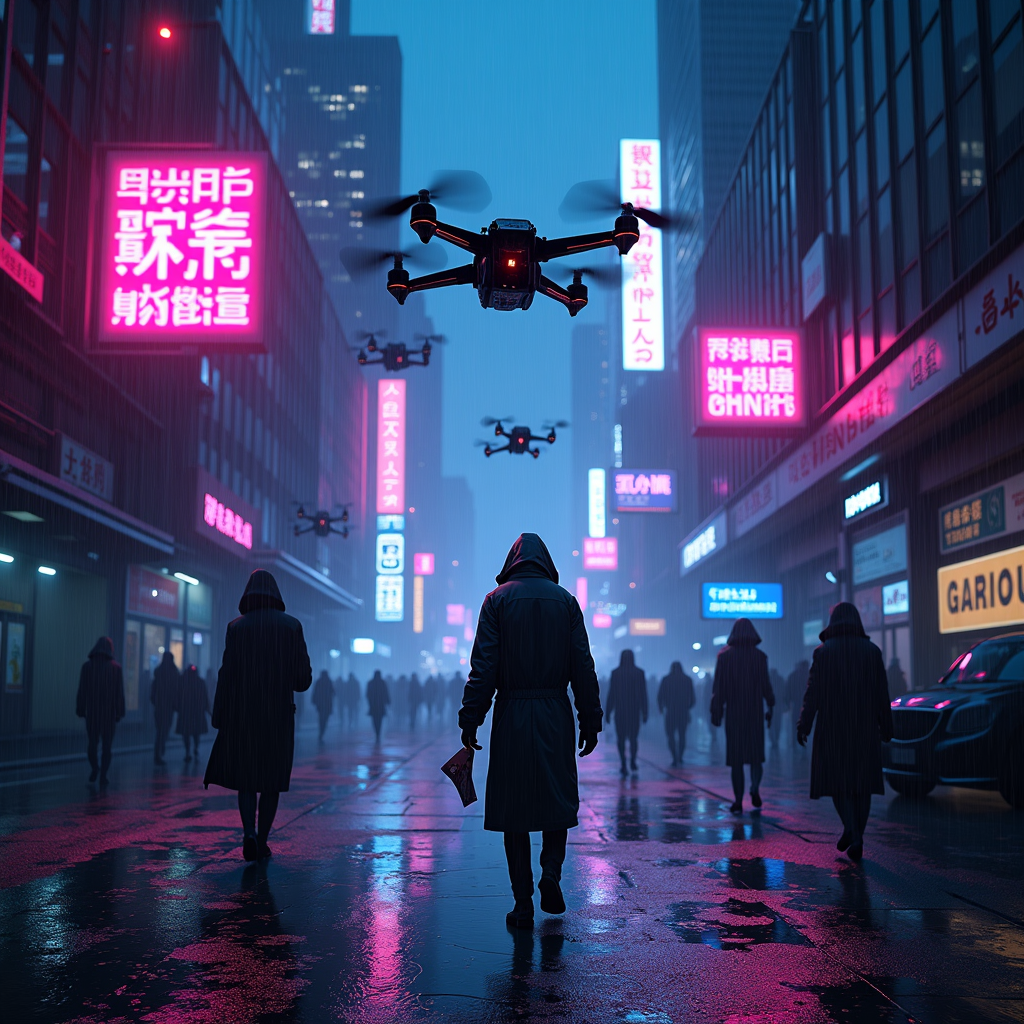
Drone-dropped leaflets advertise black-market antibiotics - Flux.1 dev
prompt
The scene unfolds in a rain-soaked cyberpunk metropolis, where neon signs flicker against the oppressive gloom of towering skyscrapers, their reflections shimmering in the oily puddles below. A swarm of sleek, matte-black drones hovers ominously, their rotors humming as they release a flurry of leaflets—vibrant, high-contrast flyers advertising black-market antibiotics in bold, glitching holographic text. The papers flutter down like digital snow, some caught in the gusts of wind, others plastered against wet pavement or grasped by shadowy figures in tattered coats. The air is thick with the scent of ozone and damp concrete, punctuated by the distant hum of traffic and the occasional burst of static from a broken billboard. A lone figure, face obscured by a cracked respirator, reaches for a leaflet, their gloved fingers brushing against the pulsing, neon-pink slogan: "Cure Any Ill—No Questions Asked." The scene is bathed in the sickly glow of violet and cyan streetlights, casting long, distorted shadows that stretch across the grimy alleyways, where the promise of salvation is just another commodity in the black market’s neon-lit underworld.
Analisi Dettagliata del Prompt Immagine Flux AI
Analizza il prompt dettagliato utilizzato per generare l'immagine con il Generatore Immagini Flux AI.
Esplora i Prompt Flux per il Generatore Immagini Flux AI
Come generare immagini con Flux.1 dev
Segui questi quattro semplici passaggi per creare l'immagine desiderata.
Passaggio 1: Inserisci il Tuo Testo (Sentiti libero di perfezionare il prompt per risultati migliori)
Passaggio 2: Scegli le Proporzioni dell'Immagine
Passaggio 3: Seleziona il Tuo Modello Flux:
Passaggio 4: Clicca il Pulsante Genera e Attendi Alcuni Secondi per la Tua Immagine
Strumenti Flux AI correlati per prompt su Flux.1 dev
Scopri strumenti avanzati di Flux AI per potenziare il tuo flusso di lavoro creativo.