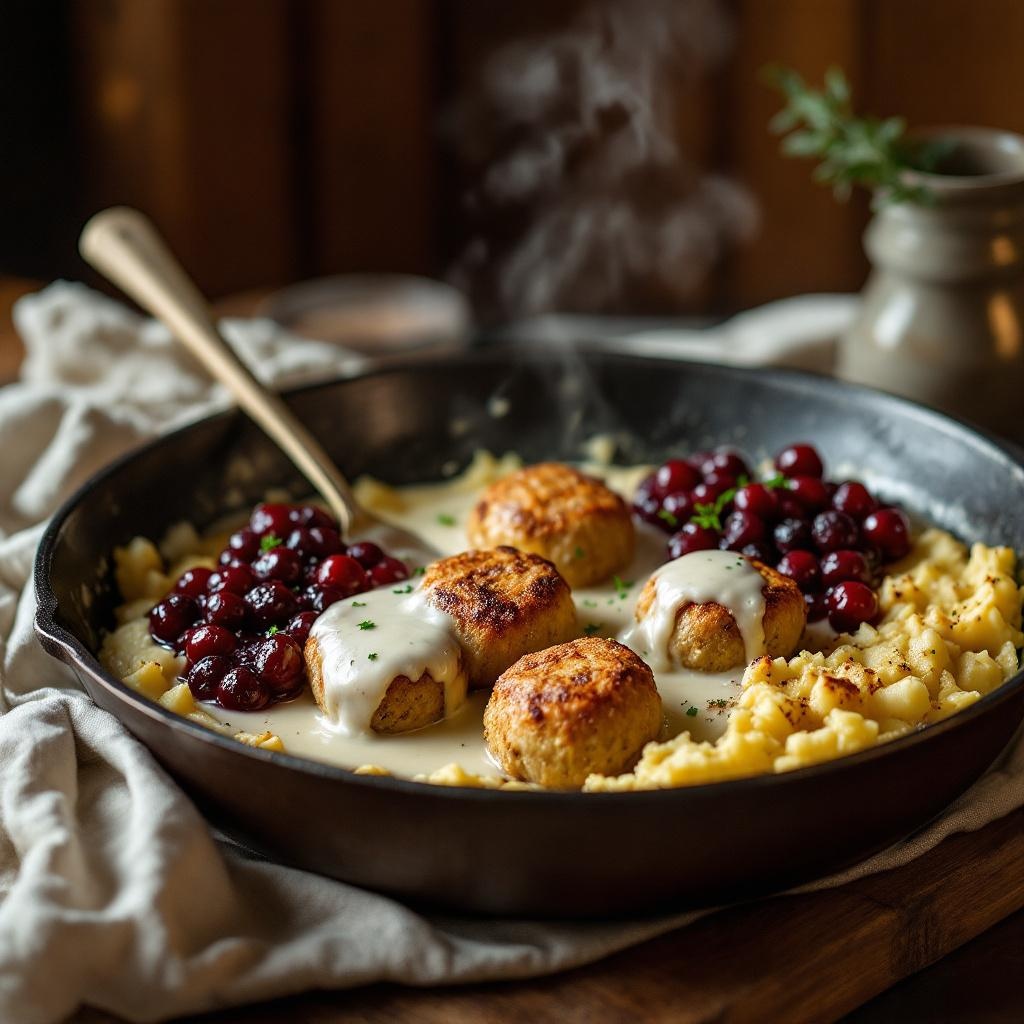
Köttbullar - Flux.1.1 pro
Indicador
**Prompt:** "Golden-brown Köttbullar, glistening with a rich, velvety cream sauce, arranged in a rustic cast-iron skillet. The meatballs are tender and slightly crisp, nestled beside buttery mashed potatoes and a vibrant lingonberry compote. Soft steam rises from the dish, hinting at warmth and comfort. Warm, diffused lighting bathes the scene, casting gentle shadows that highlight the textures—the creamy sauce pooling, the coarse texture of the potatoes, the glossy sheen of the berries. Shot in a cozy, wood-paneled kitchen with a linen-draped table, evoking a homely Swedish feast. Close-up, shallow depth of field, styled in rustic food photography with a touch of natural warmth.
Análisis Detallado del Prompt de Imagen de Flux IA
Analiza el prompt detallado utilizado para generar la imagen con Flux IA Image Generator.
Explorar Mensajes para Flux IA
Cómo generar una imagen por Flux.1.1 pro
Sigue estos cuatro sencillos pasos para crear la imagen que deseas.
Paso 1: Ingresa tu texto (No dudes en refinar tu prompt para mejores resultados)
Paso 2: Elige la relación de aspecto de la imagen
Paso 3: Selecciona tu modelo Flux:
Paso 4: Haz clic en el botón Generar y espera unos segundos para tu imagen
Herramientas Flux IA relacionadas para prompts sobre Flux.1.1 pro
Descubre herramientas avanzadas de Flux IA para potenciar tu flujo de trabajo creativo.