Köttbullar - Flux.1.1 pro
prompt
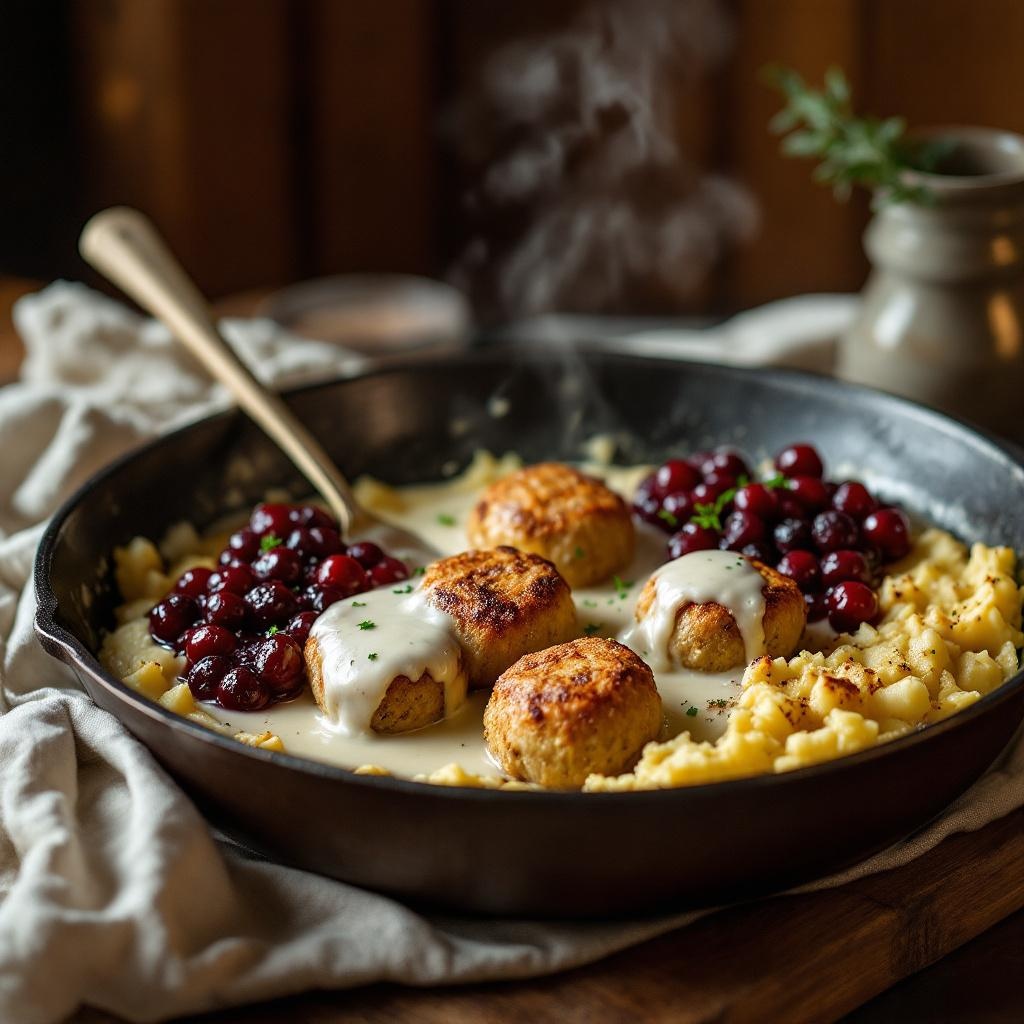
**Prompt:** "Golden-brown Köttbullar, glistening with a rich, velvety cream sauce, arranged in a rustic cast-iron skillet. The meatballs are tender and slightly crisp, nestled beside buttery mashed potatoes and a vibrant lingonberry compote. Soft steam rises from the dish, hinting at warmth and comfort. Warm, diffused lighting bathes the scene, casting gentle shadows that highlight the textures—the creamy sauce pooling, the coarse texture of the potatoes, the glossy sheen of the berries. Shot in a cozy, wood-paneled kitchen with a linen-draped table, evoking a homely Swedish feast. Close-up, shallow depth of field, styled in rustic food photography with a touch of natural warmth.
Analisi Dettagliata del Prompt Immagine Flux AI
Analizza il prompt dettagliato utilizzato per generare l'immagine con il Generatore Immagini Flux AI.
Esplora i Prompt Flux per il Generatore Immagini Flux AI
Come generare immagini con Flux.1.1 pro
Segui questi quattro semplici passaggi per creare l'immagine desiderata.
Passaggio 1: Inserisci il Tuo Testo (Sentiti libero di perfezionare il prompt per risultati migliori)
Passaggio 2: Scegli le Proporzioni dell'Immagine
Passaggio 3: Seleziona il Tuo Modello Flux:
Passaggio 4: Clicca il Pulsante Genera e Attendi Alcuni Secondi per la Tua Immagine
Strumenti Flux AI correlati per prompt su Flux.1.1 pro
Scopri strumenti avanzati di Flux AI per potenziare il tuo flusso di lavoro creativo.