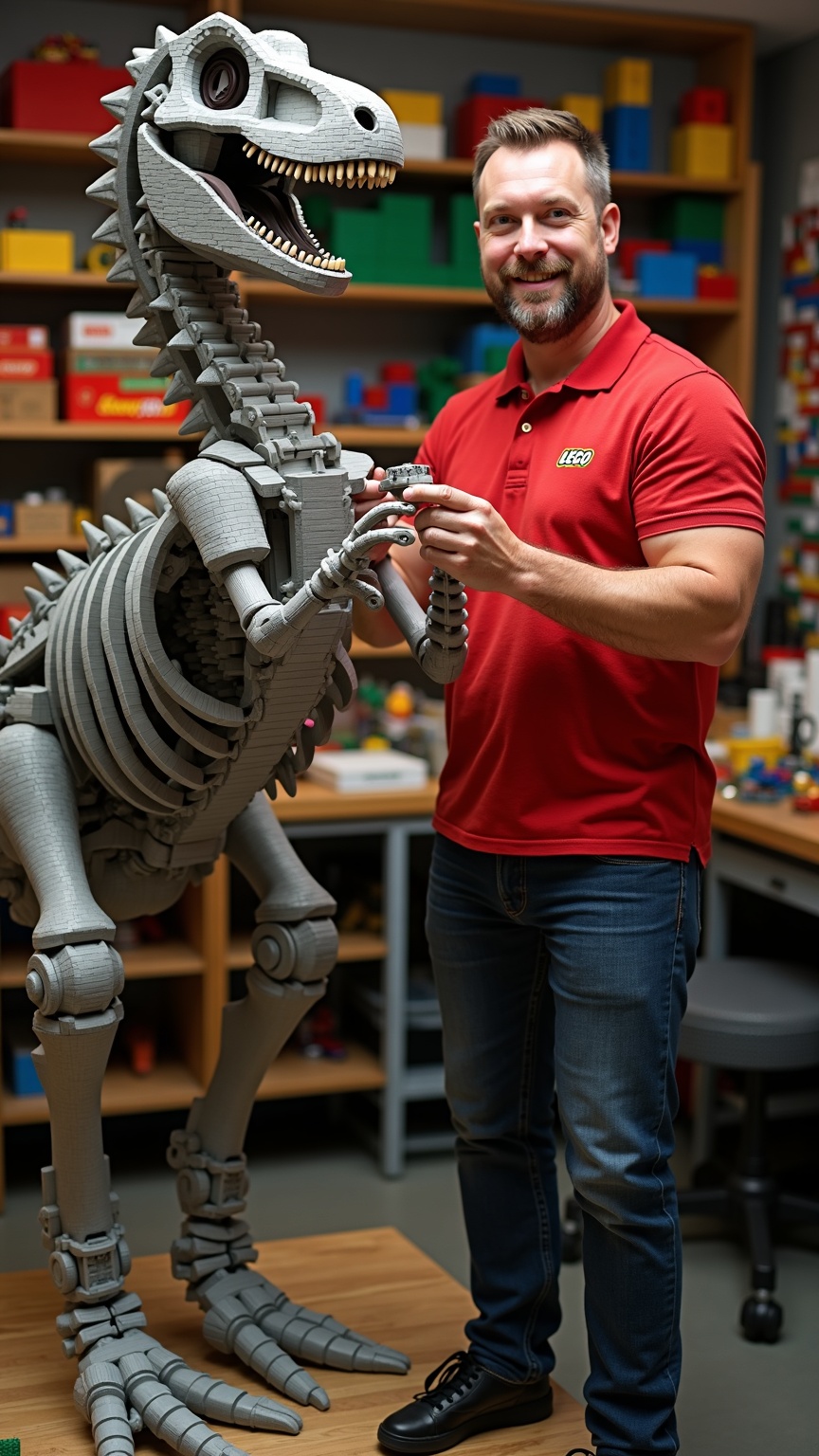
Master Lego builder assembling 10ft dinosaur skeleton - Flux.1 dev
Indicador
**Prompt:** *A master Lego builder, a middle-aged man with a neatly trimmed beard, sharp blue eyes, and short brown hair, stands confidently beside a towering 10ft dinosaur skeleton made entirely of Lego bricks. He has a lean, athletic build and wears a red polo shirt with the Lego logo embroidered on the chest, dark blue jeans, and black sneakers. His expression is focused and proud, with a slight smile as he adjusts a section of the skeleton’s spine. His hands are precise, carefully placing a brick into place. The workshop is brightly lit, with shelves of organized Lego pieces in vibrant colors lining the walls. The dinosaur skeleton dominates the space, its intricate design showcasing expert craftsmanship.*
Análisis Detallado del Prompt de Imagen de Flux IA
Analiza el prompt detallado utilizado para generar la imagen con Flux IA Image Generator.
Explorar Mensajes para Flux IA
Cómo generar una imagen por Flux.1 dev
Sigue estos cuatro sencillos pasos para crear la imagen que deseas.
Paso 1: Ingresa tu texto (No dudes en refinar tu prompt para mejores resultados)
Paso 2: Elige la relación de aspecto de la imagen
Paso 3: Selecciona tu modelo Flux:
Paso 4: Haz clic en el botón Generar y espera unos segundos para tu imagen
Herramientas Flux IA relacionadas para prompts sobre Flux.1 dev
Descubre herramientas avanzadas de Flux IA para potenciar tu flujo de trabajo creativo.