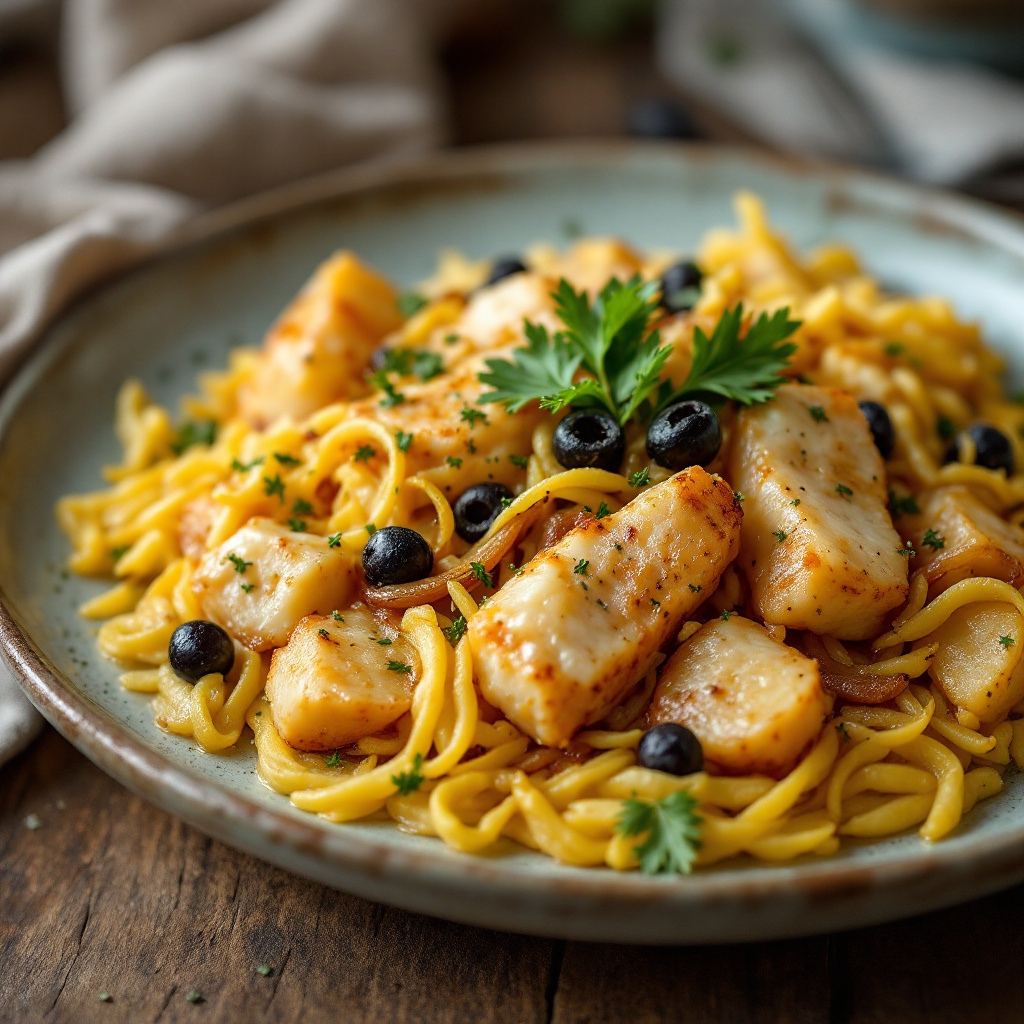
Bacalhau à Brás - Flux.1.1 pro
Indicador
**Prompt:** "A rustic yet elegant plate of **Bacalhau à Brás**, golden shredded cod mingling with silky caramelized onions and crispy matchstick potatoes, all bound by creamy scrambled eggs. The dish glistens under warm, diffused lighting, steam gently rising from its surface, evoking the cozy aroma of garlic and olive oil. Garnished with fresh parsley and black olives for a pop of color, it rests atop a weathered wooden table with a linen napkin and a simple ceramic plate. Shot in a **close-up, shallow depth-of-field** style, highlighting the tender flakes of fish and crisp potato strands, with a slightly **film-like, textured** warmth to enhance its homely charm.
Análisis Detallado del Prompt de Imagen de Flux IA
Analiza el prompt detallado utilizado para generar la imagen con Flux IA Image Generator.
Explorar Mensajes para Flux IA
Cómo generar una imagen por Flux.1.1 pro
Sigue estos cuatro sencillos pasos para crear la imagen que deseas.
Paso 1: Ingresa tu texto (No dudes en refinar tu prompt para mejores resultados)
Paso 2: Elige la relación de aspecto de la imagen
Paso 3: Selecciona tu modelo Flux:
Paso 4: Haz clic en el botón Generar y espera unos segundos para tu imagen
Herramientas Flux IA relacionadas para prompts sobre Flux.1.1 pro
Descubre herramientas avanzadas de Flux IA para potenciar tu flujo de trabajo creativo.