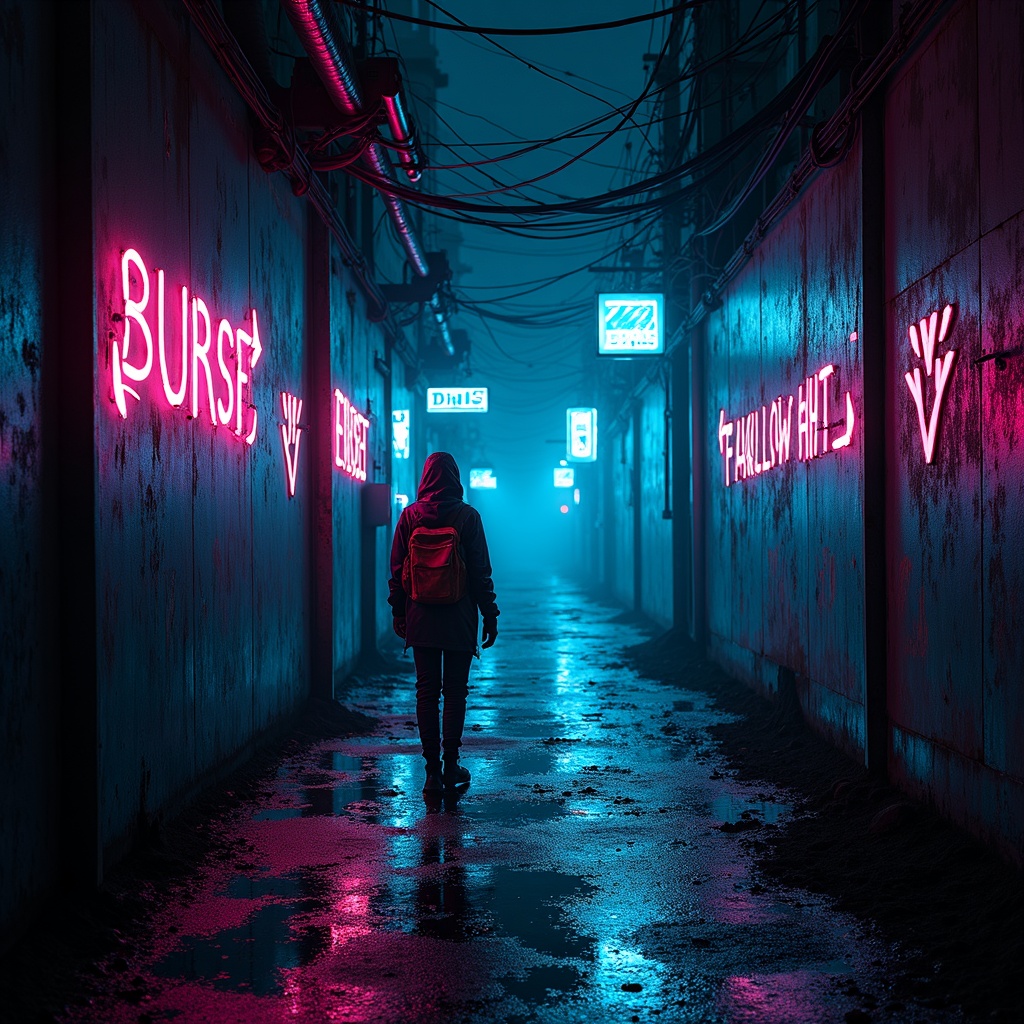
Glowing graffiti arrows point to secret water sources - Flux.1 dev
Indicador
A neon-drenched alleyway pulses with the hum of hidden energy, its rain-slicked walls adorned with glowing graffiti arrows that flicker in electric hues of cyan, magenta, and toxic green, their luminescent trails leading deeper into the labyrinthine urban sprawl. The arrows, crafted in a fusion of street art and futuristic glyphs, point toward concealed grates and rusted pipes where secret water sources bubble beneath the city, their reflections shimmering in oily puddles under the glow of flickering holographic ads. The air is thick with the scent of ozone and damp concrete, while mist curls around the boots of a shadowy figure—a rogue hydrologist in a tattered high-tech poncho, their goggles reflecting the neon chaos as they follow the arrows. Above, a tangled web of exposed wiring and crumbling overpasses frames the scene, with the distant hum of drones and the occasional flash of a malfunctioning sign adding to the cyberpunk tension. The atmosphere is alive with the promise of hidden truths, where every arrow is a whispered secret in a city that thrives on scarcity and subterfuge.
Análisis Detallado del Prompt de Imagen de Flux IA
Analiza el prompt detallado utilizado para generar la imagen con Flux IA Image Generator.
Explorar Mensajes para Flux IA
Cómo generar una imagen por Flux.1 dev
Sigue estos cuatro sencillos pasos para crear la imagen que deseas.
Paso 1: Ingresa tu texto (No dudes en refinar tu prompt para mejores resultados)
Paso 2: Elige la relación de aspecto de la imagen
Paso 3: Selecciona tu modelo Flux:
Paso 4: Haz clic en el botón Generar y espera unos segundos para tu imagen
Herramientas Flux IA relacionadas para prompts sobre Flux.1 dev
Descubre herramientas avanzadas de Flux IA para potenciar tu flujo de trabajo creativo.