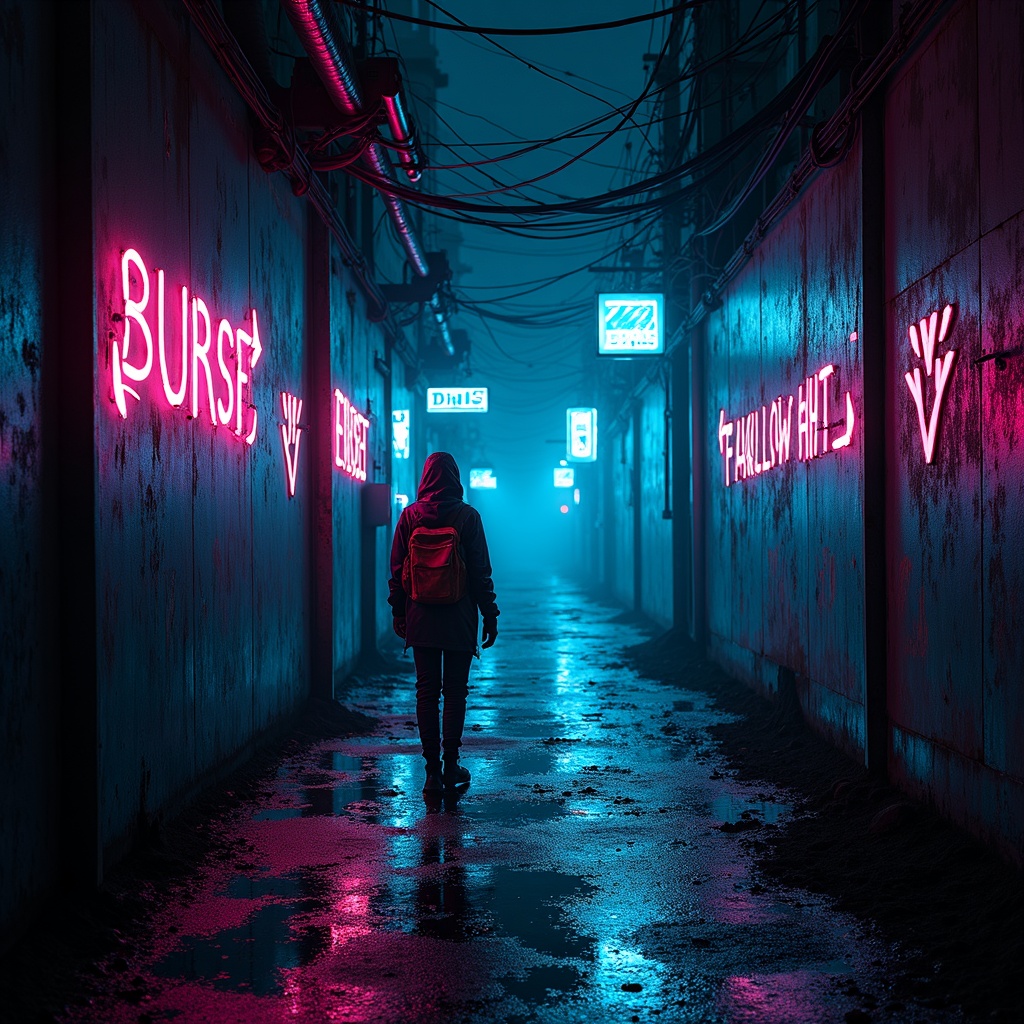
Glowing graffiti arrows point to secret water sources - Flux.1 dev
Invite
A neon-drenched alleyway pulses with the hum of hidden energy, its rain-slicked walls adorned with glowing graffiti arrows that flicker in electric hues of cyan, magenta, and toxic green, their luminescent trails leading deeper into the labyrinthine urban sprawl. The arrows, crafted in a fusion of street art and futuristic glyphs, point toward concealed grates and rusted pipes where secret water sources bubble beneath the city, their reflections shimmering in oily puddles under the glow of flickering holographic ads. The air is thick with the scent of ozone and damp concrete, while mist curls around the boots of a shadowy figure—a rogue hydrologist in a tattered high-tech poncho, their goggles reflecting the neon chaos as they follow the arrows. Above, a tangled web of exposed wiring and crumbling overpasses frames the scene, with the distant hum of drones and the occasional flash of a malfunctioning sign adding to the cyberpunk tension. The atmosphere is alive with the promise of hidden truths, where every arrow is a whispered secret in a city that thrives on scarcity and subterfuge.
Analyse Détaillée du Prompt d'Image Flux IA
Analysez le prompt détaillé utilisé pour générer l'image avec Flux IA Image Generator.
Explorez les invites Flux IA
Comment générer une image par Flux.1 dev
Suivez ces quatre étapes simples pour créer l'image désirée.
Étape 1 : Entrez votre texte (N'hésitez pas à affiner votre prompt pour de meilleurs résultats)
Étape 2 : Choisissez le ratio d'aspect de l'image
Étape 3 : Sélectionnez votre modèle Flux :
Étape 4 : Cliquez sur le bouton Générer et attendez quelques secondes pour votre image
Outils Flux IA liés aux prompts sur Flux.1 dev
Découvrez des outils avancés de Flux IA pour booster votre flux de travail créatif.