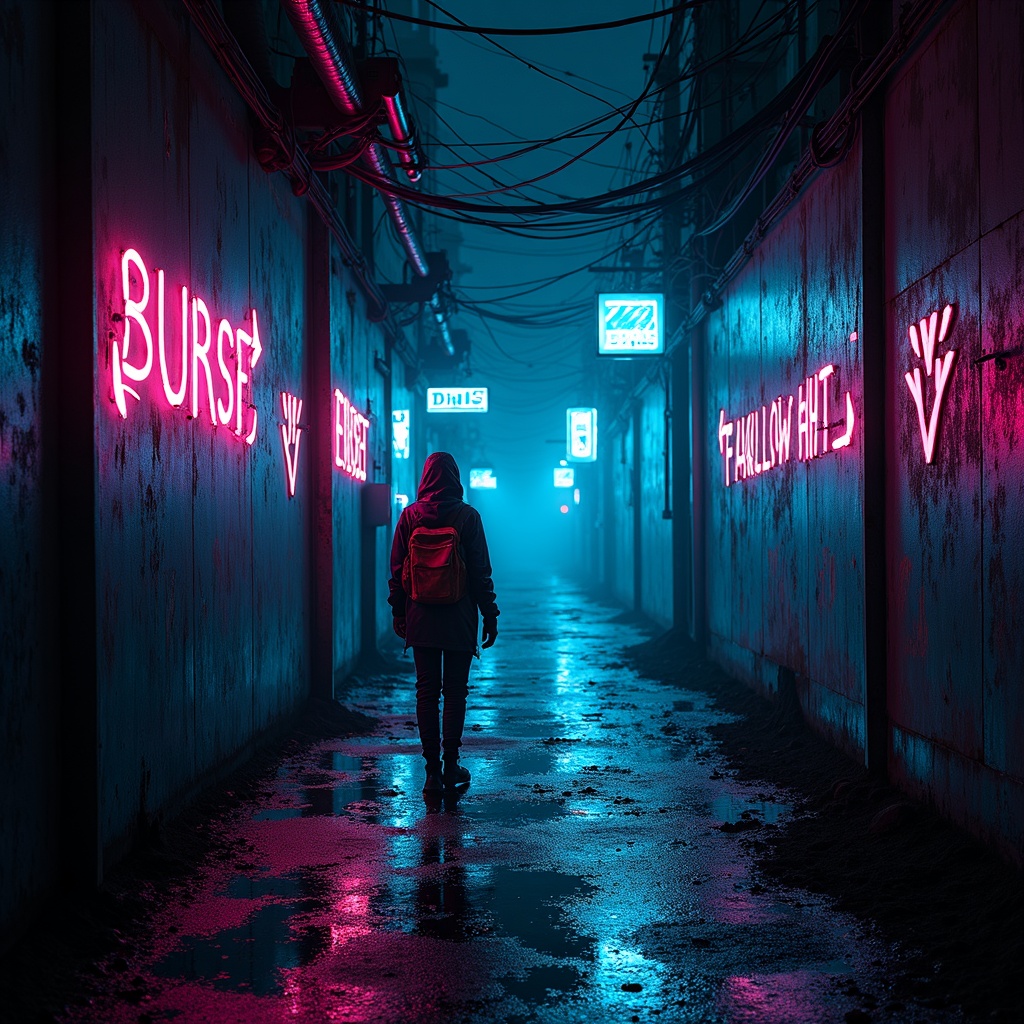
Glowing graffiti arrows point to secret water sources - Flux.1 dev
Prompt
A neon-drenched alleyway pulses with the hum of hidden energy, its rain-slicked walls adorned with glowing graffiti arrows that flicker in electric hues of cyan, magenta, and toxic green, their luminescent trails leading deeper into the labyrinthine urban sprawl. The arrows, crafted in a fusion of street art and futuristic glyphs, point toward concealed grates and rusted pipes where secret water sources bubble beneath the city, their reflections shimmering in oily puddles under the glow of flickering holographic ads. The air is thick with the scent of ozone and damp concrete, while mist curls around the boots of a shadowy figure—a rogue hydrologist in a tattered high-tech poncho, their goggles reflecting the neon chaos as they follow the arrows. Above, a tangled web of exposed wiring and crumbling overpasses frames the scene, with the distant hum of drones and the occasional flash of a malfunctioning sign adding to the cyberpunk tension. The atmosphere is alive with the promise of hidden truths, where every arrow is a whispered secret in a city that thrives on scarcity and subterfuge.
Análise Detalhada do Prompt de Imagem Flux IA
Analise o prompt detalhado usado para gerar a imagem com o Flux IA Image Generator.
Explore Prompts Flux para o Gerador de Imagens
Como gerar uma imagem por Flux.1 dev
Siga estes quatro passos simples para criar a imagem desejada.
Passo 1: Insira seu texto (Sinta-se à vontade para refinar seu prompt para melhores resultados)
Passo 2: Escolha a proporção da imagem
Passo 3: Selecione seu modelo Flux:
Passo 4: Clique no botão Gerar e aguarde alguns segundos para sua imagem
Ferramentas Flux IA relacionadas a prompts sobre Flux.1 dev
Descubra ferramentas avançadas da Flux IA para melhorar seu fluxo de trabalho criativo.