Fondue - Flux.1.1 pro
Indicador
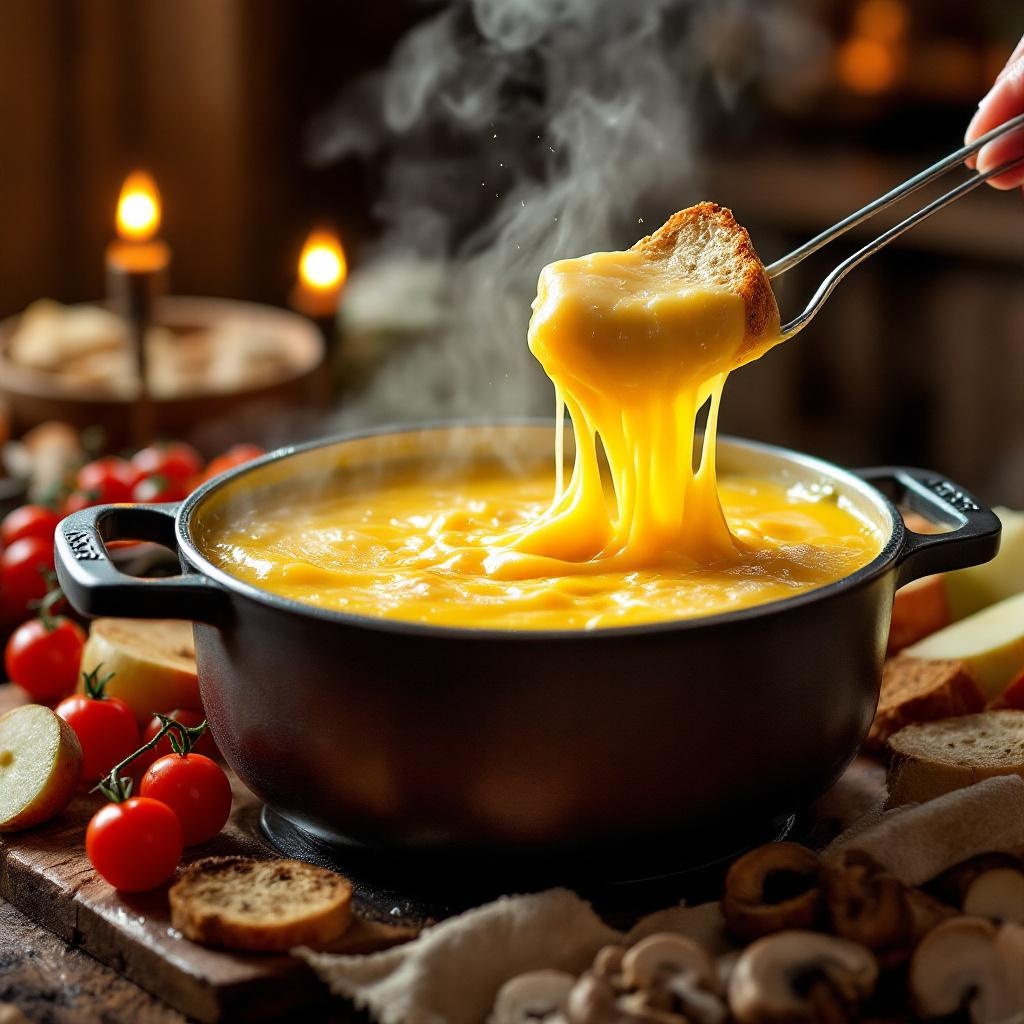
A steaming pot of golden, velvety cheese fondue, its surface glistening with tiny bubbles and a delicate sheen of melted Gruyère and Emmental. Strands of stretchy cheese cling to a crusty bread cube dipped halfway in, surrounded by vibrant accompaniments: ruby-red cherry tomatoes, crisp apple slices, and earthy mushrooms. Set against a rustic wooden table in a cozy chalet, warm candlelight casts a soft glow, highlighting the rich textures and inviting warmth. Shot in a close-up, shallow depth-of-field style, the image captures the intimate, indulgent experience—steam gently rising, the scent of garlic and white wine lingering in the air, and the promise of creamy, savory delight.
Análisis Detallado del Prompt de Imagen de Flux IA
Analiza el prompt detallado utilizado para generar la imagen con Flux IA Image Generator.
Explorar Mensajes para Flux IA
Cómo generar una imagen por Flux.1.1 pro
Sigue estos cuatro sencillos pasos para crear la imagen que deseas.
Paso 1: Ingresa tu texto (No dudes en refinar tu prompt para mejores resultados)
Paso 2: Elige la relación de aspecto de la imagen
Paso 3: Selecciona tu modelo Flux:
Paso 4: Haz clic en el botón Generar y espera unos segundos para tu imagen
Herramientas Flux IA relacionadas para prompts sobre Flux.1.1 pro
Descubre herramientas avanzadas de Flux IA para potenciar tu flujo de trabajo creativo.