The World Games - Flux.1.1 pro
Invite
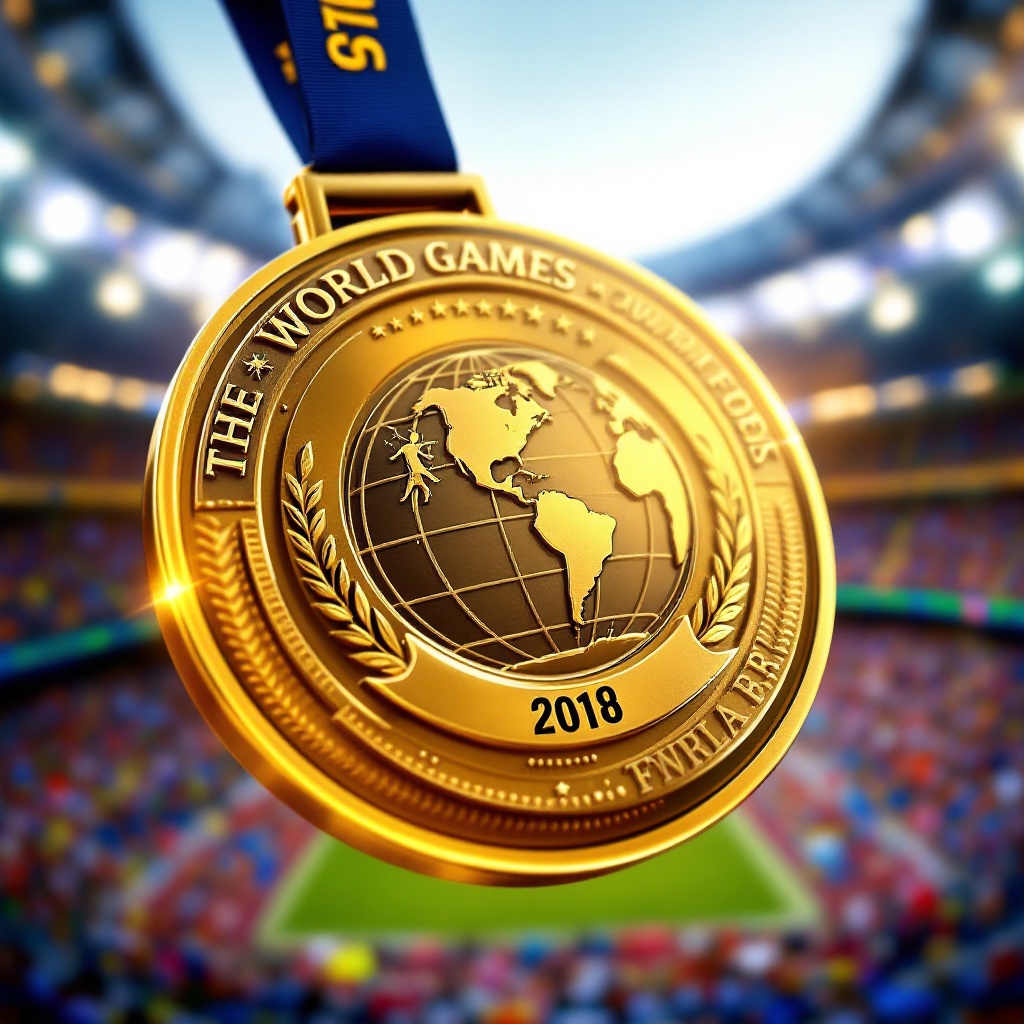
Create a stunning image of a gold medal for The World Games, featuring a circular design with a diameter of 3 inches, crafted from polished brass with intricate engravings. The medal's front showcases a raised emblem of a globe intertwined with various sports symbols, such as a runner, swimmer, and weightlifter, symbolizing unity in sports. The ribbon is 1.5 inches wide, made of deep blue satin with gold accents, elegantly cascading from the top. On the back, engrave the event name and year in bold, dynamic font. Use a vibrant color scheme of gold, blue, and white, with soft lighting that highlights the medal's shine and texture. The background should be a blurred stadium scene, evoking excitement and energy, with the perspective angled slightly from above to emphasize the medal's grandeur and significance.
Analyse Détaillée du Prompt d'Image Flux IA
Analysez le prompt détaillé utilisé pour générer l'image avec Flux IA Image Generator.
Explorez les invites Flux IA
Comment générer une image par Flux.1.1 pro
Suivez ces quatre étapes simples pour créer l'image désirée.
Étape 1 : Entrez votre texte (N'hésitez pas à affiner votre prompt pour de meilleurs résultats)
Étape 2 : Choisissez le ratio d'aspect de l'image
Étape 3 : Sélectionnez votre modèle Flux :
Étape 4 : Cliquez sur le bouton Générer et attendez quelques secondes pour votre image
Outils Flux IA liés aux prompts sur Flux.1.1 pro
Découvrez des outils avancés de Flux IA pour booster votre flux de travail créatif.