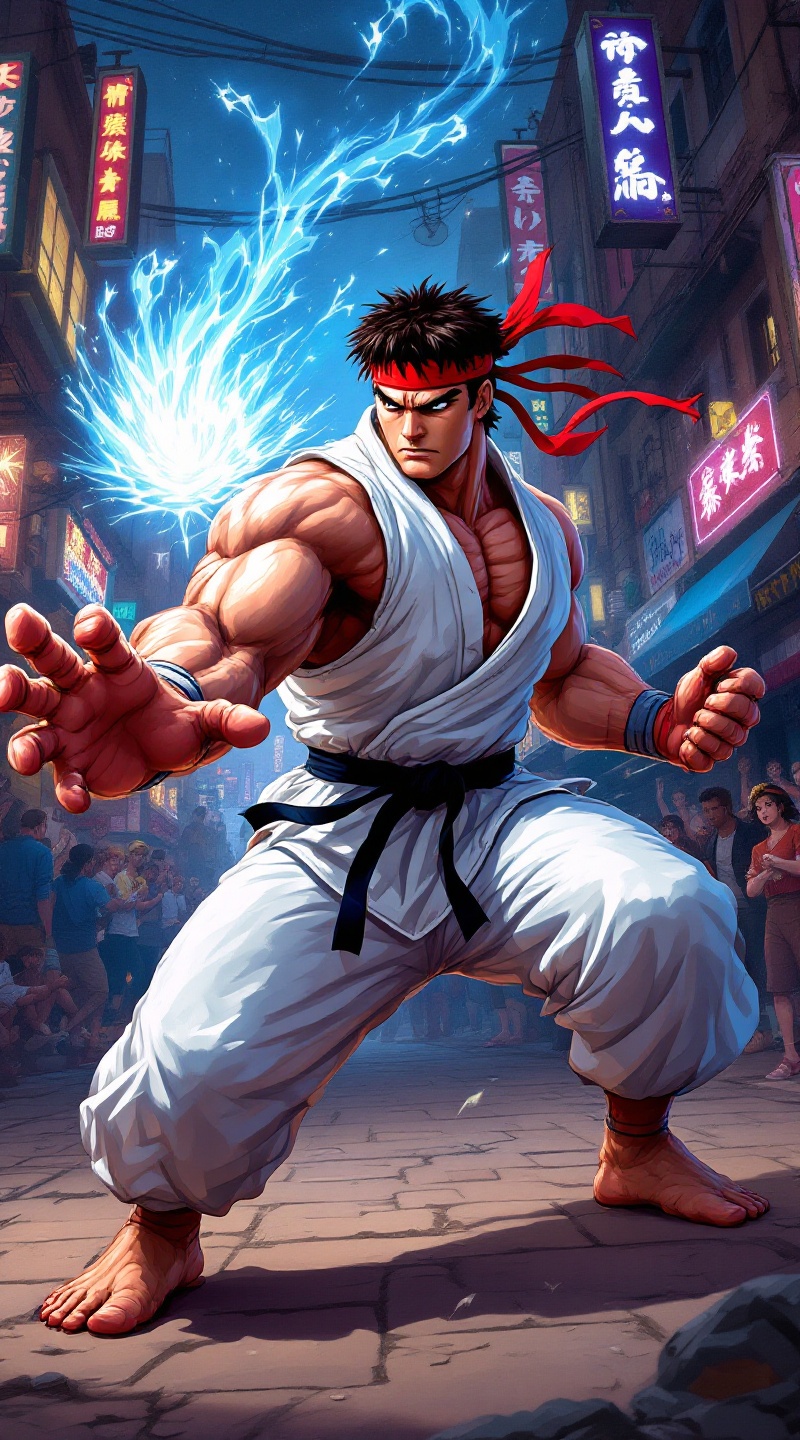
Pixelated Power: Ryu's Showdown - Flux.1.1 pro
Invite
Create a dynamic scene set in a vibrant, pixel-art style reminiscent of classic 90s fighting games, capturing the essence of "Street Fighter II." The focus is on Ryu, a muscular, determined martial artist clad in a white gi, with a red headband fluttering in the wind. His intense expression conveys focus and strength, showcasing his iconic Hadouken pose, with energy swirling in his outstretched hand. The background features a bustling urban environment, with neon lights and graffiti-covered walls, embodying the gritty street culture of the game. Include spectators in awe, adding to the electric atmosphere. The overall mood is charged with anticipation and excitement, highlighting the adrenaline-fueled action of a legendary street fight.
Analyse Détaillée du Prompt d'Image Flux IA
Analysez le prompt détaillé utilisé pour générer l'image avec Flux IA Image Generator.
Explorez les invites Flux IA
Comment générer une image par Flux.1.1 pro
Suivez ces quatre étapes simples pour créer l'image désirée.
Étape 1 : Entrez votre texte (N'hésitez pas à affiner votre prompt pour de meilleurs résultats)
Étape 2 : Choisissez le ratio d'aspect de l'image
Étape 3 : Sélectionnez votre modèle Flux :
Étape 4 : Cliquez sur le bouton Générer et attendez quelques secondes pour votre image
Outils Flux IA liés aux prompts sur Flux.1.1 pro
Découvrez des outils avancés de Flux IA pour booster votre flux de travail créatif.