Pixelated Power: Ryu's Showdown - Flux.1.1 pro
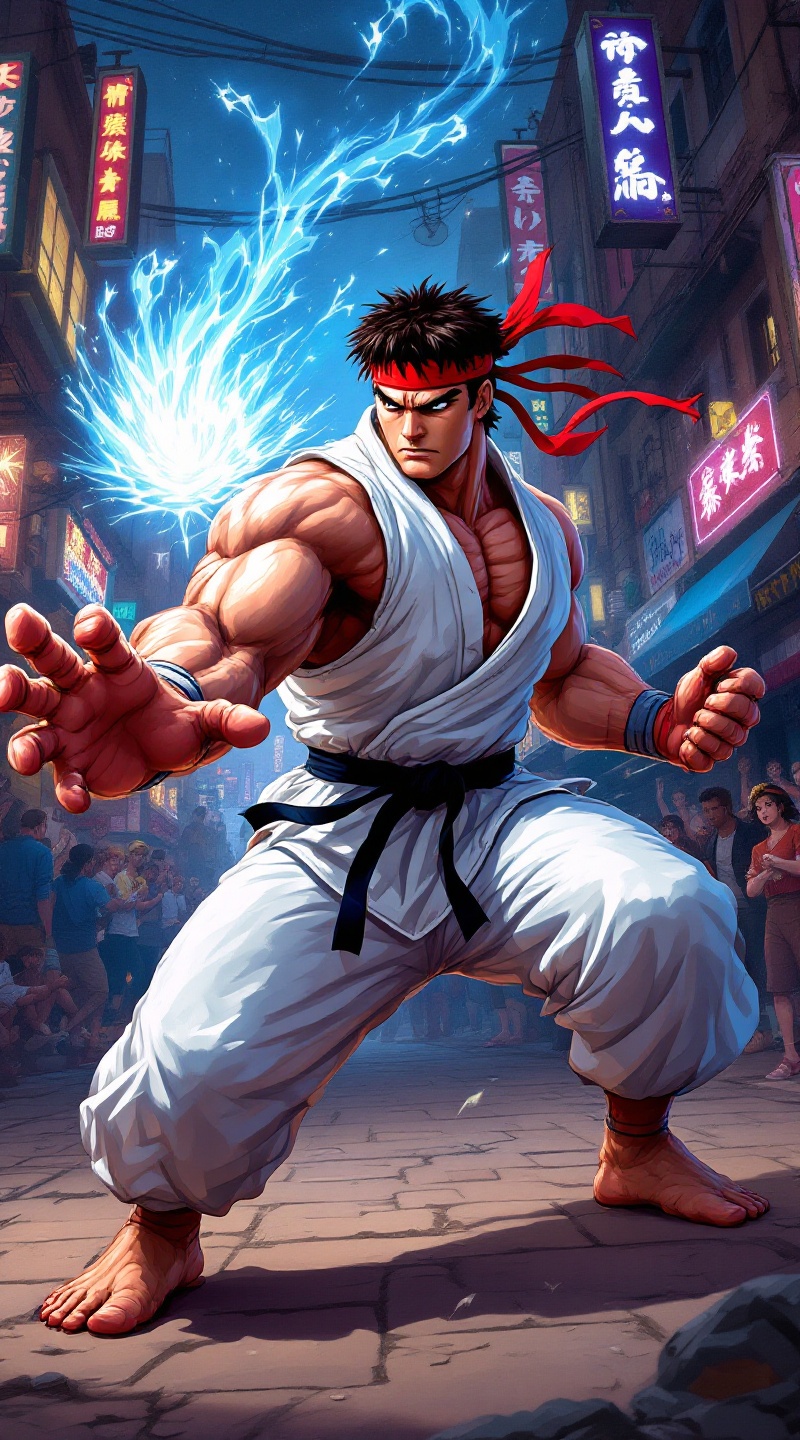
prompt
Create a dynamic scene set in a vibrant, pixel-art style reminiscent of classic 90s fighting games, capturing the essence of "Street Fighter II." The focus is on Ryu, a muscular, determined martial artist clad in a white gi, with a red headband fluttering in the wind. His intense expression conveys focus and strength, showcasing his iconic Hadouken pose, with energy swirling in his outstretched hand. The background features a bustling urban environment, with neon lights and graffiti-covered walls, embodying the gritty street culture of the game. Include spectators in awe, adding to the electric atmosphere. The overall mood is charged with anticipation and excitement, highlighting the adrenaline-fueled action of a legendary street fight.
Analisis Terperinci Prompt Gambar Flux AI
Analisis prompt terperinci yang digunakan untuk menghasilkan gambar dengan Generator Gambar Flux AI.
Jelajahi Prompt Flux untuk Generator Gambar AI Flux
Cara menghasilkan gambar dengan Flux.1.1 pro
Ikuti empat langkah sederhana ini untuk membuat gambar yang Anda inginkan.
Langkah 1: Masukkan Teks Anda (Silakan sempurnakan prompt untuk hasil yang lebih baik)
Langkah 2: Pilih Rasio Aspek Gambar
Langkah 3: Pilih Model Flux Anda:
Langkah 4: Klik Tombol Buat dan Tunggu Beberapa Detik untuk Gambar Anda
Alat Flux AI terkait untuk prompt tentang Flux.1.1 pro
Temukan alat-alat canggih dari Flux AI untuk meningkatkan alur kerja kreatif Anda.