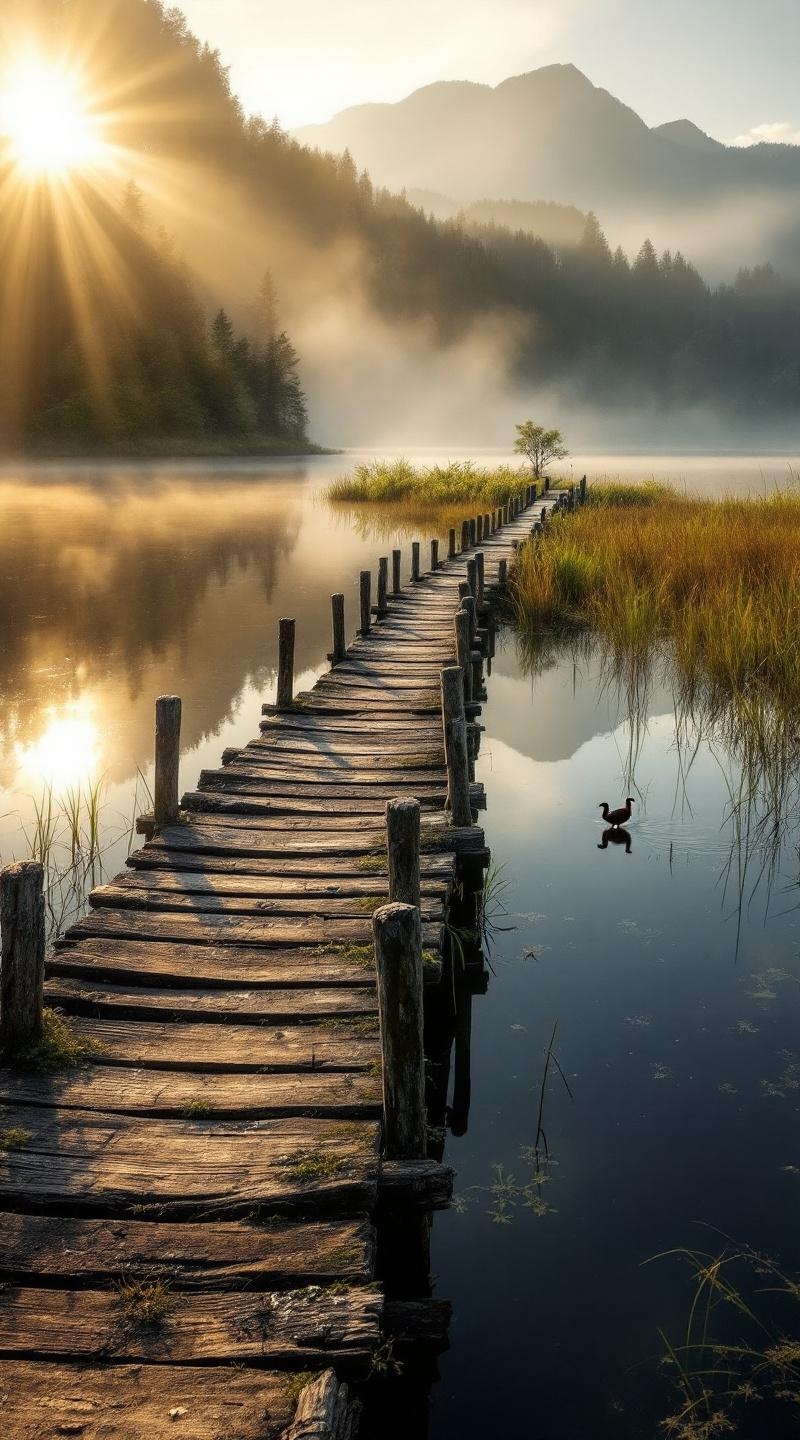
Lake Papaitonga - Flux.1.1 pro
Invite
**Prompt:** "A serene, mist-covered dawn at Lake Papaitonga, with golden sunlight filtering through dense native forest, casting soft reflections on the still, dark water. The historic wooden wharf, weathered and worn with time, extends into the lake, its aged timber textured with moss and lichen. Surrounding wetlands teem with raupō (bulrushes) and flax, their vibrant greens contrasting against the deep blues of the water. Distant hills rise softly in the background, shrouded in morning haze. A lone pūkeko (swamp hen) strides along the water’s edge, adding life to the tranquil scene. Capture the scene in a moody, painterly style, with soft focus and rich, earthy tones, evoking the quiet mystique of this sacred Māori wetland." (Characters: 700)
Analyse Détaillée du Prompt d'Image Flux IA
Analysez le prompt détaillé utilisé pour générer l'image avec Flux IA Image Generator.
Explorez les invites Flux IA
Comment générer une image par Flux.1.1 pro
Suivez ces quatre étapes simples pour créer l'image désirée.
Étape 1 : Entrez votre texte (N'hésitez pas à affiner votre prompt pour de meilleurs résultats)
Étape 2 : Choisissez le ratio d'aspect de l'image
Étape 3 : Sélectionnez votre modèle Flux :
Étape 4 : Cliquez sur le bouton Générer et attendez quelques secondes pour votre image
Outils Flux IA liés aux prompts sur Flux.1.1 pro
Découvrez des outils avancés de Flux IA pour booster votre flux de travail créatif.