Elton John - Flux.1 schnell
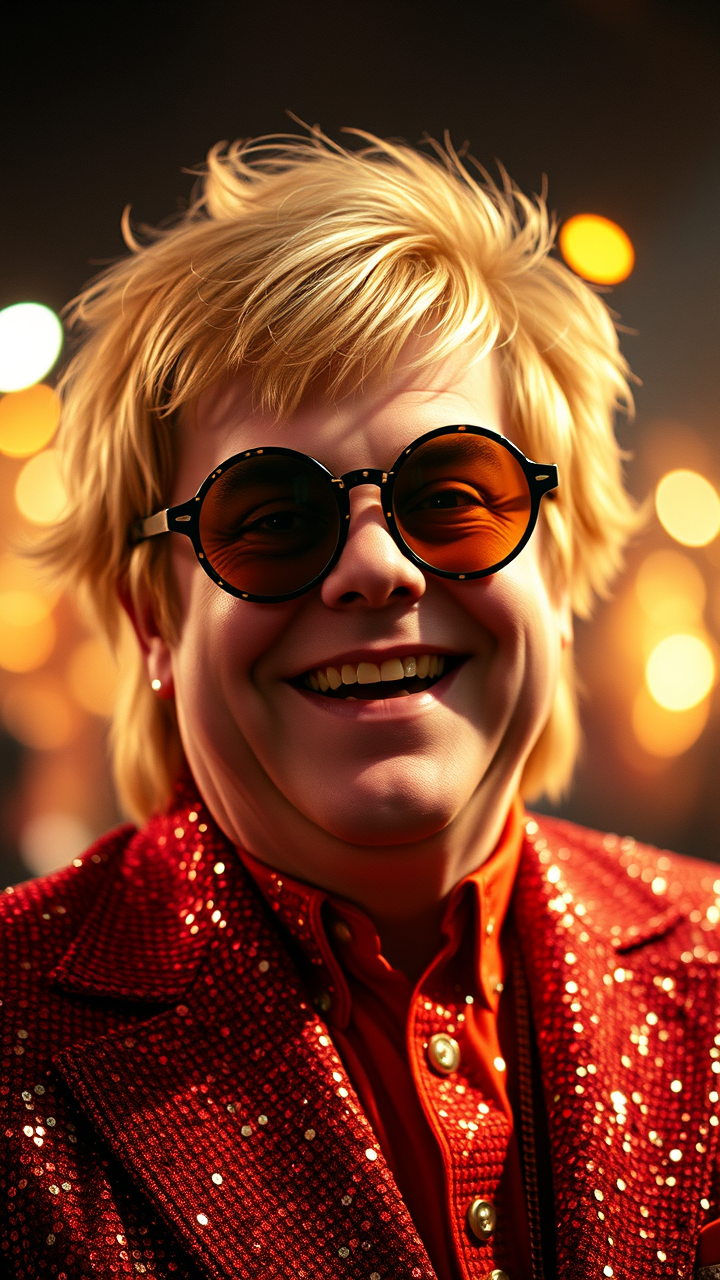
Invite
**Prompt:** "Create a hyper-detailed portrait of Elton John in his iconic 1970s glam-rock era, wearing his signature sequined jumpsuit and oversized, flamboyant glasses. Capture his expressive face with sharp cheekbones, a warm smile, and twinkling eyes behind round, tinted lenses. Highlight his voluminous, feathered blonde hair styled in his classic retro look. Use dramatic, stage-like lighting with a soft spotlight effect, casting subtle shadows that enhance his facial contours. The background should be a shimmering, bokeh-filled concert ambiance with faint hints of a cheering crowd. Render the image in a high-resolution, cinematic style with a slight vintage film grain, mimicking the warmth of 35mm Kodak film. Opt for a mid-close-up shot with a 50mm lens for natural depth, ensuring vibrant colors and intricate fabric textures. The mood should be joyful, energetic, and larger-than-life, embodying his legendary stage presence." (999 characters)
Analyse Détaillée du Prompt d'Image Flux IA
Analysez le prompt détaillé utilisé pour générer l'image avec Flux IA Image Generator.
Explorez les invites Flux IA
Comment générer une image par Flux.1 schnell
Suivez ces quatre étapes simples pour créer l'image désirée.
Étape 1 : Entrez votre texte (N'hésitez pas à affiner votre prompt pour de meilleurs résultats)
Étape 2 : Choisissez le ratio d'aspect de l'image
Étape 3 : Sélectionnez votre modèle Flux :
Étape 4 : Cliquez sur le bouton Générer et attendez quelques secondes pour votre image
Outils Flux IA liés aux prompts sur Flux.1 schnell
Découvrez des outils avancés de Flux IA pour booster votre flux de travail créatif.