Elton John - Flux.1 schnell
프롬프트
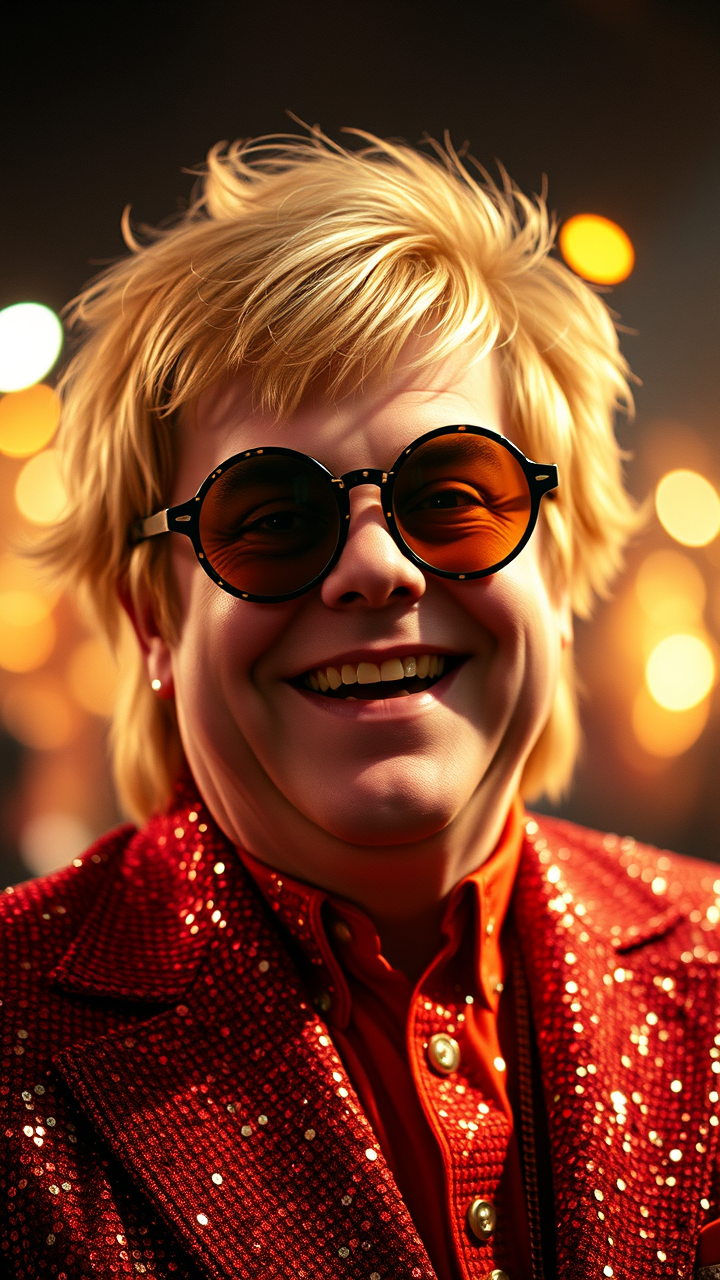
**Prompt:** "Create a hyper-detailed portrait of Elton John in his iconic 1970s glam-rock era, wearing his signature sequined jumpsuit and oversized, flamboyant glasses. Capture his expressive face with sharp cheekbones, a warm smile, and twinkling eyes behind round, tinted lenses. Highlight his voluminous, feathered blonde hair styled in his classic retro look. Use dramatic, stage-like lighting with a soft spotlight effect, casting subtle shadows that enhance his facial contours. The background should be a shimmering, bokeh-filled concert ambiance with faint hints of a cheering crowd. Render the image in a high-resolution, cinematic style with a slight vintage film grain, mimicking the warmth of 35mm Kodak film. Opt for a mid-close-up shot with a 50mm lens for natural depth, ensuring vibrant colors and intricate fabric textures. The mood should be joyful, energetic, and larger-than-life, embodying his legendary stage presence." (999 characters)
Flux AI 이미지 프롬프트에 대한 상세 분석
Flux AI Image Generator를 사용하여 이미지를 생성하는 데 사용된 상세한 프롬프트를 분석합니다.
Flux AI 이미지 생성기 프롬프트 탐색
을 통해 이미지를 생성하는 방법 Flux.1 schnell
원하는 이미지를 만들기 위해 다음 네 가지 간단한 단계를 따르세요.
단계 1: 텍스트 입력 (더 나은 결과를 위해 프롬프트를 자유롭게 수정하세요)
단계 2: 이미지 종횡비 선택
단계 3: Flux 모델 선택:
단계 4: 생성 버튼을 클릭하고 몇 초간 기다려 이미지를 받으세요
프롬프트와 관련된 Flux AI 도구 Flux.1 schnell
Flux AI의 고급 도구를 발견하여 창의적인 작업 흐름을 향상시키세요.