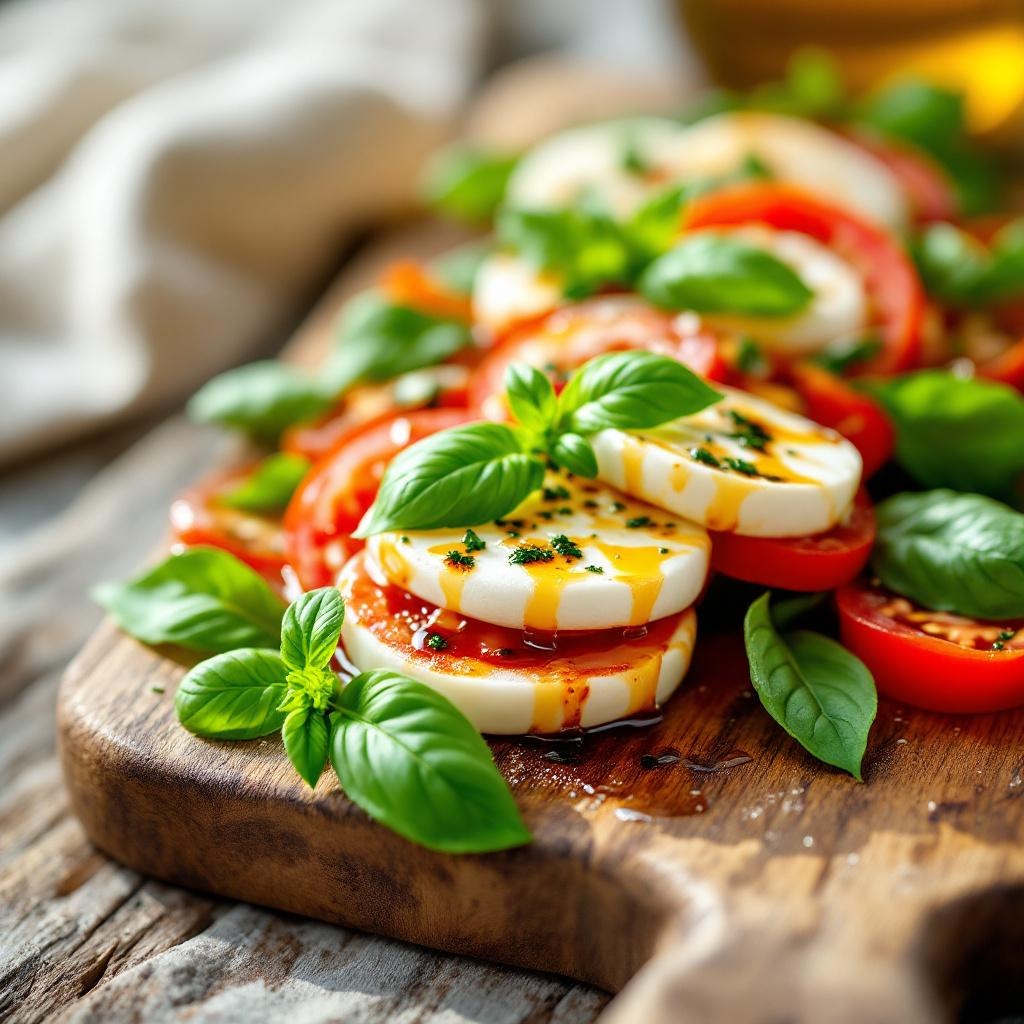
Caprese Salad - Flux.1.1 pro
Invite
**Prompt:** "A vibrant Caprese salad, layered with thick, ruby-red tomato slices, creamy white buffalo mozzarella, and emerald-green basil leaves, drizzled with golden olive oil and a balsamic glaze. The ingredients glisten under soft, diffused natural light, highlighting their fresh, juicy textures. Arranged on a rustic wooden board with a weathered edge, the dish is framed closely, capturing dewdrops on the basil and the delicate sheen of oil pooling around the cheese. The setting is a sunlit Italian terrace, linen napkins casually draped nearby, evoking warmth and authenticity. Shot in a crisp, macro style with shallow depth of field, the image emphasizes the salad’s lush colors and inviting contrast between the silky mozzarella and crisp basil." (999 characters)
Analyse Détaillée du Prompt d'Image Flux IA
Analysez le prompt détaillé utilisé pour générer l'image avec Flux IA Image Generator.
Explorez les invites Flux IA
Comment générer une image par Flux.1.1 pro
Suivez ces quatre étapes simples pour créer l'image désirée.
Étape 1 : Entrez votre texte (N'hésitez pas à affiner votre prompt pour de meilleurs résultats)
Étape 2 : Choisissez le ratio d'aspect de l'image
Étape 3 : Sélectionnez votre modèle Flux :
Étape 4 : Cliquez sur le bouton Générer et attendez quelques secondes pour votre image
Outils Flux IA liés aux prompts sur Flux.1.1 pro
Découvrez des outils avancés de Flux IA pour booster votre flux de travail créatif.