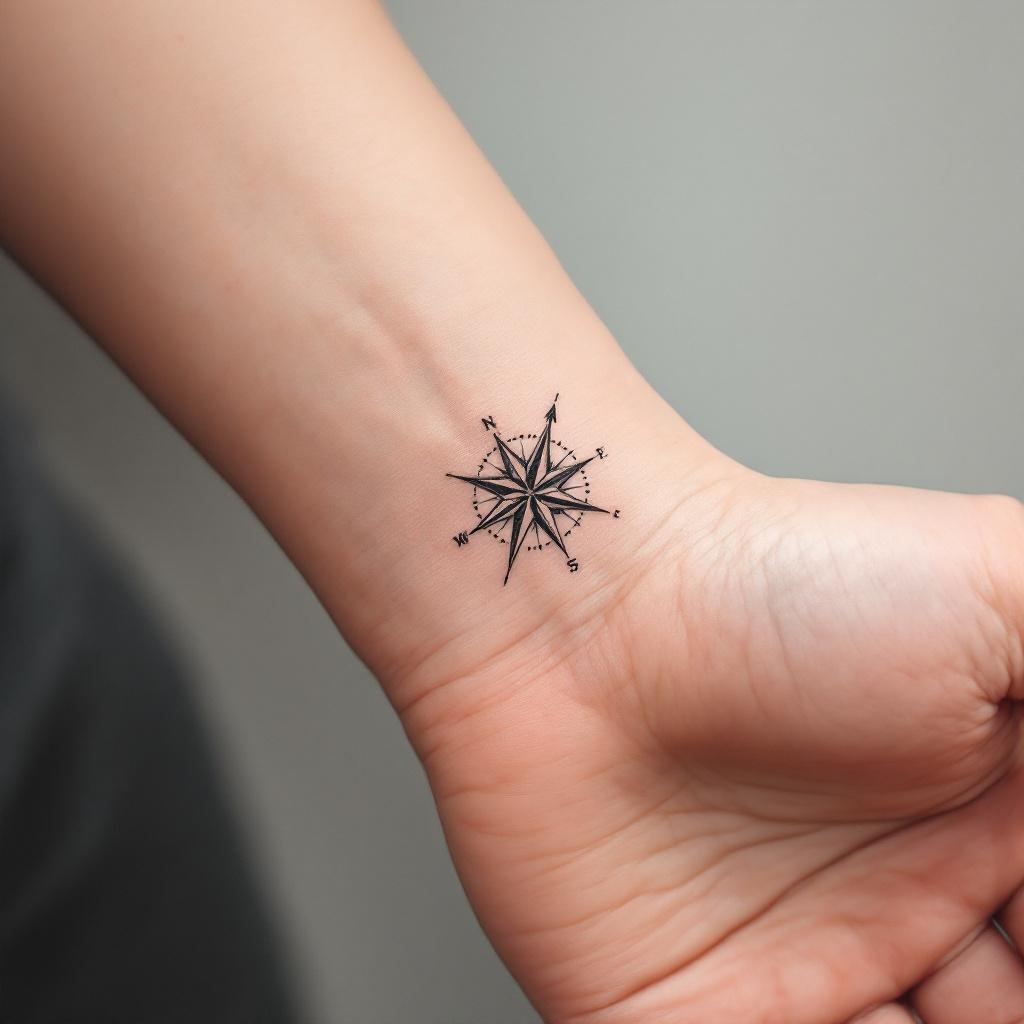
Wrist-Semicolon & Compass - Flux.1.1 pro
Invite
**Prompt:** A minimalist black ink tattoo combining a delicate semicolon with a sleek compass design, symbolizing resilience and direction. The semicolon wraps subtly around the inner wrist, blending seamlessly with the compass’s clean lines and precise points. Fine dotwork shading adds depth, while thin, precise strokes ensure elegance. The compass features subtle directional markings (N, S, E, W) with a tiny arrow pointing forward. Tiny geometric patterns or micro-details enhance the design without clutter. Monochromatic, with sharp contrast for readability. The overall aesthetic is understated yet meaningful, evoking hope and perseverance. Size: 2-3 inches, perfectly scaled for wrist visibility.
Analyse Détaillée du Prompt d'Image Flux IA
Analysez le prompt détaillé utilisé pour générer l'image avec Flux IA Image Generator.
Explorez les invites Flux IA
Comment générer une image par Flux.1.1 pro
Suivez ces quatre étapes simples pour créer l'image désirée.
Étape 1 : Entrez votre texte (N'hésitez pas à affiner votre prompt pour de meilleurs résultats)
Étape 2 : Choisissez le ratio d'aspect de l'image
Étape 3 : Sélectionnez votre modèle Flux :
Étape 4 : Cliquez sur le bouton Générer et attendez quelques secondes pour votre image
Outils Flux IA liés aux prompts sur Flux.1.1 pro
Découvrez des outils avancés de Flux IA pour booster votre flux de travail créatif.