Wrist-Semicolon & Compass - Flux.1.1 pro
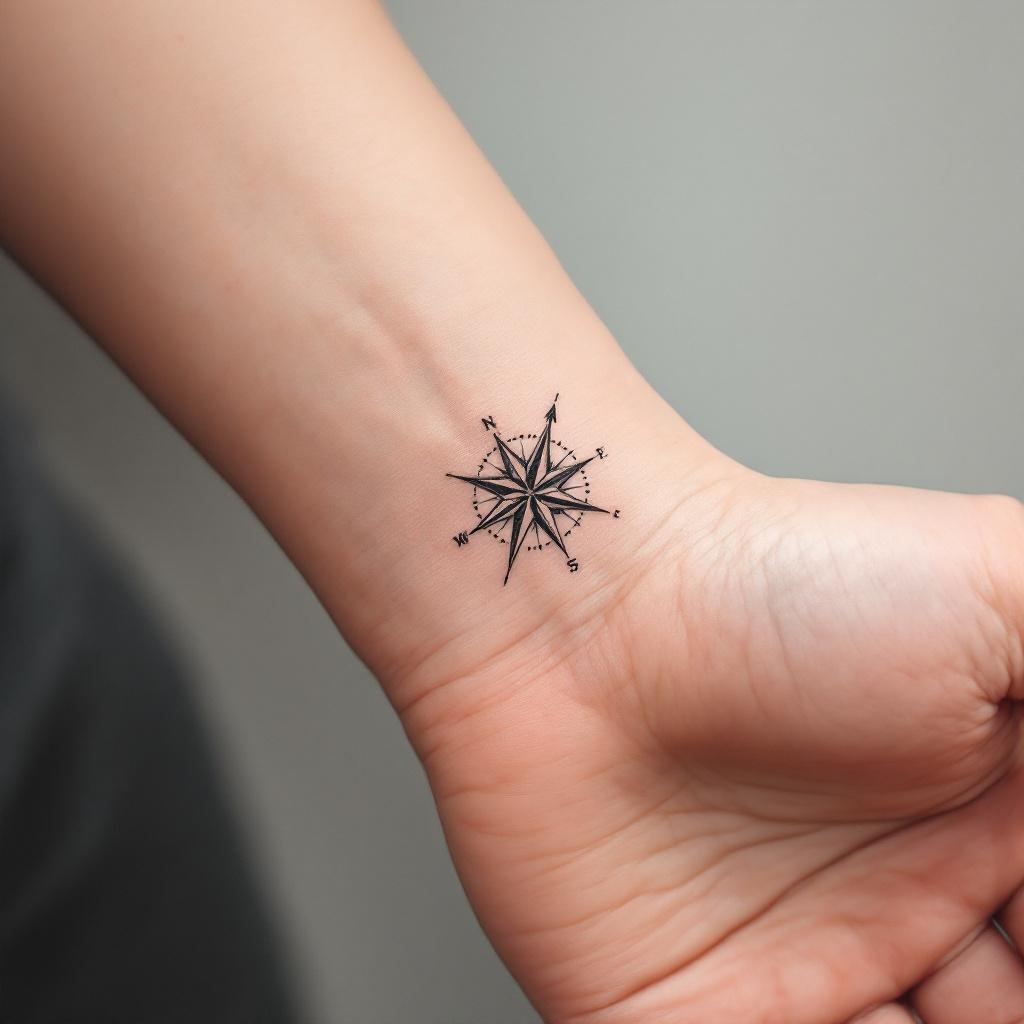
prompt
**Prompt:** A minimalist black ink tattoo combining a delicate semicolon with a sleek compass design, symbolizing resilience and direction. The semicolon wraps subtly around the inner wrist, blending seamlessly with the compass’s clean lines and precise points. Fine dotwork shading adds depth, while thin, precise strokes ensure elegance. The compass features subtle directional markings (N, S, E, W) with a tiny arrow pointing forward. Tiny geometric patterns or micro-details enhance the design without clutter. Monochromatic, with sharp contrast for readability. The overall aesthetic is understated yet meaningful, evoking hope and perseverance. Size: 2-3 inches, perfectly scaled for wrist visibility.
Analisis Terperinci Prompt Gambar Flux AI
Analisis prompt terperinci yang digunakan untuk menghasilkan gambar dengan Generator Gambar Flux AI.
Jelajahi Prompt Flux untuk Generator Gambar AI Flux
Cara menghasilkan gambar dengan Flux.1.1 pro
Ikuti empat langkah sederhana ini untuk membuat gambar yang Anda inginkan.
Langkah 1: Masukkan Teks Anda (Silakan sempurnakan prompt untuk hasil yang lebih baik)
Langkah 2: Pilih Rasio Aspek Gambar
Langkah 3: Pilih Model Flux Anda:
Langkah 4: Klik Tombol Buat dan Tunggu Beberapa Detik untuk Gambar Anda
Alat Flux AI terkait untuk prompt tentang Flux.1.1 pro
Temukan alat-alat canggih dari Flux AI untuk meningkatkan alur kerja kreatif Anda.