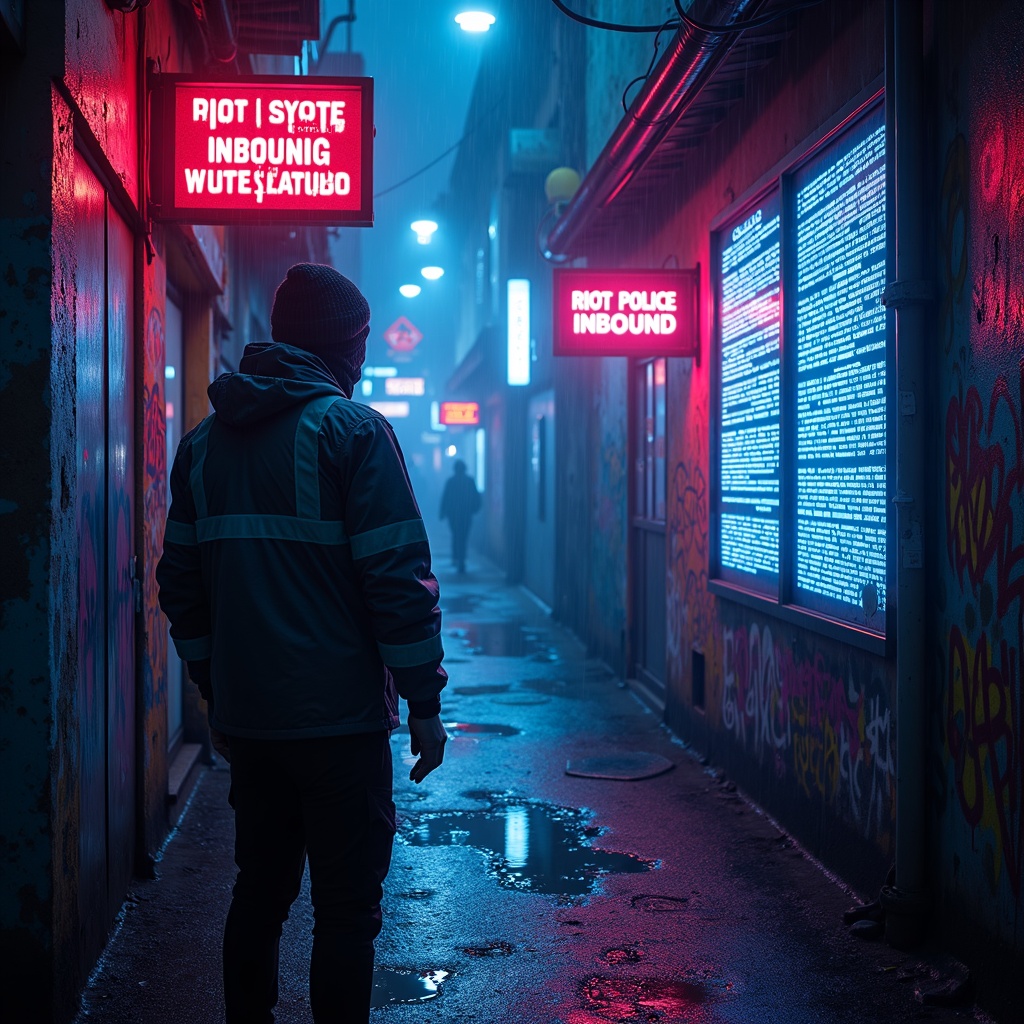
Augmented reality tags overlay protest warnings - Flux.1 dev
Invite
The scene unfolds in a rain-slicked cyberpunk alley, where neon signs flicker with unstable holograms casting pulsating glows of electric blue and toxic pink onto wet asphalt. Augmented reality tags float ominously in the air, their jagged, glitching text screaming warnings like "RIOT POLICE INBOUND" and "SYSTEM OVERRIDE DETECTED" in harsh, pixelated fonts. The tags pulse with urgency, some dissolving into static, others flaring crimson as if bleeding code. A masked protester, clad in a tattered reflective jacket, reaches toward a shimmering AR glyph, their fingers distorting the projection like ripples in water. The air hums with the low buzz of unseen drones, their red scanning lasers cutting through the mist. Graffiti-covered walls flicker with corrupted AR overlays, half-rendered symbols of resistance melting into digital decay. Puddles reflect the chaos, doubling the neon chaos as the scent of ozone and damp concrete lingers. The atmosphere is tense, charged with the weight of rebellion and the cold gaze of surveillance.
Analyse Détaillée du Prompt d'Image Flux IA
Analysez le prompt détaillé utilisé pour générer l'image avec Flux IA Image Generator.
Explorez les invites Flux IA
Comment générer une image par Flux.1 dev
Suivez ces quatre étapes simples pour créer l'image désirée.
Étape 1 : Entrez votre texte (N'hésitez pas à affiner votre prompt pour de meilleurs résultats)
Étape 2 : Choisissez le ratio d'aspect de l'image
Étape 3 : Sélectionnez votre modèle Flux :
Étape 4 : Cliquez sur le bouton Générer et attendez quelques secondes pour votre image
Outils Flux IA liés aux prompts sur Flux.1 dev
Découvrez des outils avancés de Flux IA pour booster votre flux de travail créatif.