Serene Butterfly & Peony Tattoo - Flux.1.1 pro
prompt
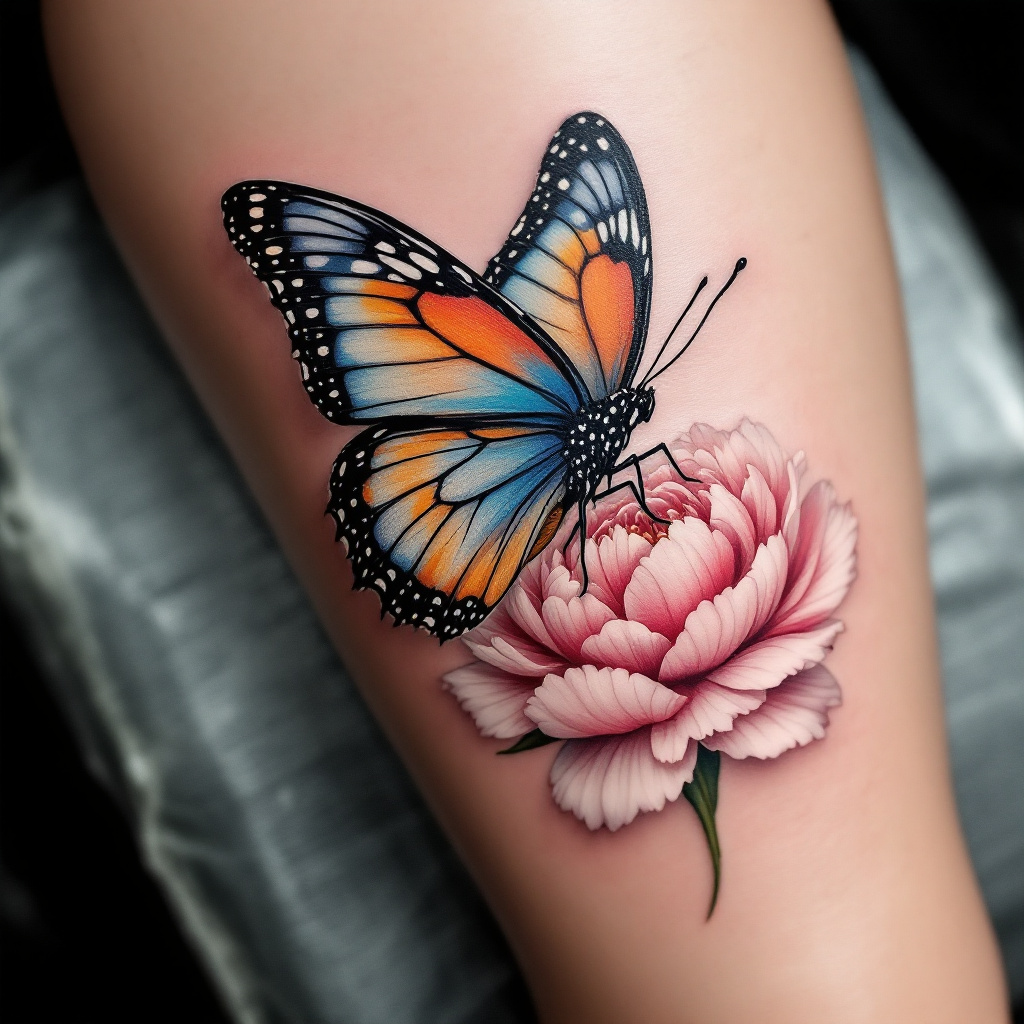
Create a realistic tattoo design for the side of the calf featuring a beautifully detailed butterfly resting delicately on a vibrant flower. The butterfly should display intricate wing patterns with shades of blue, orange, and black, showcasing a lifelike texture that captures the light. The flower, a blooming peony, should be rendered in soft pinks and whites, with detailed petals and subtle shading that adds depth. The overall size of the tattoo should be medium, allowing it to flow gracefully along the calf's natural curves. The design should incorporate fine lines and delicate dot work to enhance the intricacy of the elements. Symbolically, the butterfly represents transformation and beauty, while the peony signifies prosperity and romance. The overall mood is serene and uplifting, with a harmonious blend of colors that evoke a sense of tranquility and natural elegance.
Analisi Dettagliata del Prompt Immagine Flux AI
Analizza il prompt dettagliato utilizzato per generare l'immagine con il Generatore Immagini Flux AI.
Esplora i Prompt Flux per il Generatore Immagini Flux AI
Come generare immagini con Flux.1.1 pro
Segui questi quattro semplici passaggi per creare l'immagine desiderata.
Passaggio 1: Inserisci il Tuo Testo (Sentiti libero di perfezionare il prompt per risultati migliori)
Passaggio 2: Scegli le Proporzioni dell'Immagine
Passaggio 3: Seleziona il Tuo Modello Flux:
Passaggio 4: Clicca il Pulsante Genera e Attendi Alcuni Secondi per la Tua Immagine
Strumenti Flux AI correlati per prompt su Flux.1.1 pro
Scopri strumenti avanzati di Flux AI per potenziare il tuo flusso di lavoro creativo.