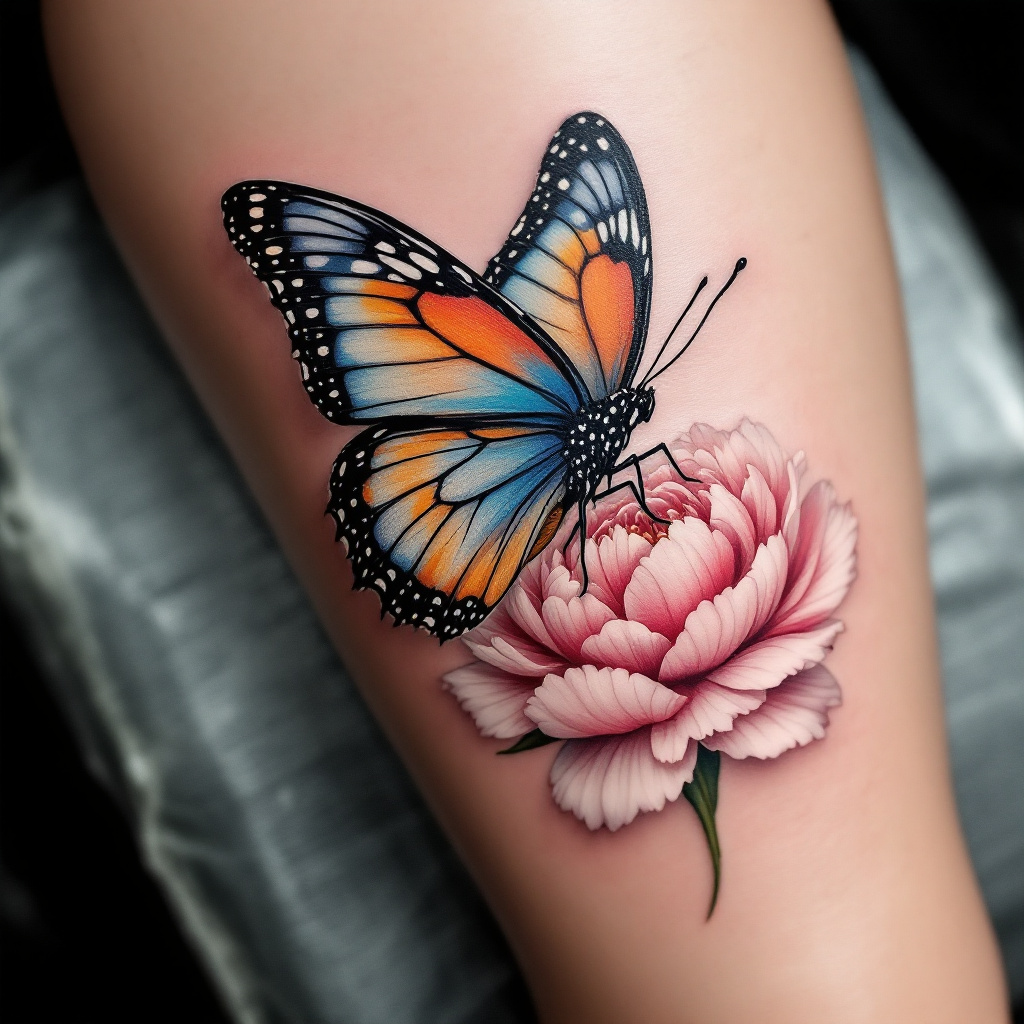
Serene Butterfly & Peony Tattoo - Flux.1.1 pro
프롬프트
Create a realistic tattoo design for the side of the calf featuring a beautifully detailed butterfly resting delicately on a vibrant flower. The butterfly should display intricate wing patterns with shades of blue, orange, and black, showcasing a lifelike texture that captures the light. The flower, a blooming peony, should be rendered in soft pinks and whites, with detailed petals and subtle shading that adds depth. The overall size of the tattoo should be medium, allowing it to flow gracefully along the calf's natural curves. The design should incorporate fine lines and delicate dot work to enhance the intricacy of the elements. Symbolically, the butterfly represents transformation and beauty, while the peony signifies prosperity and romance. The overall mood is serene and uplifting, with a harmonious blend of colors that evoke a sense of tranquility and natural elegance.
Flux AI 이미지 프롬프트에 대한 상세 분석
Flux AI Image Generator를 사용하여 이미지를 생성하는 데 사용된 상세한 프롬프트를 분석합니다.
Flux AI 이미지 생성기 프롬프트 탐색
을 통해 이미지를 생성하는 방법 Flux.1.1 pro
원하는 이미지를 만들기 위해 다음 네 가지 간단한 단계를 따르세요.
단계 1: 텍스트 입력 (더 나은 결과를 위해 프롬프트를 자유롭게 수정하세요)
단계 2: 이미지 종횡비 선택
단계 3: Flux 모델 선택:
단계 4: 생성 버튼을 클릭하고 몇 초간 기다려 이미지를 받으세요
프롬프트와 관련된 Flux AI 도구 Flux.1.1 pro
Flux AI의 고급 도구를 발견하여 창의적인 작업 흐름을 향상시키세요.